> ## Documentation Index
> Fetch the complete documentation index at: https://docs.abbyy.com/llms.txt
> Use this file to discover all available pages before exploring further.
# Logging Laserfiche activity
> View logs for Laserfiche export activity, either on the Messages tab in Workflow Designer debug mode or in the activity errors.log file for business processes.
All major export stages are logged.
* ***Workflow Designer***. When debugging a workflow, all activity logs will be displayed in design mode. To view the logs, click the **Messages** tab after starting the activity.
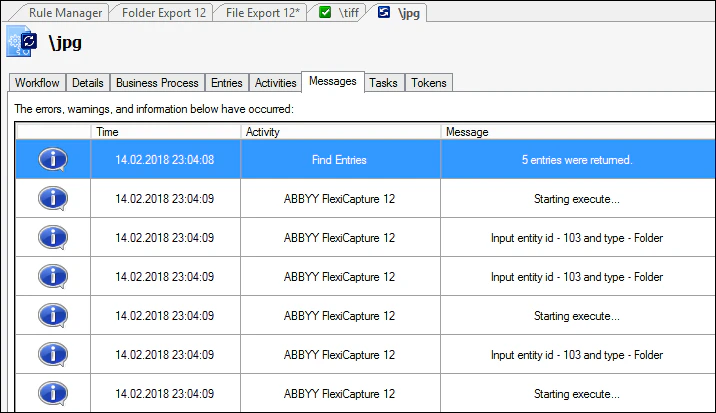 * ***Business Process in*** ***Laserfiche*** ***Client***. No logs are displayed in business process mode (i.e. when starting the activity from Laserfiche Client). In this mode, you can only get information about errors that occurred when executing the process. You can find the **activity errors.log** file in the following folder on the computer hosting Laserfiche: C:\Program Files\Laserfiche\Laserfiche Workflow 10.2\Logs\Errors.