> ## Documentation Index
> Fetch the complete documentation index at: https://docs.abbyy.com/llms.txt
> Use this file to discover all available pages before exploring further.
# Installation
> Install the Job Creator and Export Connector for the FlexiCapture Connector for NX Manager, and then verify the FlexiCapture save destination in NX Manager.
The NXMANAGER is distributed as an archive that includes all the required files.
In order to install the Job Creator component, do the following:
The Job Creator component can be installed on any computer.
1. Create the following folder on the computer: **C:\Program Files\ABBYY FlexiCapture NX Manager Job Creator**.
2. Copy the contents of the **Job Creator** folder found in the installation package to the above folder.
In order to install the Export Connector component, do the following:
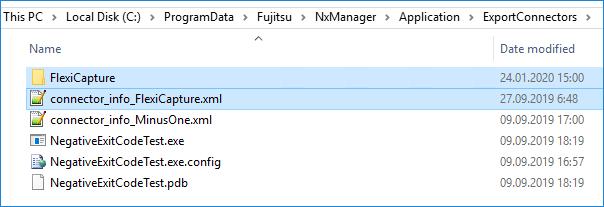
1. Navigate to the following folder on a computer that has NX Manager installed: **%ProgramData%\Fujitsu\NxManager\Application\ExportConnectors**.
2. Copy the contents of the **Export Connector** folder found in the installation package to the above folder.
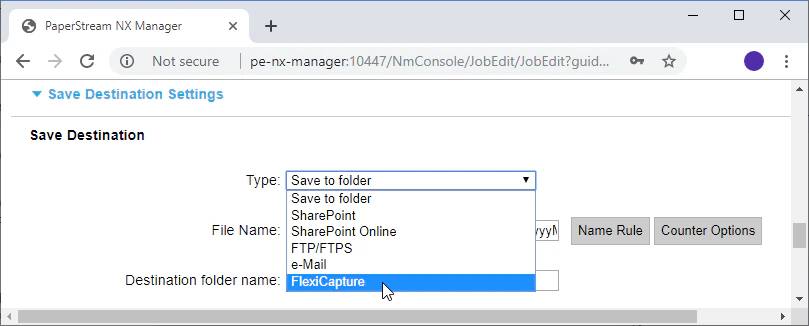
 In order to verify that the installation has been carried out successfully, open the PaperStream NX Manager web application and navigate to the **Job** section (*[http://localhost:10447/NmConsole/JobList/JobList](http://localhost:10447/NmConsole/JobList/JobList)*). Click **Create a new job** and make sure that in the **Save Destination Settings** section, the **Type** drop-down list has a **FlexiCapture** option.