> ## Documentation Index
> Fetch the complete documentation index at: https://docs.abbyy.com/llms.txt
> Use this file to discover all available pages before exploring further.
# Usage scenario
> Follow the typical FlexiCapture Connector for NX Manager workflow: create jobs in Job Creator, scan documents, and let the Export Connector send images.
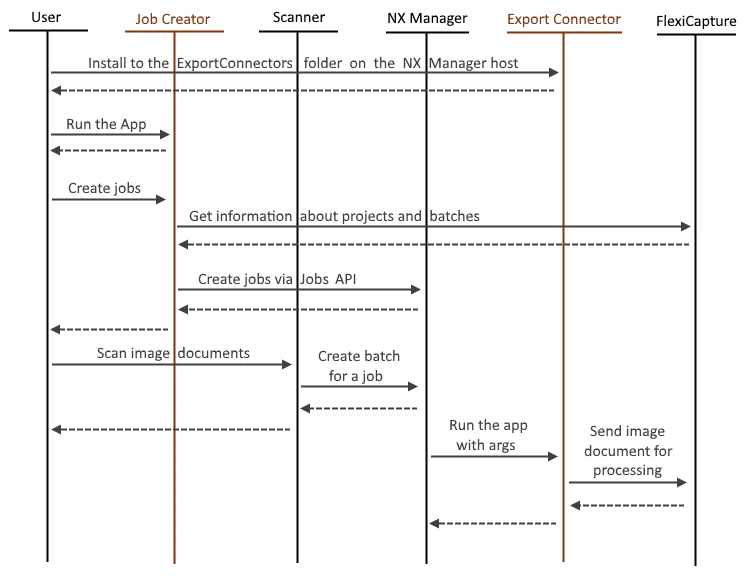
The NXMANAGER can typically be used in the following scenario:
1. The user launches the Job Creator application and creates jobs in NX Manager.
2. Then, the user selects the job that exports documents to FC in the scanner and scans the documents.
3. The scanner sends the images to the NX Manager.
4. NX Manager calls the Export Connector application, passing the FC connection settings and the scanned images.
5. The Export Connector sends the images to FC.