> ## Documentation Index
> Fetch the complete documentation index at: https://docs.abbyy.com/llms.txt
> Use this file to discover all available pages before exploring further.
# Creating a custom data type
> Add a custom data type in Pega Dev Studio, set its label and description, and then define its data model fields to hold captured FlexiCapture values.
To create a custom data type, do the following:
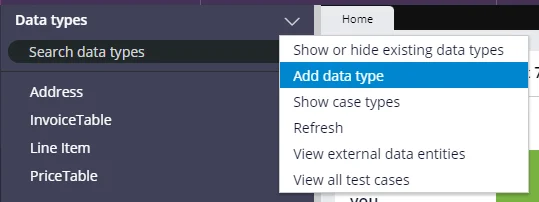
1. In **Dev Studio**, open the **Data types** context menu and select **Add data type**.
 2. Fill in the **Label** and **Description** fields.
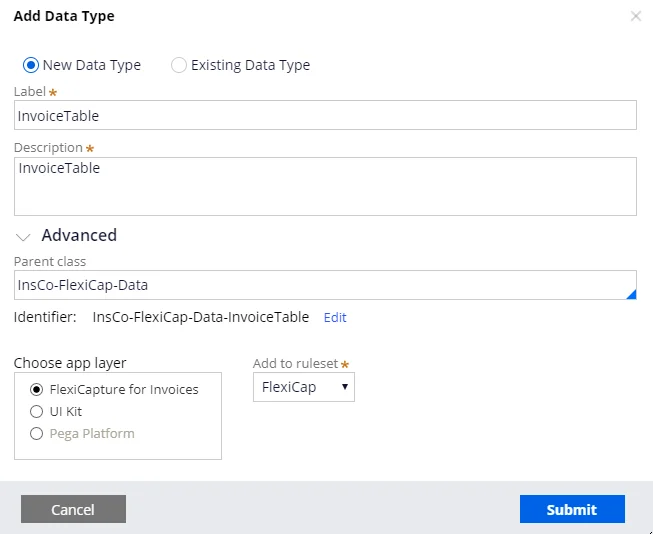 3. Click **Submit**.
4. Click the **Data model** tab and add the required fields.
3. Click **Submit**.
4. Click the **Data model** tab and add the required fields.