> ## Documentation Index
> Fetch the complete documentation index at: https://docs.abbyy.com/llms.txt
> Use this file to discover all available pages before exploring further.
# Configuring ABBYY FlexiCapture as an unattended service
> Switch an ABBYY FlexiCapture project to the Unattended workflow schema in Project Properties and clear the export root path for use with the Pega connector.
To configure ABBYY FlexiCapture as an unattended service:
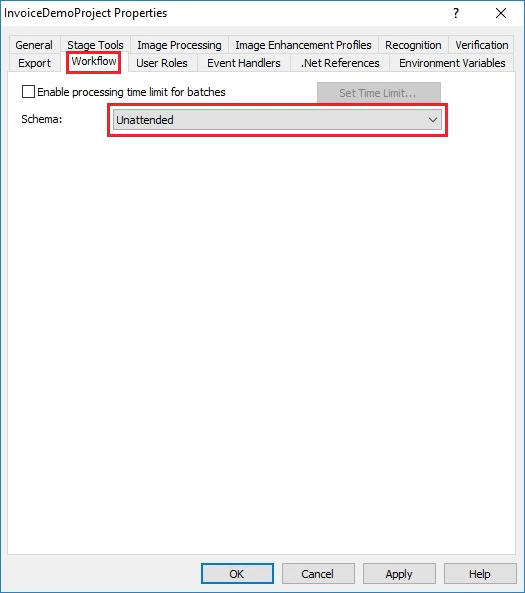
1. On the Project Setup Station, click **Project → Project Properties...** and then click the **Workflow** tab.
2. From the **Schema** drop-down list, select **Unattended**.
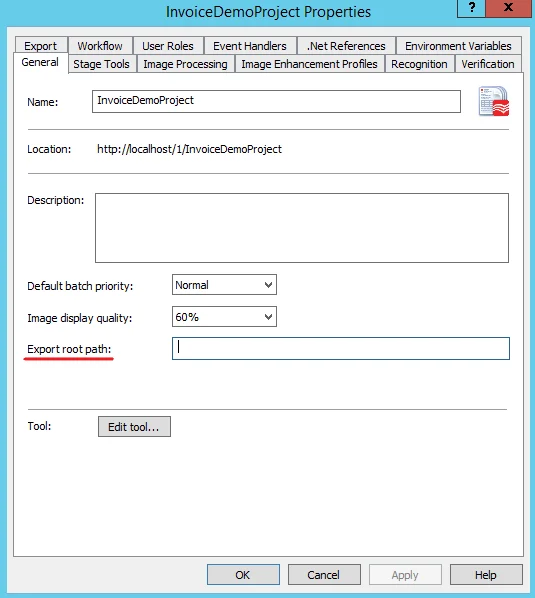
 3. Make sure that the **Export root path** on the **General** tab is left empty.
 4. Click **OK**.