> ## Documentation Index
> Fetch the complete documentation index at: https://docs.abbyy.com/llms.txt
> Use this file to discover all available pages before exploring further.
# Customizing queue names
> Set non-default Orchestrator queue names for the Batch Sender, Monitor, Verifier, and Fetcher processes by editing their UiPath Studio variables.
By default, queues should have the following names:
* Monitor Queue
* Verifier Queue
* Fetcher Queue
If the need arises, queues with non-default names can be created by specifying the appropriate non-default names inside the process variables.
## The Batch Sender process
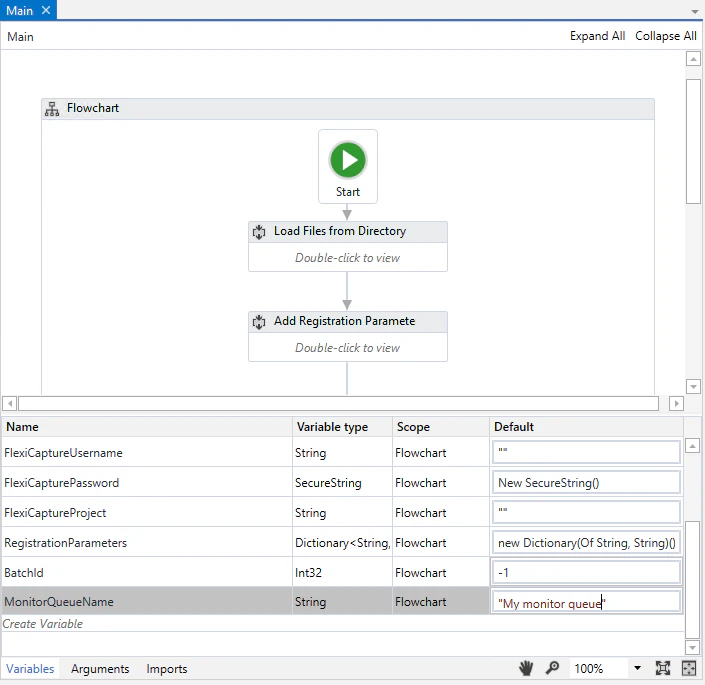
For this process, specify the name of the queue to which identifiers of the created batches will be added.
1. Open the process in UiPath Studio and expand the **Variables** tab.
2. Navigate to the **Flowchart** area and enter the new queue name in the **Default** column for the **MonitorQueueName** variable.
 ## The Batch Monitor process
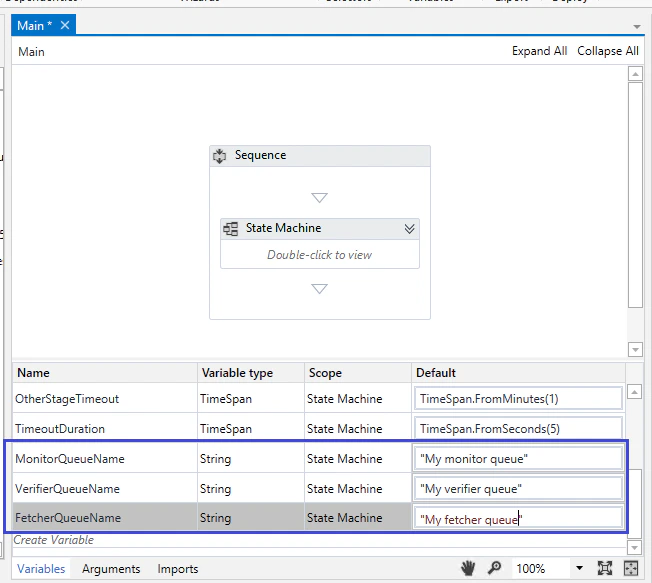
For this process, specify the names of all 3 utilized queues.
1. Open the process in UiPath Studio and navigate to the **State Machine** area.
2. Expand the **Variables** pane.
3. Enter the new queue names in the **Default** column for the **MonitorQueueName**, **VerifierQueueName**, and **FetcherQueueName** variables.
## The Batch Monitor process
For this process, specify the names of all 3 utilized queues.
1. Open the process in UiPath Studio and navigate to the **State Machine** area.
2. Expand the **Variables** pane.
3. Enter the new queue names in the **Default** column for the **MonitorQueueName**, **VerifierQueueName**, and **FetcherQueueName** variables.
 ## The Batch Verifier process
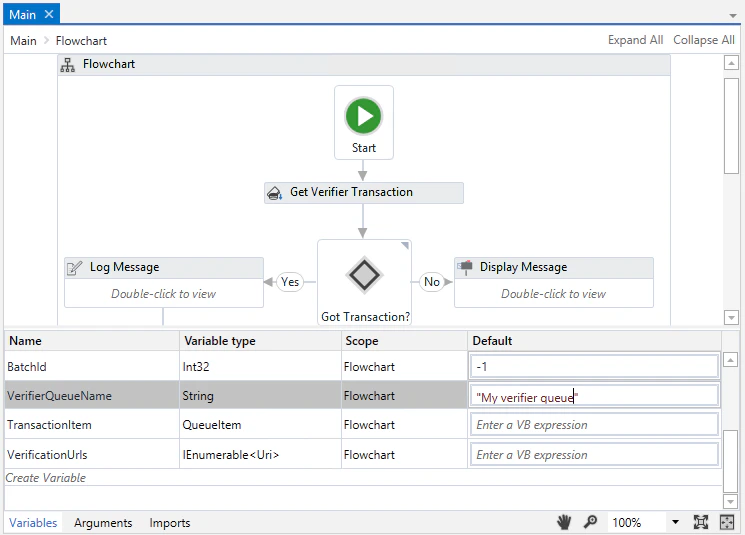
For this process, specify the name of the queue that will store identifiers of batches awaiting verification.
1. Open the process in UiPath Studio and navigate to the **Flowchart** area.
2. Expand the **Variables** pane.
3. Enter the new queue name in the **Default** column for the **VerifierQueueName** variable.
## The Batch Verifier process
For this process, specify the name of the queue that will store identifiers of batches awaiting verification.
1. Open the process in UiPath Studio and navigate to the **Flowchart** area.
2. Expand the **Variables** pane.
3. Enter the new queue name in the **Default** column for the **VerifierQueueName** variable.
 ## The Batch Fetcher process
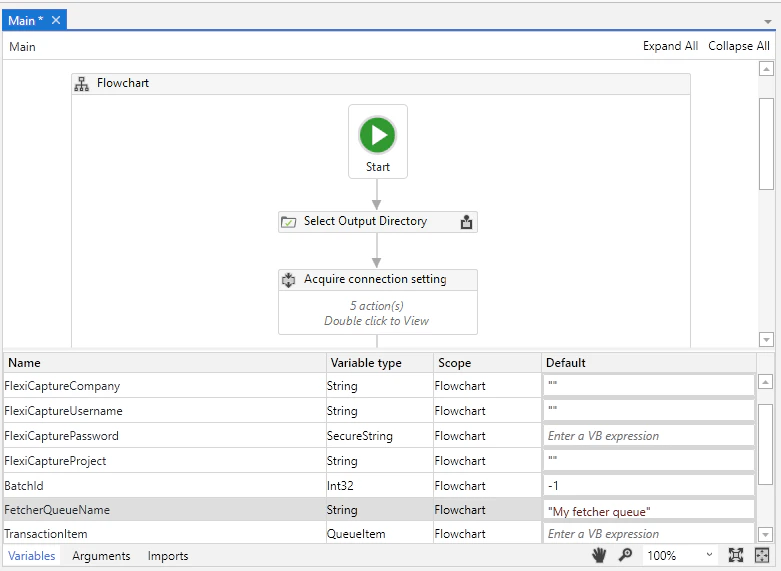
For this process, specify the name of the queue where identifiers of successfully processed batches will be stored. After this, batch processing results will start to be downloaded using the **Batch Fetcher** process.
1. Open the process in UiPath Studio and expand the **Variables** pane.
2. Enter the new queue name in the **Default** column for the **FetcherQueueName** variable.
## The Batch Fetcher process
For this process, specify the name of the queue where identifiers of successfully processed batches will be stored. After this, batch processing results will start to be downloaded using the **Batch Fetcher** process.
1. Open the process in UiPath Studio and expand the **Variables** pane.
2. Enter the new queue name in the **Default** column for the **FetcherQueueName** variable.
 Once the changes have been made, publish all modified processes to Orchestrator again.