> ## Documentation Index
> Fetch the complete documentation index at: https://docs.abbyy.com/llms.txt
> Use this file to discover all available pages before exploring further.
# Sample 1. Step 2: Adding images to the batch
> Add test images to the batch in FlexiLayout Studio Sample 1, set One document per file for reference assembly, and view pages in the Batch window.
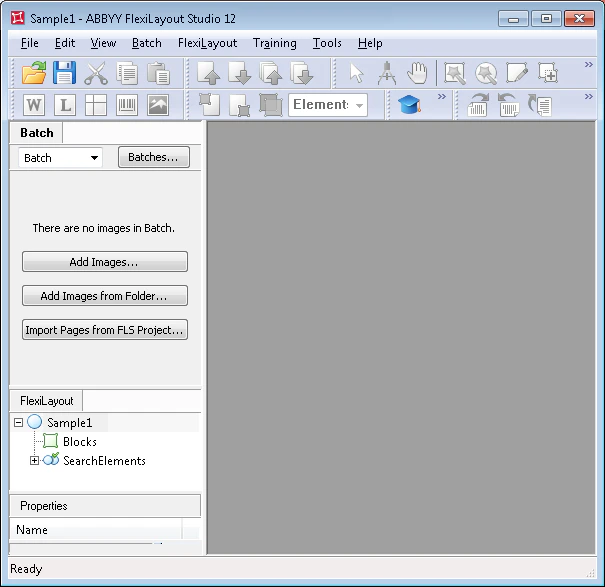
A batch is a set of test images (pages) used to debug a FlexiLayout.
Once the new project has been created, add the test images to the batch. These images are used to debug the FlexiLayout.
To add the test images to the batch:
In the main program window, click the **Batch** tab.
In the **File** menu or the shortcut menu, select **Open & Add Images...**.
 In the **Open Images** dialog box, click **Image Preprocessing Settings...**, and then, in the dialog box that opens, select the **One document per file** option.
The Sample 1 images are located in `%public%\ABBYY\FlexiCapture\12.0\Samples\FLS\English\Halloween Form\Halloween FormBatch\Halloween FormBatch\\Image\bwPage.frdat`.
The test images you add to the batch appear in the **Batch** window.
In the **Open Images** dialog box, click **Image Preprocessing Settings...**, and then, in the dialog box that opens, select the **One document per file** option.
The Sample 1 images are located in `%public%\ABBYY\FlexiCapture\12.0\Samples\FLS\English\Halloween Form\Halloween FormBatch\Halloween FormBatch\\Image\bwPage.frdat`.
The test images you add to the batch appear in the **Batch** window.
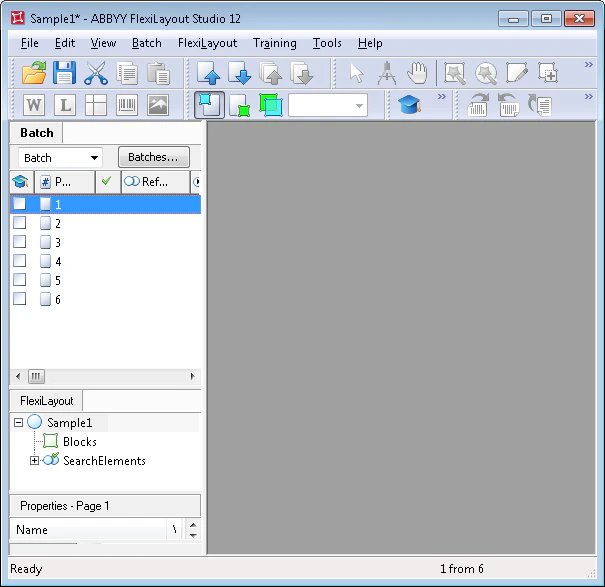 When adding images, you can specify how reference assembly is performed. By selecting **One document per file**, you tell the program that each image is a separate document.
For more information, see [Reference document assembly](/flexi-capture/fls/settings/etalon-assembling).
When adding images, you can specify how reference assembly is performed. By selecting **One document per file**, you tell the program that each image is a separate document.
For more information, see [Reference document assembly](/flexi-capture/fls/settings/etalon-assembling).