> ## Documentation Index
> Fetch the complete documentation index at: https://docs.abbyy.com/llms.txt
> Use this file to discover all available pages before exploring further.
# Sample 2. Step 2: Adding images to the batch
> Fill the Sample 2 batch with recipe test images in FlexiLayout Studio, selecting One document per file so each image is treated as its own document.
Once you have created the new project, add all the test images to the batch. These images are used to debug the FlexiLayout.
To add the test images to the batch:
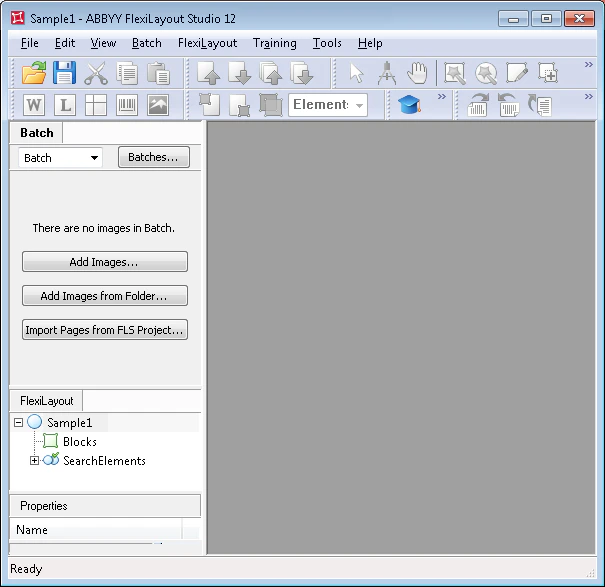
In the main program window, click the **Batch** tab.
Select the **Add Images...** command in the **File** menu or on the shortcut menu.
 In the **Open Images** dialog box, click **Image Preprocessing Settings...**, and then in the dialog box that opens, select the **One document per file** option.
The Sample 2 images are located in `%public%\ABBYY\FlexiCapture\12.0\Samples\FLS\English\Recipe\\Images\bwPage.frdat`.
The test images you add to the batch appear in the **Batch** window.
In the **Open Images** dialog box, click **Image Preprocessing Settings...**, and then in the dialog box that opens, select the **One document per file** option.
The Sample 2 images are located in `%public%\ABBYY\FlexiCapture\12.0\Samples\FLS\English\Recipe\\Images\bwPage.frdat`.
The test images you add to the batch appear in the **Batch** window.
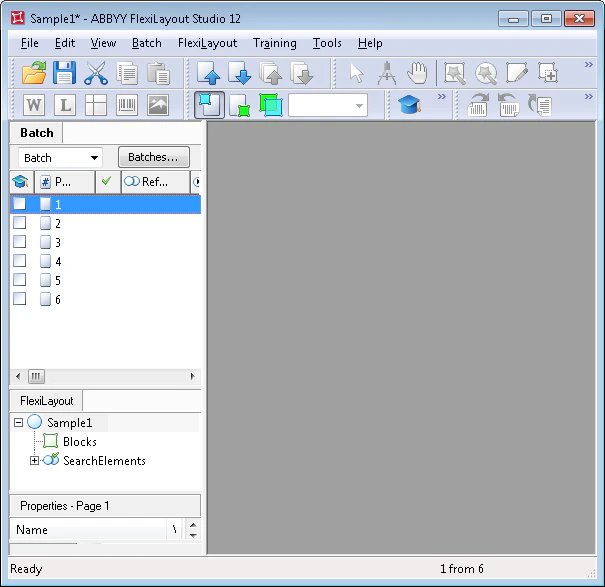 When adding images, you can immediately specify how the reference document assembly is performed. Selecting **One document per file** tells the program that each image is a separate document. For more about reference document assembly, see [Reference document assembly](/flexi-capture/fls/settings/etalon-assembling).