> ## Documentation Index
> Fetch the complete documentation index at: https://docs.abbyy.com/llms.txt
> Use this file to discover all available pages before exploring further.
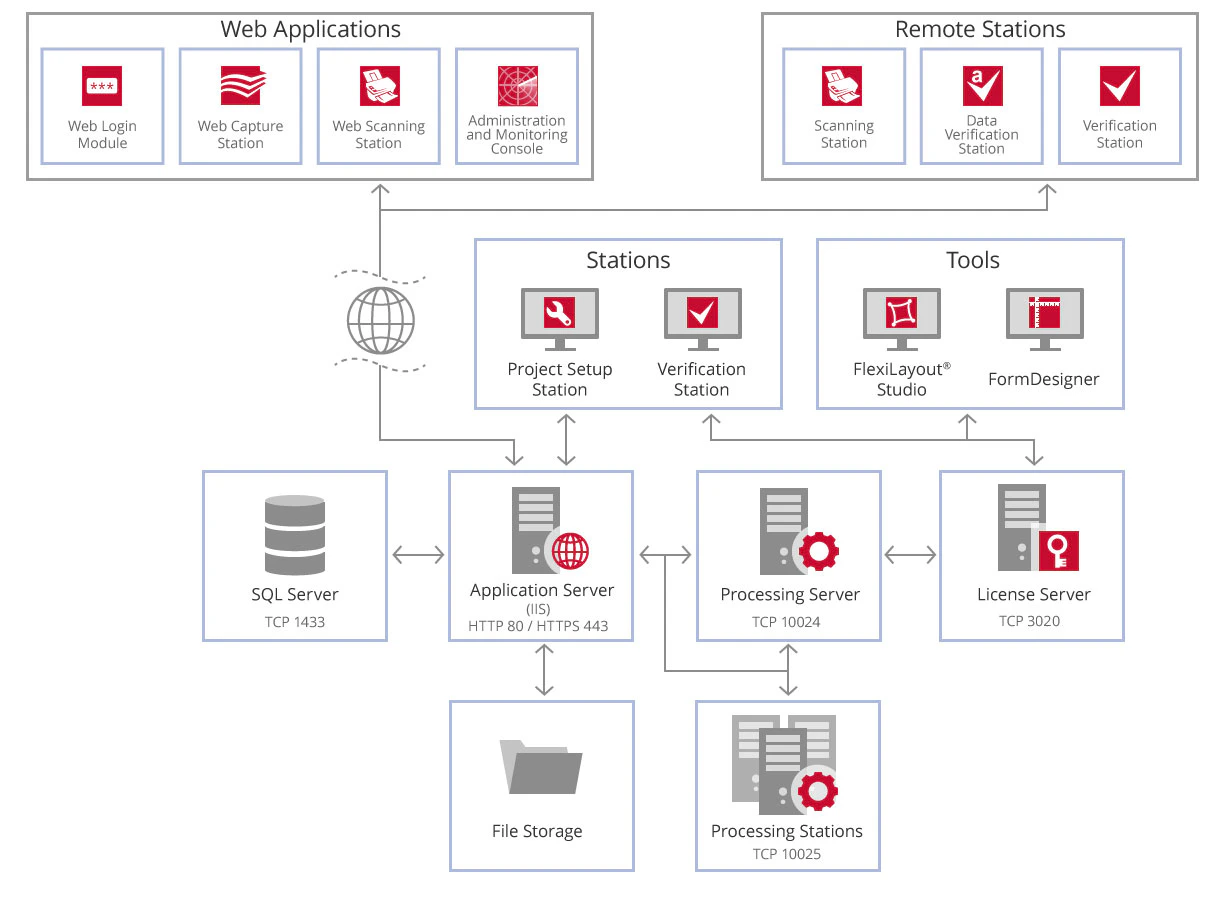
# Component interaction
> Follow how ABBYY FlexiCapture components interact during processing, from client upload through the Application Server, Processing Stations, and export.
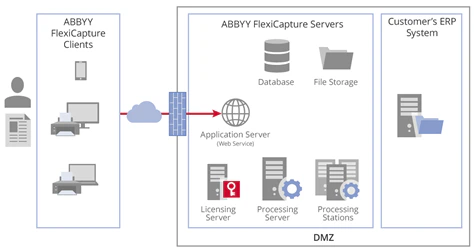
When a user feeds some document images to FlexiCapture via a mobile application or any other client (web or local):
1. The user’s client application connects over HTTP/HTTPS to the Application Server asking for user authentication.
2. The user’s client application sends document images to the Application Server (sometimes together with additional information used by the Application Server to determine what processing settings should be applied).
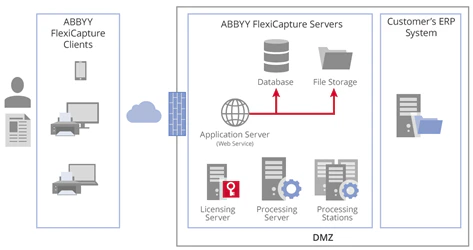
 3. The Application Server saves these images to the FileStorage. In the Database, it creates a set of records:
* A new document has arrived for processing
* Current processing stage of this document
* Processing settings to apply
* A path to images of the document stored in the FileStorage
3. The Application Server saves these images to the FileStorage. In the Database, it creates a set of records:
* A new document has arrived for processing
* Current processing stage of this document
* Processing settings to apply
* A path to images of the document stored in the FileStorage
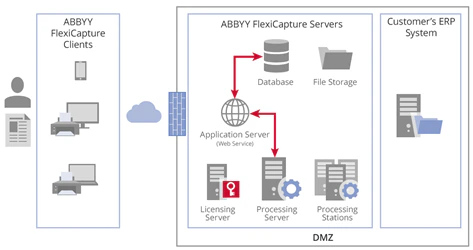
 4. The Processing Server regularly contacts the Application Server for new processing tasks. When it learns about a new document and settings to apply, it assigns a task to a free Processing Station.
 5. The Processing Station gets more task details from the Application Server, including:
* Document images
* A set of processing operations to perform
* Processing settings to apply
5. The Processing Station gets more task details from the Application Server, including:
* Document images
* A set of processing operations to perform
* Processing settings to apply
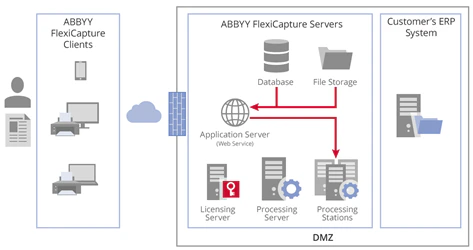 6. Once processing is complete, the results arrive at the Application Server, where the corresponding data is modified in the FileStorage and the document status in the Database is updated.
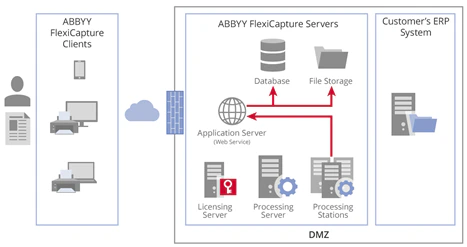 7. The processed document can be reviewed “manually” by human verifiers if:
* Processing settings and automated checks allow this
* These people have certain access rights
* They can use a verification client – local, web or mobile – specifically installed for this task
This client connects to the Application Server and receives document images and extracted data for verification. The verified data arrive to the Application Server: it modifies the corresponding data in the FileStorage, and updates the document status in the Database.
7. The processed document can be reviewed “manually” by human verifiers if:
* Processing settings and automated checks allow this
* These people have certain access rights
* They can use a verification client – local, web or mobile – specifically installed for this task
This client connects to the Application Server and receives document images and extracted data for verification. The verified data arrive to the Application Server: it modifies the corresponding data in the FileStorage, and updates the document status in the Database.
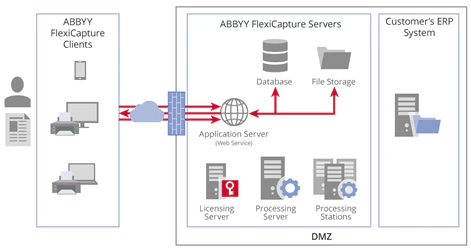 8. A fully processed document goes back to its Processing Station, where images and data are converted into the required formats and exported to the customer’s ERP system, and the Application Server is notified that the job is done.
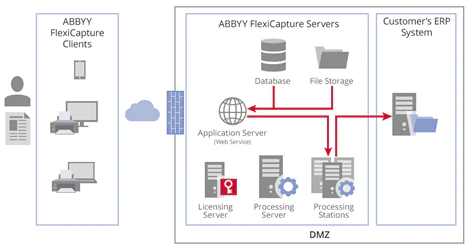 9. The Application Server marks the document as processed:
* It collects processing statistics for this document – for each stage it has passed through
* And records them in tables for generating processing reports
10. The processed document goes to the FileStorage and remains there until the end of the storage time set by the customer. The Application Server then deletes its images from the FileStorage and erases all records in the Database.
Generally speaking, the FlexiCapture components interact for both document processing and service tasks – for example, license checks.
9. The Application Server marks the document as processed:
* It collects processing statistics for this document – for each stage it has passed through
* And records them in tables for generating processing reports
10. The processed document goes to the FileStorage and remains there until the end of the storage time set by the customer. The Application Server then deletes its images from the FileStorage and erases all records in the Database.
Generally speaking, the FlexiCapture components interact for both document processing and service tasks – for example, license checks.