> ## Documentation Index
> Fetch the complete documentation index at: https://docs.abbyy.com/llms.txt
> Use this file to discover all available pages before exploring further.
# General Tab of Options dialog box
> Adjust station ID, crop line color, redaction color, and automatic batch deletion after export on the General tab of the Options dialog box.
On the **General** tab of the **Options** dialog box, you can specify general processing options.
## Open the General tab
Select **Tools → Options...**.
Click the **General** tab.
## General processing options
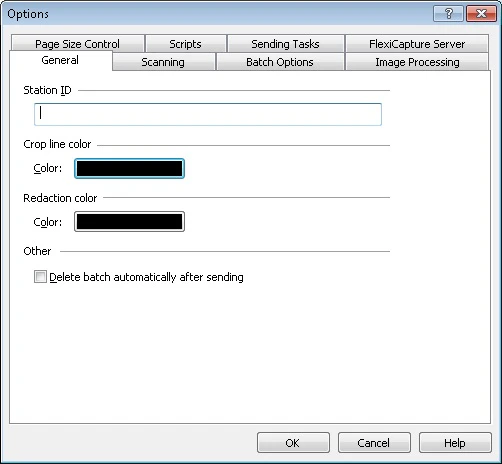 | **Option** | **Description** |
| --------------------------------------------- | ------------------------------------------------------------------------------------------------------------------------------------- |
| **Station ID** | Station identifier. |
| **Crop line color** | Select this option to specify the crop line color. To choose a color, click the color button. |
| **Redaction color** | Select this option to specify the fill color used for image redaction (**Page → Redact**). To choose a color, click the color button. |
| **Delete batches automatically after export** | Select this option to delete batches automatically once export completes. |
| **Option** | **Description** |
| --------------------------------------------- | ------------------------------------------------------------------------------------------------------------------------------------- |
| **Station ID** | Station identifier. |
| **Crop line color** | Select this option to specify the crop line color. To choose a color, click the color button. |
| **Redaction color** | Select this option to specify the fill color used for image redaction (**Page → Redact**). To choose a color, click the color button. |
| **Delete batches automatically after export** | Select this option to delete batches automatically once export completes. |