> ## Documentation Index
> Fetch the complete documentation index at: https://docs.abbyy.com/llms.txt
> Use this file to discover all available pages before exploring further.
# Main Window Toolbars
> Buttons on the ABBYY Scanning Station toolbars: Scan & Send, Batch Type, Batch Editing, Image Editing, Document Navigation, Rescan, and Scripts.
The ABBYY Scanning Station main window provides several toolbars for scanning, editing batches and images, navigating documents, and running scripts.
## Scan & Send Tools
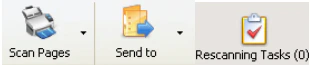
The buttons on this toolbar perform the basic operations: scanning, stopping scanning, exporting scanned documents, and rescanning.
 | **Button** | **Description** |
| -------------------- | -------------------------------------------------------------------------------------------------------------------------------------------------------------------------------------------------------------------------------------------------------------------------------------------------------------------------------------------------------------------------------------------------------- |
| **Scan Pages** | Starts scanning with the last used scanner source. To choose a different source, click the arrow to the right of the button and select **Select and Scan...**. For more information, see [Scan images](/flexi-capture/scanning-station/shared/scan-station/how-to-scan). |
| **Stop Scanning** | Stops the scanning process. This button replaces the **Scan** button when scanning is in progress. |
| **Send to** | Exports the documents to the selected destination. The current destination appears when you point to the button. To choose a destination, click the arrow next to the button and select **Send to Folder...**, **Send to FTP Folder...**, **Send to FlexiCapture...**, or **Send by Script...**. For more information, see [Export batches](/flexi-capture/scanning-station/scan-station/how-to-export). |
| **Rescanning Tasks** | Opens the **Rescanning Tasks** dialog box. |
## Batch Type Tools
The buttons on this toolbar select a batch type, display its properties, and change the appearance of the [Batches](/flexi-capture/scanning-station/shared/interface/navigator-win) window.
| **Button** | **Description** |
| -------------------- | -------------------------------------------------------------------------------------------------------------------------------------------------------------------------------------------------------------------------------------------------------------------------------------------------------------------------------------------------------------------------------------------------------- |
| **Scan Pages** | Starts scanning with the last used scanner source. To choose a different source, click the arrow to the right of the button and select **Select and Scan...**. For more information, see [Scan images](/flexi-capture/scanning-station/shared/scan-station/how-to-scan). |
| **Stop Scanning** | Stops the scanning process. This button replaces the **Scan** button when scanning is in progress. |
| **Send to** | Exports the documents to the selected destination. The current destination appears when you point to the button. To choose a destination, click the arrow next to the button and select **Send to Folder...**, **Send to FTP Folder...**, **Send to FlexiCapture...**, or **Send by Script...**. For more information, see [Export batches](/flexi-capture/scanning-station/scan-station/how-to-export). |
| **Rescanning Tasks** | Opens the **Rescanning Tasks** dialog box. |
## Batch Type Tools
The buttons on this toolbar select a batch type, display its properties, and change the appearance of the [Batches](/flexi-capture/scanning-station/shared/interface/navigator-win) window.
 | **Button** | **Description** |
| ------------------------------------------------------------------------------------------------------------------------------------------------------------------------------------------------------------------------------------------------------------------------------------------------------------------------------------------------------------------------------ | ---------------------------------------------------------------------------------------------------------------------------------------------------------------------------------------------------------------------------------------------------------------------------------------------------------- |
| **Selected Batch Type** *(drop-down list)* | Selects a batch type and makes it current. The default batch type is **Unsorted**. |
|
| **Button** | **Description** |
| ------------------------------------------------------------------------------------------------------------------------------------------------------------------------------------------------------------------------------------------------------------------------------------------------------------------------------------------------------------------------------ | ---------------------------------------------------------------------------------------------------------------------------------------------------------------------------------------------------------------------------------------------------------------------------------------------------------- |
| **Selected Batch Type** *(drop-down list)* | Selects a batch type and makes it current. The default batch type is **Unsorted**. |
|  | Opens the [Batch Type Properties](/flexi-capture/scanning-station/shared/interface/batch-type-properties) dialog box, where you can view and edit the settings of the selected batch type. This button is unavailable for **Unsorted** batches. To view the default options, select **Tools → Options...** |
|
| Opens the [Batch Type Properties](/flexi-capture/scanning-station/shared/interface/batch-type-properties) dialog box, where you can view and edit the settings of the selected batch type. This button is unavailable for **Unsorted** batches. To view the default options, select **Tools → Options...** |
|  | Click this button to display only the batches of the current type in the [Batches](/flexi-capture/scanning-station/shared/interface/navigator-win) window. |
This toolbar is hidden if there are no user-created batch types.
## Batch Editing Tools
The buttons on this toolbar change the structure of a batch.
| Click this button to display only the batches of the current type in the [Batches](/flexi-capture/scanning-station/shared/interface/navigator-win) window. |
This toolbar is hidden if there are no user-created batch types.
## Batch Editing Tools
The buttons on this toolbar change the structure of a batch.
 | **Command** | **Button** | **Description** |
| ------------------------ | --------------------------------------------------------------------------------------------------------------------------------------------------------------------------------------------------------------------------------------------------------------------------------------------------------------------------------------------------------------------------------------------------- | ----------------------------------------------------------------------------------------------------------------------------------------------------------------------------------------------------------------------------------------------------------------------------------------------------------------------------------------------------------------------------------- |
| **Create New Batch** |
| **Command** | **Button** | **Description** |
| ------------------------ | --------------------------------------------------------------------------------------------------------------------------------------------------------------------------------------------------------------------------------------------------------------------------------------------------------------------------------------------------------------------------------------------------- | ----------------------------------------------------------------------------------------------------------------------------------------------------------------------------------------------------------------------------------------------------------------------------------------------------------------------------------------------------------------------------------- |
| **Create New Batch** |  | Creates a new batch of the current type. The name of the new batch is determined by the batch naming rule specified in the batch type properties. To change the name of a batch, select the batch in the [Batches](/flexi-capture/scanning-station/shared/interface/navigator-win) window and then click its name or press **F2**. |
| **Create New Document** |
| Creates a new batch of the current type. The name of the new batch is determined by the batch naming rule specified in the batch type properties. To change the name of a batch, select the batch in the [Batches](/flexi-capture/scanning-station/shared/interface/navigator-win) window and then click its name or press **F2**. |
| **Create New Document** |  | Creates a new document in the current batch that contains the selected pages. The name of the new document is determined by the document naming rule specified in the batch type properties. To change the name of a document, select the document in the [Batches](/flexi-capture/scanning-station/shared/interface/navigator-win) window and then click its name or press **F2**. |
| **Disassemble Document** |
| Creates a new document in the current batch that contains the selected pages. The name of the new document is determined by the document naming rule specified in the batch type properties. To change the name of a document, select the document in the [Batches](/flexi-capture/scanning-station/shared/interface/navigator-win) window and then click its name or press **F2**. |
| **Disassemble Document** |  | Disassembles a document: the pages of the document are placed in the current batch and the document itself is deleted. |
| **Delete** |
| Disassembles a document: the pages of the document are placed in the current batch and the document itself is deleted. |
| **Delete** |  | Deletes the selected items. |
## Image Editing Tools
Use these buttons to edit images.
| Deletes the selected items. |
## Image Editing Tools
Use these buttons to edit images.
 | **Command** | **Button** | **Description** |
| ----------------- | ---------------------------------------------------------------------------------------------------------------------------------------------------------------------------------------------------------------------------------------------------------------------------------------------------------------------------------------------------------------------------------------------------------------------------------------------------------------------------------------------------------------------------------------------------------------------------------------------------------------------------------------------------------------------------------------------------------------------------------------------------------------------------------------------------------------------------------------------------------------------------------------------------------------------------------------------------------------------------------------------------------------------------------------------------------------------------------------------------------------------------------------------------------------------------------------------------------------------------------------------------------------------------------------------------------------------------------------------------------------------------------------------------------------------------------------------------------------------------------------------------------------------------------------------------------------------------------------------------------------------------------------- | ----------------------------------------------------------------------------------------------------------------- |
| **Rescan Pages** |
| **Command** | **Button** | **Description** |
| ----------------- | ---------------------------------------------------------------------------------------------------------------------------------------------------------------------------------------------------------------------------------------------------------------------------------------------------------------------------------------------------------------------------------------------------------------------------------------------------------------------------------------------------------------------------------------------------------------------------------------------------------------------------------------------------------------------------------------------------------------------------------------------------------------------------------------------------------------------------------------------------------------------------------------------------------------------------------------------------------------------------------------------------------------------------------------------------------------------------------------------------------------------------------------------------------------------------------------------------------------------------------------------------------------------------------------------------------------------------------------------------------------------------------------------------------------------------------------------------------------------------------------------------------------------------------------------------------------------------------------------------------------------------------------- | ----------------------------------------------------------------------------------------------------------------- |
| **Rescan Pages** |  | Rescans the selected pages. |
| **Insert Pages** |
| Rescans the selected pages. |
| **Insert Pages** |  | Scans images and places the scans into the selected batch. |
| **Enhance Image** |
| Scans images and places the scans into the selected batch. |
| **Enhance Image** |  | Opens the [image enhancement panel](/flexi-capture/scanning-station/shared/scan-station/how-to-work-with-images). |
## Document Navigation Tools
Use these buttons to move between documents.
| Opens the [image enhancement panel](/flexi-capture/scanning-station/shared/scan-station/how-to-work-with-images). |
## Document Navigation Tools
Use these buttons to move between documents.
 | **Command** | **Button** | **Description** |
| --------------------------- | ---------------------------------------------------------------------------------------------------------------------------------------------------------------------------------------------------------------------------------------------------------------------------------------------------------------------------------------------------------------------------- | --------------------------------------------- |
| **Go to Previous Document** |
| **Command** | **Button** | **Description** |
| --------------------------- | ---------------------------------------------------------------------------------------------------------------------------------------------------------------------------------------------------------------------------------------------------------------------------------------------------------------------------------------------------------------------------- | --------------------------------------------- |
| **Go to Previous Document** |  | Moves the selection to the previous document. |
| **Go to Next Document** |
| Moves the selection to the previous document. |
| **Go to Next Document** |  | Moves the selection to the next document. |
## Rescan Tools
Use these buttons to move between documents in a rescanning task, confirm rescanning results, and open the **Rescanning Tasks** dialog box.
| Moves the selection to the next document. |
## Rescan Tools
Use these buttons to move between documents in a rescanning task, confirm rescanning results, and open the **Rescanning Tasks** dialog box.

 | **Command** | **Button** | **Description** |
| ------------------------------- | --------------------------------------------------------------------------------------------------------------------------------------------------------------------------------------------------------------------------------------------------------------------------------------------------------------------------------------------------------------------------------- | ------------------------------------------------- |
| **Previous Document to Rescan** |
| **Command** | **Button** | **Description** |
| ------------------------------- | --------------------------------------------------------------------------------------------------------------------------------------------------------------------------------------------------------------------------------------------------------------------------------------------------------------------------------------------------------------------------------- | ------------------------------------------------- |
| **Previous Document to Rescan** |  | Opens the previous document of the current batch. |
| **Next Document to Rescan** |
| Opens the previous document of the current batch. |
| **Next Document to Rescan** |  | Opens the next document of the current batch. |
| **Confirm Rescanned Document** |
| Opens the next document of the current batch. |
| **Confirm Rescanned Document** |  | Confirms results of rescanning a document. |
The message `New rescanning tasks are available.` appears when information about newly added rescanning tasks is received from the server. Click the link to open the **Rescanning Tasks** dialog box.
## Scripts toolbar
Use these buttons to run the scripts associated with each button.
| Confirms results of rescanning a document. |
The message `New rescanning tasks are available.` appears when information about newly added rescanning tasks is received from the server. Click the link to open the **Rescanning Tasks** dialog box.
## Scripts toolbar
Use these buttons to run the scripts associated with each button.
 You can customize the Scripts toolbar in the [Toolbar Customization](/flexi-capture/scanning-station/shared/interface/toolbar-customize) dialog box.