> ## Documentation Index
> Fetch the complete documentation index at: https://docs.abbyy.com/llms.txt
> Use this file to discover all available pages before exploring further.
# Batch Type Name and Comment
> Name a batch type and add a comment on the General tab of Batch Type Properties, and lock the type and registration parameters during rescanning.
You can specify the name and description of a batch type in one of the following ways:
* When you create it with the [Batch Type Wizard](/flexi-capture/scanning-station/shared/interface/batch-type-wizard).
* Later, on the **General** tab of the [Batch Type Properties dialog box](/flexi-capture/scanning-station/shared/interface/batch-type-properties).
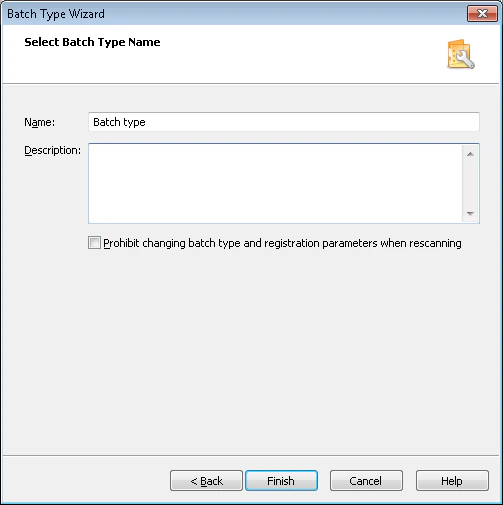 ## Set the batch type name and description
Provide a name for the batch type and add a description if needed.
## Lock the batch type and registration parameters during rescanning
To prevent changes to the batch type and registration parameters during rescanning, select the corresponding option.
## Set the batch type name and description
Provide a name for the batch type and add a description if needed.
## Lock the batch type and registration parameters during rescanning
To prevent changes to the batch type and registration parameters during rescanning, select the corresponding option.