> ## Documentation Index
> Fetch the complete documentation index at: https://docs.abbyy.com/llms.txt
> Use this file to discover all available pages before exploring further.
# Page Properties dialog box
> Check page details in the Page Properties dialog box: batch, page number, source, pixel size, resolution, color mode, and scanning quality warnings.
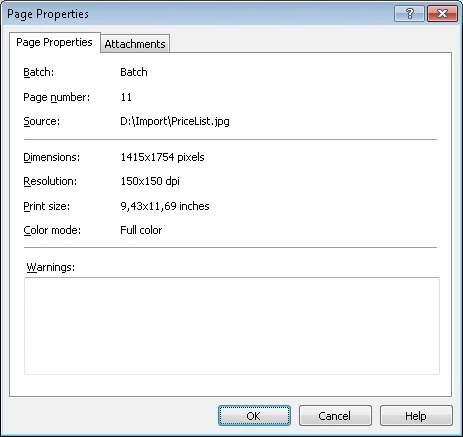
The **Page Properties** dialog box shows the properties of the selected page.
## Properties of the selected page
* Batch
* Number in the batch
* Source
* Size in pixels
* Resolution
* Print size in inches
* Color mode
* Scanning quality warnings
## Open the Page Properties dialog box
To open the **Page Properties** dialog box, select the image in the [Batches Window](/flexi-capture/scanning-station/shared/interface/navigator-win) or [Image Window](/flexi-capture/scanning-station/shared/interface/image-win), and then do one of the following:
* Select **Page → Properties...**.
* Right-click the image and select **Properties...** from the shortcut menu.
* Press **Alt+Enter**.