> ## Documentation Index
> Fetch the complete documentation index at: https://docs.abbyy.com/llms.txt
> Use this file to discover all available pages before exploring further.
# Implement custom Single Sign-On authentication
> Build custom Single Sign-On for ABBYY FlexiCapture with a non-standard identity provider, exchanging a SAML or JWT token for an Application Server ticket.
In ABBYY FlexiCapture, you can implement your own custom Single Sign-On authentication (SSO). This may be necessary if you are using a non-standard [identity provider](/flexi-capture/appendix/glossary-main-body#idp) or a non-standard work process.
Both [SAML 2.0](/flexi-capture/saml-authentication) and [JSON Web Tokens (JWT)](/flexi-capture/jwt-authentication) standards are supported.
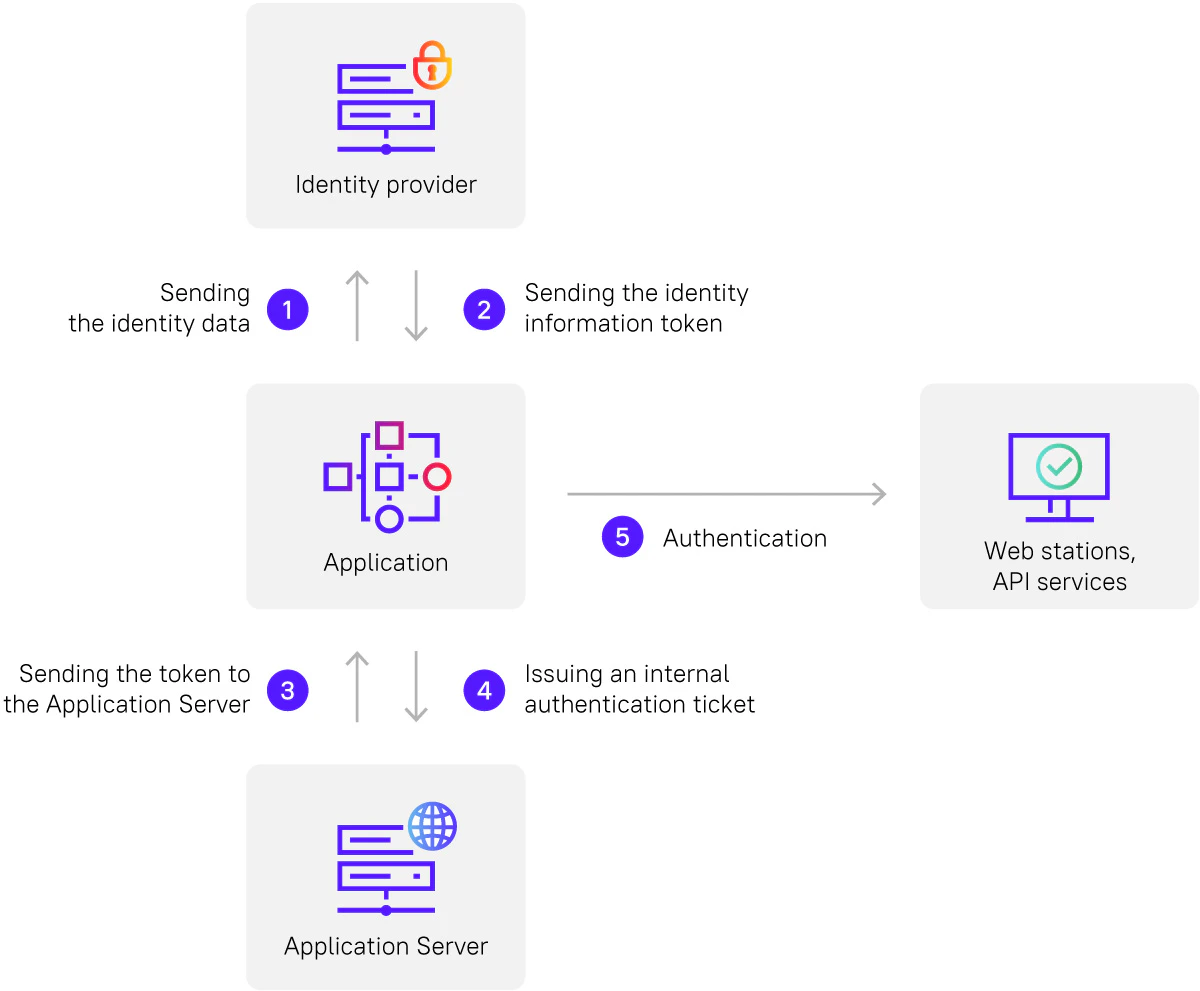
The authentication process will proceed as follows:
* The custom application will send the identity data to the identity provider.
* The identity provider will return a token containing the identity information.
* The application will pass the token to the Application Server.
* The Application Server will issue an internal [authentication ticket](/flexi-capture/saml-authentication#use-the-authenticated-fc-12-ticket).
* The internal authentication ticket will then be used for authenticating the user on web stations and API services.