> ## Documentation Index
> Fetch the complete documentation index at: https://docs.abbyy.com/llms.txt
> Use this file to discover all available pages before exploring further.
# Enable detailed error responses in IIS
> Enable detailed HTTP error responses for ABBYY FlexiCapture in IIS through IIS Manager Error Pages settings or by editing the web.config httpErrors element.
By default, detailed error responses for certain HTTP request errors are disabled in IIS, as they may contain identifying information about the application. This usually affects client-side errors with status codes ranging from 400 to 499 and server-side errors with status codes ranging from 500 to 599.
You can enable detailed error responses in IIS Manager or by modifying the `web.config` file.
To enable detailed error responses in IIS Manager:
1. Launch IIS Manager.
2. Select your website in the treeview and double-click the **Error Pages** icon on the site home page.
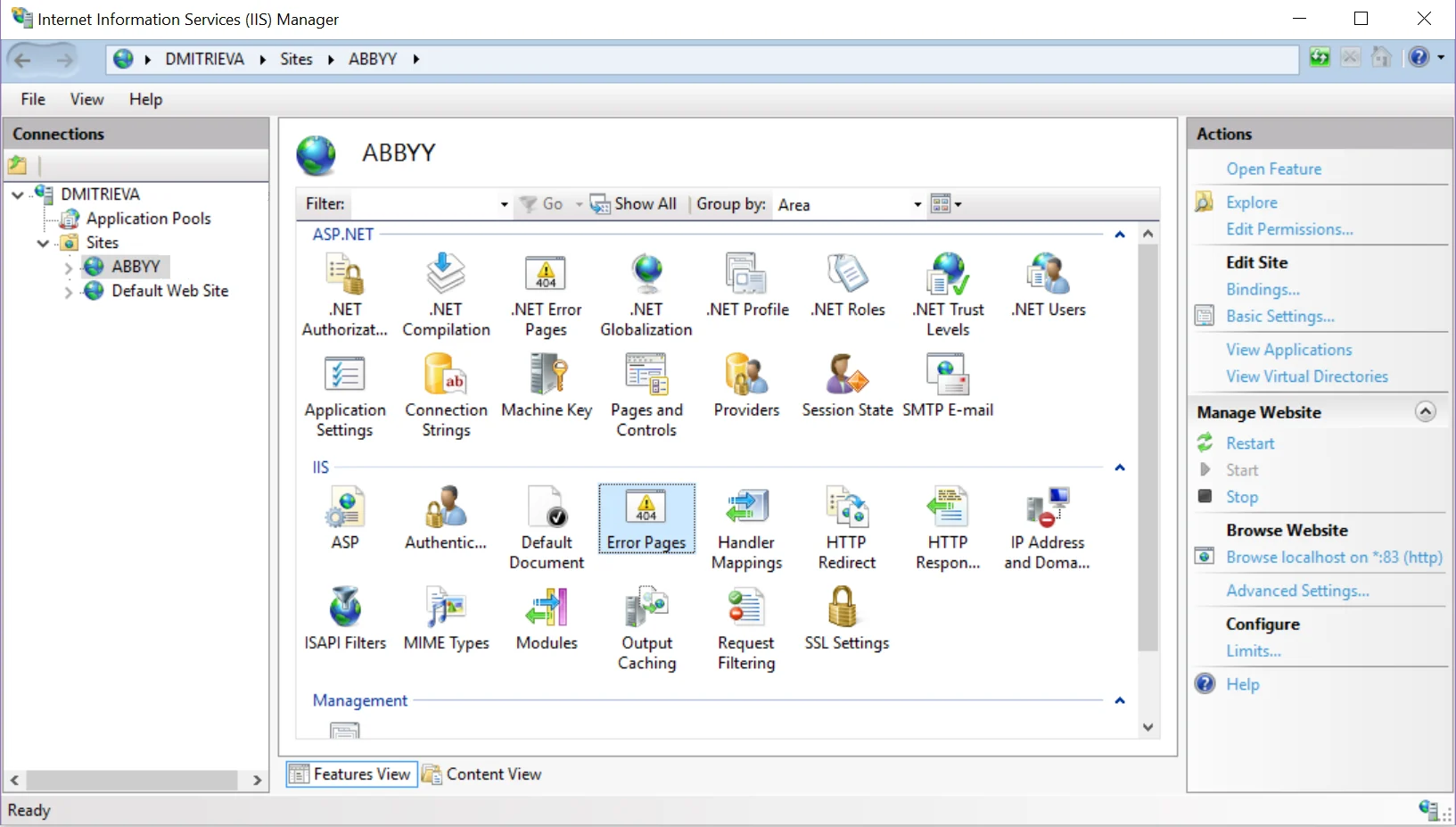 3. In the **Actions** pane, click **Edit Feature Settings**...
4. In the **Edit Error Pages Settings** dialog box, select **Detailed errors**.
3. In the **Actions** pane, click **Edit Feature Settings**...
4. In the **Edit Error Pages Settings** dialog box, select **Detailed errors**.
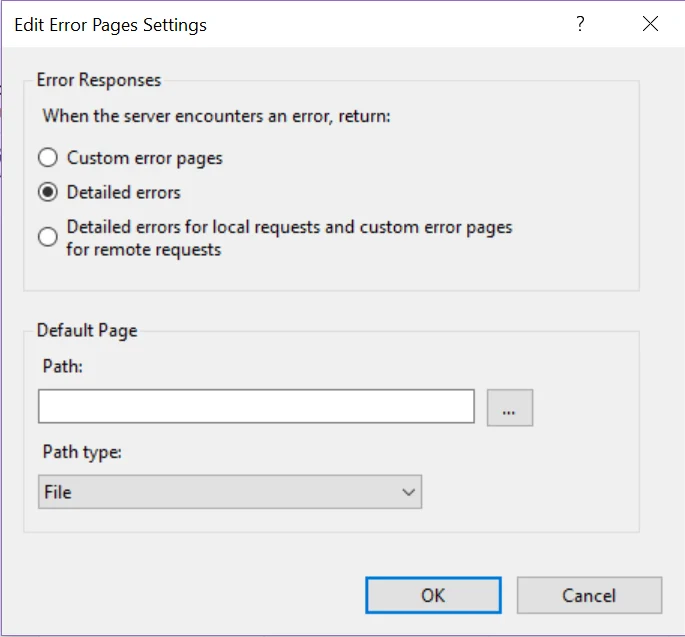 5. Click **OK**.
You can also enable detailed error responses by copying and pasting the following code into your `web.config` file:
```xml theme={null}
```
For more information, see [the Microsoft documentation](https://docs.microsoft.com/en-us/iis/configuration/system.webserver/httperrors/).
5. Click **OK**.
You can also enable detailed error responses by copying and pasting the following code into your `web.config` file:
```xml theme={null}
```
For more information, see [the Microsoft documentation](https://docs.microsoft.com/en-us/iis/configuration/system.webserver/httperrors/).