> ## Documentation Index
> Fetch the complete documentation index at: https://docs.abbyy.com/llms.txt
> Use this file to discover all available pages before exploring further.
# Licensing Server problems
> Troubleshoot the ABBYY FlexiCapture Licensing Service, including manual launch for diagnostics and fixing the RPC Service is not available error on 3020.
The ABBYY FlexiCapture Licensing Service issues and tracks the licenses the server needs to run. Start by verifying that the service is running.
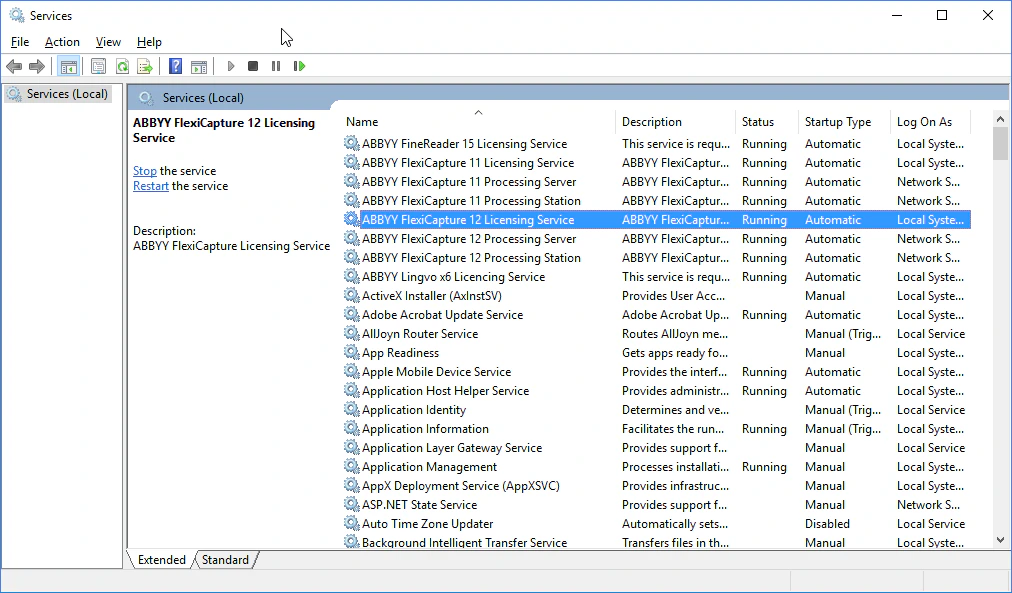 If the service will not start, launch it manually to see extended diagnostics.
```text theme={null}
"C:\Program Files (x86)\Common Files\ABBYY\FlexiCapture\12.0\Licensing\LicensingService.exe" /standalone
```
Copy those diagnostics and the log files from `C:\ProgramData\ABBYY\FlexiCapture\12.0\Licenses`. Send both to ABBYY technical support with a description of the problem.
## The `RPC Service is not available` error
This message appears when the program cannot reach the Licensing Server. Verify that your firewall does not block port `3020`, and that no other application is using it. The Common Internet File System often claims that port.
If another application holds port `3020`, move the Licensing Server to a different one.
Open `LicensingSettings.xml`, by default in `C:\Program Files (x86)\Common Files\ABBYY\FlexiCapture\12.0\Licensing`.
Locate `EndPointName="3020"` and enter a different port inside the quotation marks.
The new port takes effect when the service restarts.
This includes the Processing Server, Processing Stations, Verification Stations, and Project Setup Station.
On each one, open `LicensingSettings.xml`, locate `EndPointName`, and set it to the port you chose.
If the service will not start, launch it manually to see extended diagnostics.
```text theme={null}
"C:\Program Files (x86)\Common Files\ABBYY\FlexiCapture\12.0\Licensing\LicensingService.exe" /standalone
```
Copy those diagnostics and the log files from `C:\ProgramData\ABBYY\FlexiCapture\12.0\Licenses`. Send both to ABBYY technical support with a description of the problem.
## The `RPC Service is not available` error
This message appears when the program cannot reach the Licensing Server. Verify that your firewall does not block port `3020`, and that no other application is using it. The Common Internet File System often claims that port.
If another application holds port `3020`, move the Licensing Server to a different one.
Open `LicensingSettings.xml`, by default in `C:\Program Files (x86)\Common Files\ABBYY\FlexiCapture\12.0\Licensing`.
Locate `EndPointName="3020"` and enter a different port inside the quotation marks.
The new port takes effect when the service restarts.
This includes the Processing Server, Processing Stations, Verification Stations, and Project Setup Station.
On each one, open `LicensingSettings.xml`, locate `EndPointName`, and set it to the port you chose.