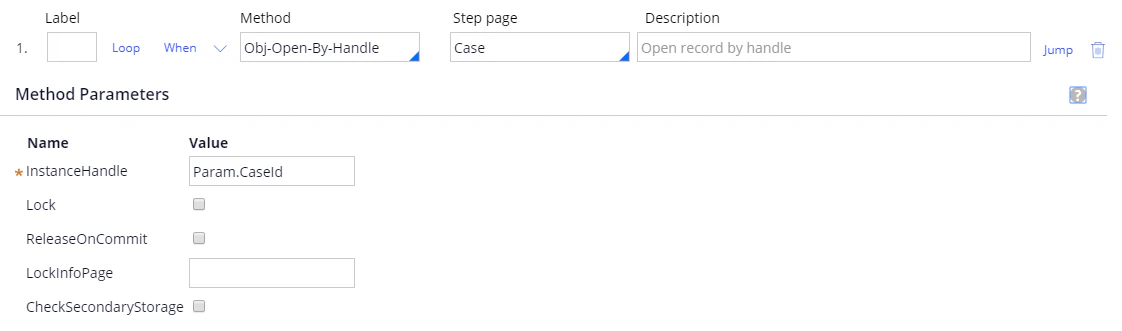
 ステップ 2:
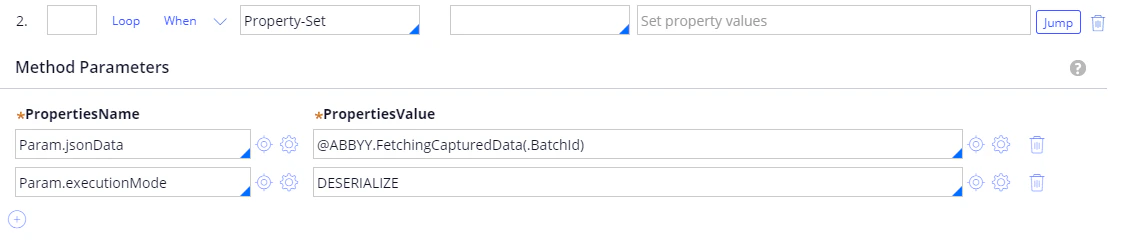
**メソッド**: Property-Set.
| **PropertiesName** | **PropertiesValue** |
| ------------------- | ------------------------------------- |
| Param.jsonData | @ABBYY.FetchingCapturedData(.BatchId) |
| Param.executionMode | DESERIALIZE |
詳細は、[FetchingCapturedData](/ja/flexi-capture/connectors/pega/pega-func-one-doc#fetchingcaptureddata)を参照してください。
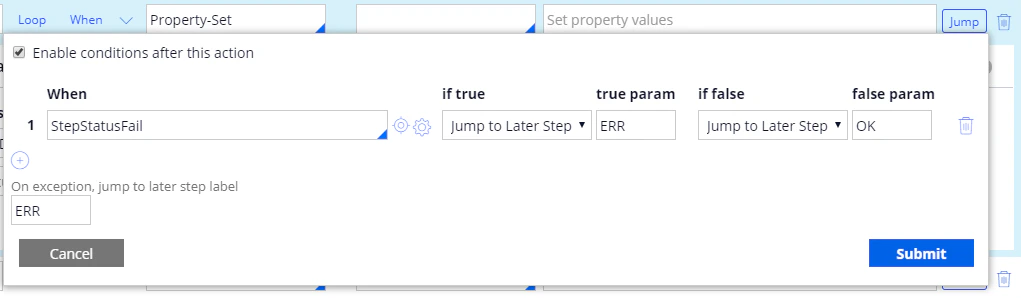
**Jump**:
| **When** | **if true** | **true param** | **if false** | **false param** |
| -------------- | ------------------ | -------------- | ------------------ | --------------- |
| StepStatusFail | Jump to Later Step | ERR | Jump to Later Step | OK |
**On exception, jump to later step label**: ERR.
ステップ 2:
**メソッド**: Property-Set.
| **PropertiesName** | **PropertiesValue** |
| ------------------- | ------------------------------------- |
| Param.jsonData | @ABBYY.FetchingCapturedData(.BatchId) |
| Param.executionMode | DESERIALIZE |
詳細は、[FetchingCapturedData](/ja/flexi-capture/connectors/pega/pega-func-one-doc#fetchingcaptureddata)を参照してください。
**Jump**:
| **When** | **if true** | **true param** | **if false** | **false param** |
| -------------- | ------------------ | -------------- | ------------------ | --------------- |
| StepStatusFail | Jump to Later Step | ERR | Jump to Later Step | OK |
**On exception, jump to later step label**: ERR.
 ステップ 3:
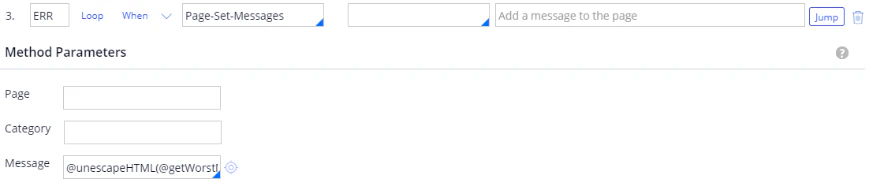
**Label**: ERR.
**メソッド**: Page-Set-Messages.
**Message**: @unescapeHTML(@getWorstMessageName(tools)).
**Jump**:
| **When** | **if true** | **true param** | **if false** | **false param** |
| -------- | ------------- | -------------- | ------------ | --------------- |
| true | Exit Activity | | | |
詳細は、[unescapeHTML](/ja/flexi-capture/connectors/pega/pega-func-other)を参照してください。
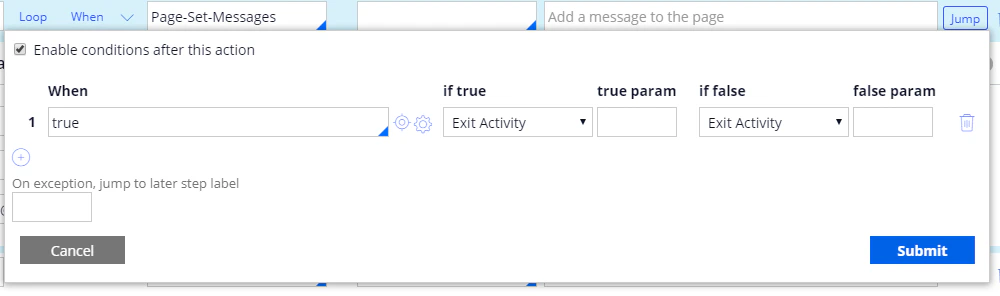
ステップ 3:
**Label**: ERR.
**メソッド**: Page-Set-Messages.
**Message**: @unescapeHTML(@getWorstMessageName(tools)).
**Jump**:
| **When** | **if true** | **true param** | **if false** | **false param** |
| -------- | ------------- | -------------- | ------------ | --------------- |
| true | Exit Activity | | | |
詳細は、[unescapeHTML](/ja/flexi-capture/connectors/pega/pega-func-other)を参照してください。
 ステップ 4:
**Label**: OK.
**メソッド**: Apply-DataTransform.
**DataTransform**: JsonToInvoiceWithVerificationFields.
**PassParameterPage**: true.
ステップ 4:
**Label**: OK.
**メソッド**: Apply-DataTransform.
**DataTransform**: JsonToInvoiceWithVerificationFields.
**PassParameterPage**: true.
 データ変換の作成について詳しくは、[単一文書処理 Case 用データ変換の作成](/ja/flexi-capture/connectors/pega/pega-dt-one-doc)を参照してください。