> ## Documentation Index
> Fetch the complete documentation index at: https://docs.abbyy.com/llms.txt
> Use this file to discover all available pages before exploring further.

# UpdateVerificationUrl

> 複数文書のケース向けに UpdateVerificationUrl Pega アクティビティを設定します。FlexiCapture から VerificationUrl を更新し、Obj-Save でケースを保存します。

アクティビティの作成の詳細については、[Pega アクティビティの作成](/ja/flexi-capture/connectors/pega/pega-activity-create)を参照してください。

<div id="pages-classes">
  ## ページとクラス
</div>

| **ページ名** | **クラス** |
| -------- | ------- |
| Case     | Work-   |

<div id="parameters">
  ## パラメーター
</div>

| **Name** | **データ型** | **必須** |
| -------- | -------- | ------ |
| CaseId   | String   | はい     |

<div id="steps">
  ## 手順
</div>

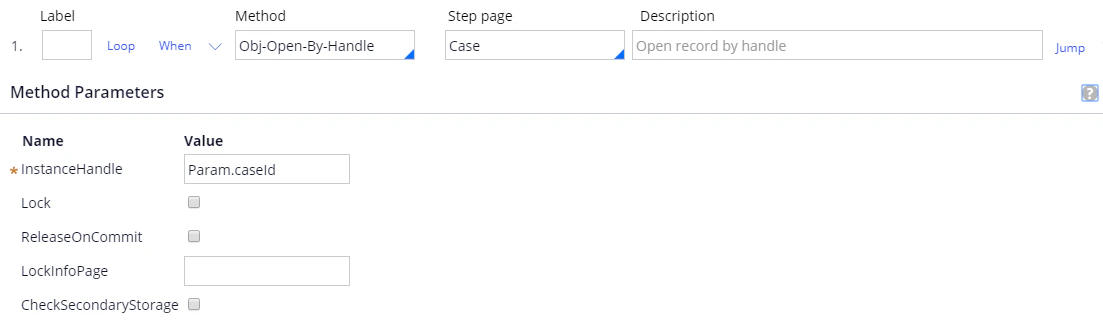
ステップ 1:

**Method**: Obj-Open-By-Handle.

**Step page**: Case.

| **Name**       | **Value**    |
| -------------- | ------------ |
| InstanceHandle | Param.caseId |

<Frame>
  <img src="https://mintcdn.com/abbyy/Xgx3EG8BZs5YQjIJ/images/flexi-capture/connectors/Pega162.png?fit=max&auto=format&n=Xgx3EG8BZs5YQjIJ&q=85&s=82bee36280f87613aea22143e795a236" alt="Pega の UpdateVerificationUrl アクティビティ のスクリーンショット。Case の Step page で Obj-Open-By-Handle メソッドを使用するステップ 1 が表示され、InstanceHandle が Param.caseId に設定されています。" width="1103" height="324" data-path="images/flexi-capture/connectors/Pega162.png" />
</Frame>

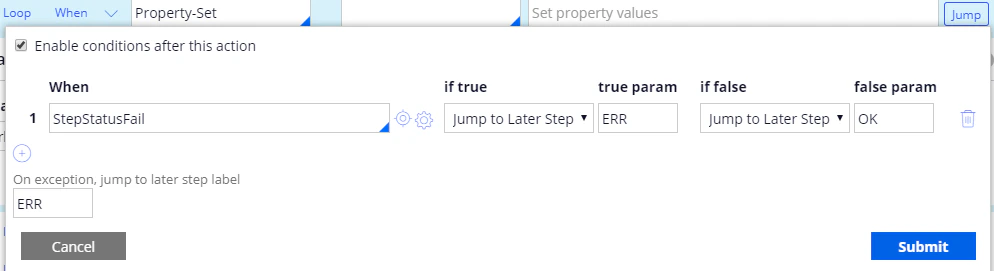
ステップ 2:

**Method**: Property-Set.

| **PropertiesName** | **PropertiesValue**                                                  |
| ------------------ | -------------------------------------------------------------------- |
| .VerificationUrl   | @ABBYY.WaitFirstVerificationOrProcessedForMultiFileInvoice(.BatchId) |

**ジャンプ**:

| **When**       | **if true**        | **true param** | **if false**       | **false param** |
| -------------- | ------------------ | -------------- | ------------------ | --------------- |
| StepStatusFail | ジャンプ to Later Step | ERR            | ジャンプ to Later Step | OK              |

**On exception, jump to later step label**: ERR.

<Frame>
  <img src="https://mintcdn.com/abbyy/Xgx3EG8BZs5YQjIJ/images/flexi-capture/connectors/Pega163.png?fit=max&auto=format&n=Xgx3EG8BZs5YQjIJ&q=85&s=bc3f982a3763cb6c34962ec35d61c2df" alt="Pega の UpdateVerificationUrl アクティビティ のスクリーンショット。Property-Set メソッドで .VerificationUrl を @ABBYY.WaitFirstVerificationOrProcessedForMultiFileInvoice(.BatchId) に設定するステップ 2 が表示されています。" width="1102" height="202" data-path="images/flexi-capture/connectors/Pega163.png" />
</Frame>

<Frame>
  <img src="https://mintcdn.com/abbyy/Xgx3EG8BZs5YQjIJ/images/flexi-capture/connectors/Pega164.png?fit=max&auto=format&n=Xgx3EG8BZs5YQjIJ&q=85&s=41c6672cf7b813e26ac852bc34c54d15" alt="Pega のステップ 2 の ジャンプ conditions dialog のスクリーンショット。StepStatusFail 条件で、true の場合はラベル ERR に、false の場合はラベル OK にジャンプするよう設定されており、例外発生時のラベルは ERR に設定されています。" width="994" height="271" data-path="images/flexi-capture/connectors/Pega164.png" />
</Frame>

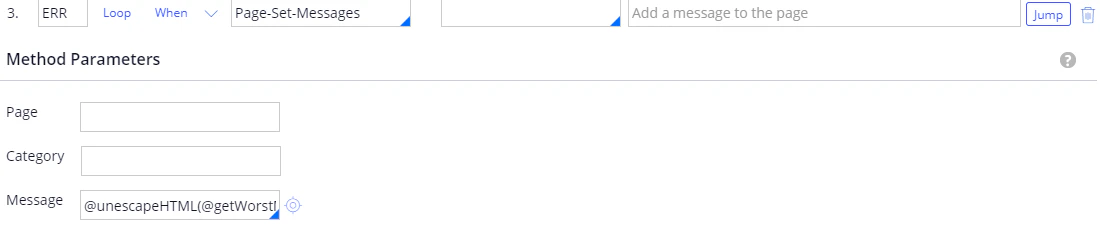
ステップ 3:

**Label**: ERR.

**Method**: Page-Set-Messages.

**Message**: @unescapeHTML(@getWorstMessageName(tools)).

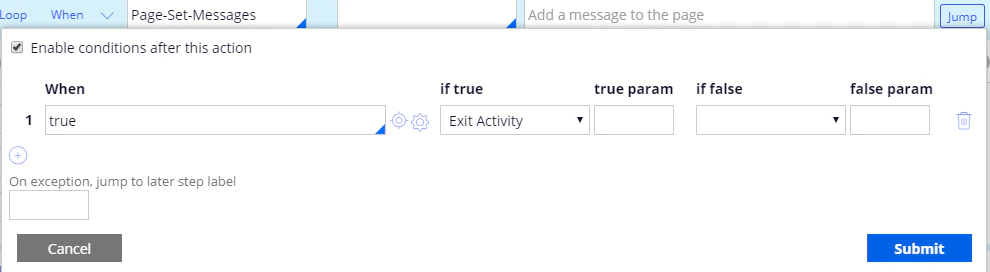
**ジャンプ**:

| **When** | **if true**   | **true param** | **if false** | **false param** |
| -------- | ------------- | -------------- | ------------ | --------------- |
| true     | Exit Activity |                |              |                 |

詳細は、[unescapeHTML](/ja/flexi-capture/connectors/pega/pega-func-other) を参照してください。
<Frame>
  <img src="https://mintcdn.com/abbyy/Xgx3EG8BZs5YQjIJ/images/flexi-capture/connectors/Pega165.png?fit=max&auto=format&n=Xgx3EG8BZs5YQjIJ&q=85&s=d6929df284782a116ea5fb3d1fe3617b" alt="Pega の UpdateVerificationUrl アクティビティ のスクリーンショット。ERR というラベルが付いたステップ 3 が表示され、Page-Set-Messages メソッドの Message パラメーターに @unescapeHTML(@getWorstMessageName(tools)) が設定されています。" width="1100" height="231" data-path="images/flexi-capture/connectors/Pega165.png" />
</Frame>

<Frame>
  <img src="https://mintcdn.com/abbyy/Xgx3EG8BZs5YQjIJ/images/flexi-capture/connectors/Pega166.png?fit=max&auto=format&n=Xgx3EG8BZs5YQjIJ&q=85&s=adb78c55594d3bb79a6a235133059eeb" alt="Pega のステップ 3 の ジャンプ conditions dialog のスクリーンショット。When 条件 true が Exit Activity に設定されています。" width="990" height="272" data-path="images/flexi-capture/connectors/Pega166.png" />
</Frame>

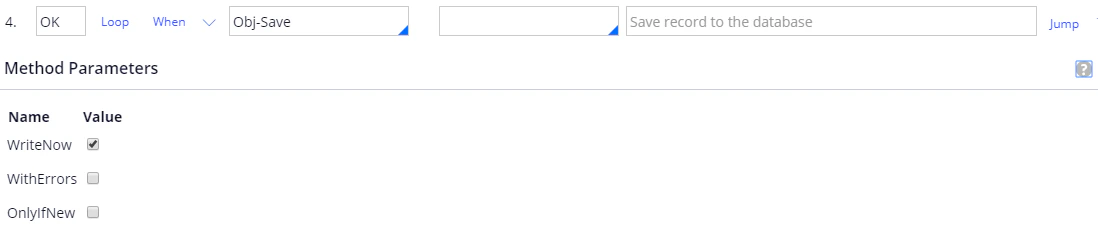
ステップ 4:

**Label**: OK.

**Method**: Obj-Save.

| **Name**   | **Value** |
| ---------- | --------- |
| WriteNow   | True      |
| WithErrors | False     |
| OnlyIfNew  | False     |
<Frame>
  <img src="https://mintcdn.com/abbyy/Xgx3EG8BZs5YQjIJ/images/flexi-capture/connectors/Pega167.png?fit=max&auto=format&n=Xgx3EG8BZs5YQjIJ&q=85&s=1848726ab0df87e9b945c9b7fd09162f" alt="Pega の UpdateVerificationUrl アクティビティ のスクリーンショット。OK というラベルが付いたステップ 4 が表示され、Obj-Save メソッドと、WriteNow、WithErrors、OnlyIfNew の各パラメーターが示されています。" width="1098" height="230" data-path="images/flexi-capture/connectors/Pega167.png" />
</Frame>