> ## Documentation Index
> Fetch the complete documentation index at: https://docs.abbyy.com/llms.txt
> Use this file to discover all available pages before exploring further.
# ABBYY FlexiCapture プロジェクトの設定
> Project Setup Station から ABBYY FlexiCapture プロジェクトを Application Server にアップロードし、InvoiceDemoProject_Singletask サンプルを使用して学習します。
プロジェクトの設定を開始する前に、ABBYY FlexiCapture Application Server にプロジェクトをアップロードする必要があります。
**Project Setup Station** でプロジェクトを開きます。ツールバーの "**Upload project to Server**..." アイコンをクリックします。接続先の Application Server のアドレスと認証情報を指定し、**OK,** をクリックして、プロジェクトがサーバーにアップロードされるまで待ちます。
FC Cloud を使用している場合、プロジェクトを設定するには Project Setup Station デスクトップアプリケーションも必要です。FlexiCapture Cloud サーバーへのプロジェクトのアップロード手順について詳しくは、Multi-Task パッケージ向けの [Configuring ABBYY FlexiCapture project](/ja/flexi-capture/connectors/ui-path/up-configuring-fc) を参照してください。
事前設定済みの InvoiceDemoProject\_Singletask という名前のサンプルプロジェクトを使用すると、各シナリオについてさらに詳しく理解できます (このプロジェクトは、コネクターの配布パッケージ内の **\Single-task package\Samples\FlexiCapture Projects** フォルダーにあります) 。
FlexiCapture Project Setup Station で、サンプルの InvoiceDemoProject\_Singletask を開き、**Upload Project to Server** をクリックします。プロジェクトには 3 種類のバッチがあります。各バッチタイプは、それぞれの利用シナリオのいずれかでドキュメントを処理するためのものです。エクスポート設定は "European Invoice" Document Definition で指定されています。[UiPath Orchestrator の接続設定](/ja/flexi-capture/connectors/up-configuring-a-script-exp-pr#connestion-settings) と [キュー名](/ja/flexi-capture/connectors/up-configuring-a-script-exp-pr#queue) を指定して、スクリプトのエクスポートプロファイルを編集する必要があります。
FC Processing Server が実行中で、Processing Station が追加、設定、および起動されていることを確認します。これを行うには、**Start → All Programs → ABBYY FlexiCapture 12 Servers → Processing Server** を選択して Processing Server Monitor を起動します。サーバーとステーションの両方が **Started** ステータスになっている必要があります。
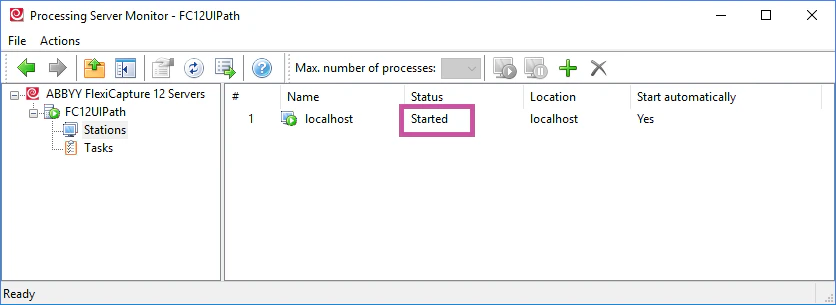 FC Processing Server の設定について詳しくは、[Processing Server の設定](/ja/flexi-capture/admin-guide/processing-server-setup) を参照してください。