> ## Documentation Index
> Fetch the complete documentation index at: https://docs.abbyy.com/llms.txt
> Use this file to discover all available pages before exploring further.
# スクリプトでバッチ登録パラメーターを指定する
> Create Batch ライブラリのスクリプトを編集して RegProperty の名前と値のペアを追加し、ドキュメントを ABBYY FlexiCapture に送信する際にバッチ登録パラメーターを追加します。
WinActor向けの ABBYY FlexiCapture Connector では、ドキュメントを FC に送信する際に、バッチ登録パラメーターを指定できます。
バッチ登録パラメーターを指定するには、次の手順に従います。
1. WinActor Office Robot でワークフローを開きます。
2. **Create Batch** ユーザーライブラリのプロパティを開きます。
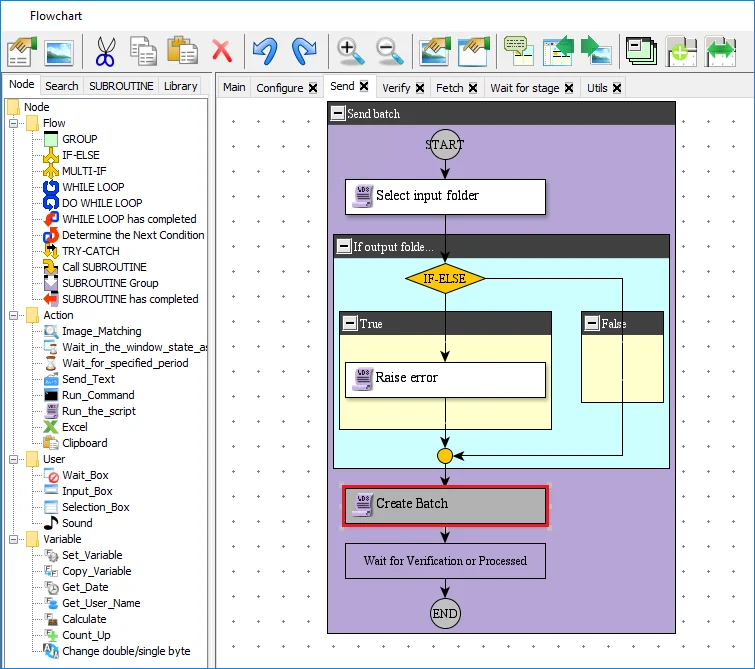 3. **Script** タブで、スクリプト内の"Create batch and start processing"セクションを次のコードに置き換えます。
```
' FlexiCapture バッチ登録パラメーターを設定します。
Set oRegParam0 = CreateObject("Abbyy.WinActor.FlexiCapture.Scenarios.Models.RegProperty")
oRegParam0.Name = "Name_0"
oRegParam0.Value = "Value_0"
Set oRegParam1 = CreateObject("Abbyy.WinActor.FlexiCapture.Scenarios.Models.RegProperty")
oRegParam1.Name = "Name_1"
oRegParam1.Value = "Value_1"
arRegParams = Array(oRegParam0, oRegParam1)
' バッチを作成して処理を開始します。
nFcBatchId = oFcBatchSender.Send( szFcBatchType, szFcInputFolder, arRegParams )
```
3. **Script** タブで、スクリプト内の"Create batch and start processing"セクションを次のコードに置き換えます。
```
' FlexiCapture バッチ登録パラメーターを設定します。
Set oRegParam0 = CreateObject("Abbyy.WinActor.FlexiCapture.Scenarios.Models.RegProperty")
oRegParam0.Name = "Name_0"
oRegParam0.Value = "Value_0"
Set oRegParam1 = CreateObject("Abbyy.WinActor.FlexiCapture.Scenarios.Models.RegProperty")
oRegParam1.Name = "Name_1"
oRegParam1.Value = "Value_1"
arRegParams = Array(oRegParam0, oRegParam1)
' バッチを作成して処理を開始します。
nFcBatchId = oFcBatchSender.Send( szFcBatchType, szFcInputFolder, arRegParams )
```
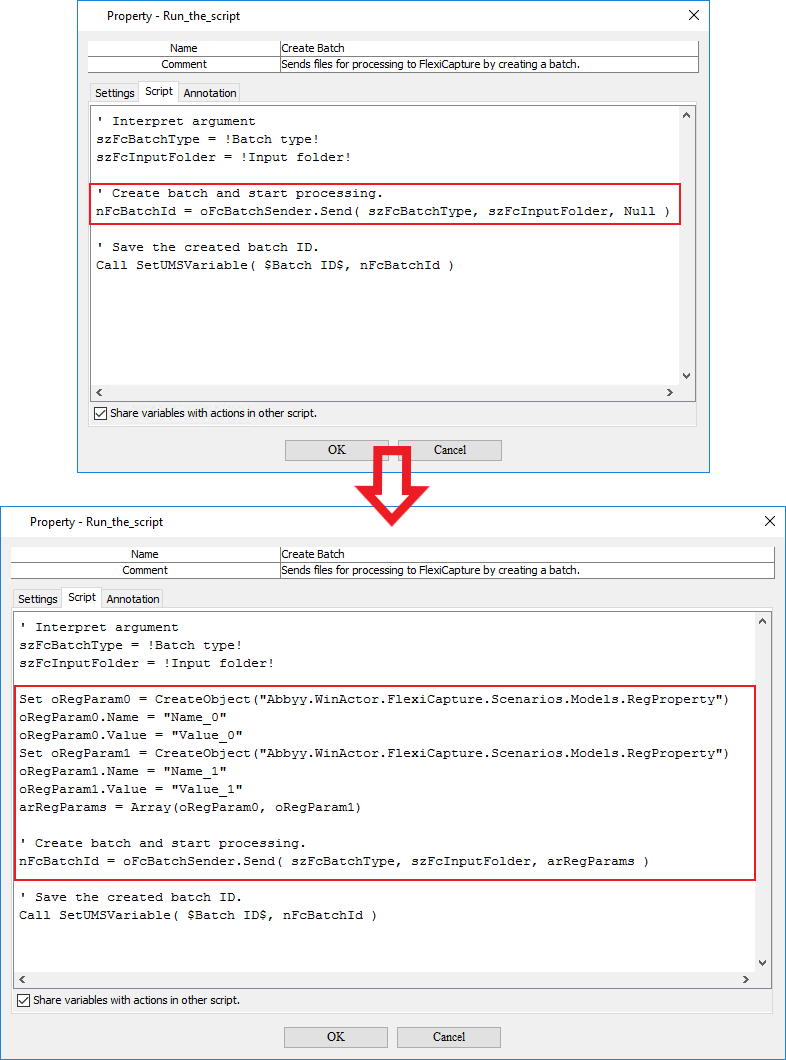 このスクリプトには、バッチの登録パラメーターの名前と値が含まれています。スクリプトには、任意の数の"名前–値"のペアを追加できます。
登録パラメーターの値は、たとえば[エクスポートファイルの命名](/ja/flexi-capture/templates/export-file-naming)に使用できます。
このスクリプトには、バッチの登録パラメーターの名前と値が含まれています。スクリプトには、任意の数の"名前–値"のペアを追加できます。
登録パラメーターの値は、たとえば[エクスポートファイルの命名](/ja/flexi-capture/templates/export-file-naming)に使用できます。