> ## Documentation Index
> Fetch the complete documentation index at: https://docs.abbyy.com/llms.txt
> Use this file to discover all available pages before exploring further.
# KYC Agent向けにMicrosoft Graph APIを設定する
> Azure アプリケーションを登録し、IBM watsonx Orchestrate で Microsoft Graph API 接続を設定して、KYC Agent がメール通知やワークフロー更新を送信できるようにします。
KYC Agent が承認、却下、ステータス更新の自動メール通知を送信できるよう、Microsoft Graph API へのアクセスを設定します。
## Microsoft Graph 接続を設定する
Microsoft Azure Active Directory にアプリケーションを登録します。
`Mail.Send` など、必要な Microsoft Graph API の権限を付与します。
IBM watsonx Orchestrate の接続 `microsoft_abbyy_e073d849` で、以下の認証情報を設定し、安全に保管します:
* `GRAPH_CLIENT_ID`
* `GRAPH_CLIENT_SECRET`
* `GRAPH_TOKEN_URL`
* **スコープ**: `offline_access openid profile User.Read`
* **Authorization URL**
* **Server URL**
IBM watsonx Orchestrate で Microsoft Graph API 接続を作成して保存します。次に、接続設定で生成された **Callback URL** をコピーして保存します。
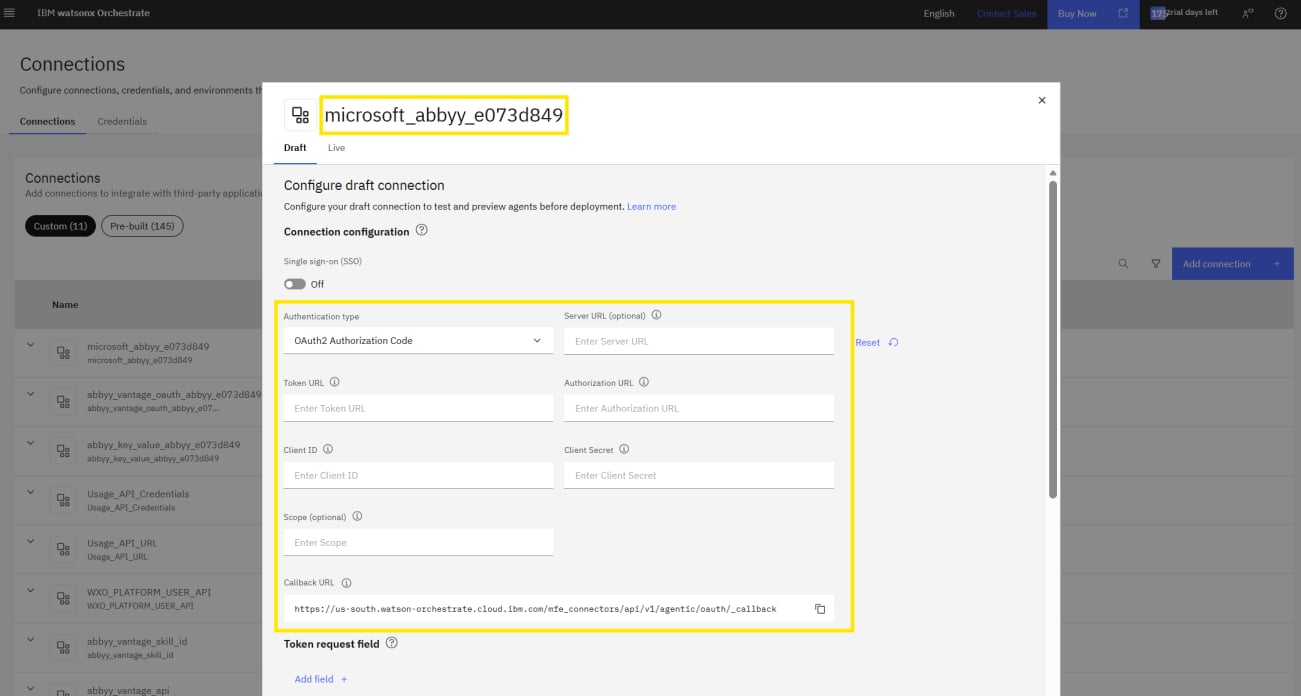 **Callback URL** を Azure アプリケーションの **Redirect URI の設定** に追加します。
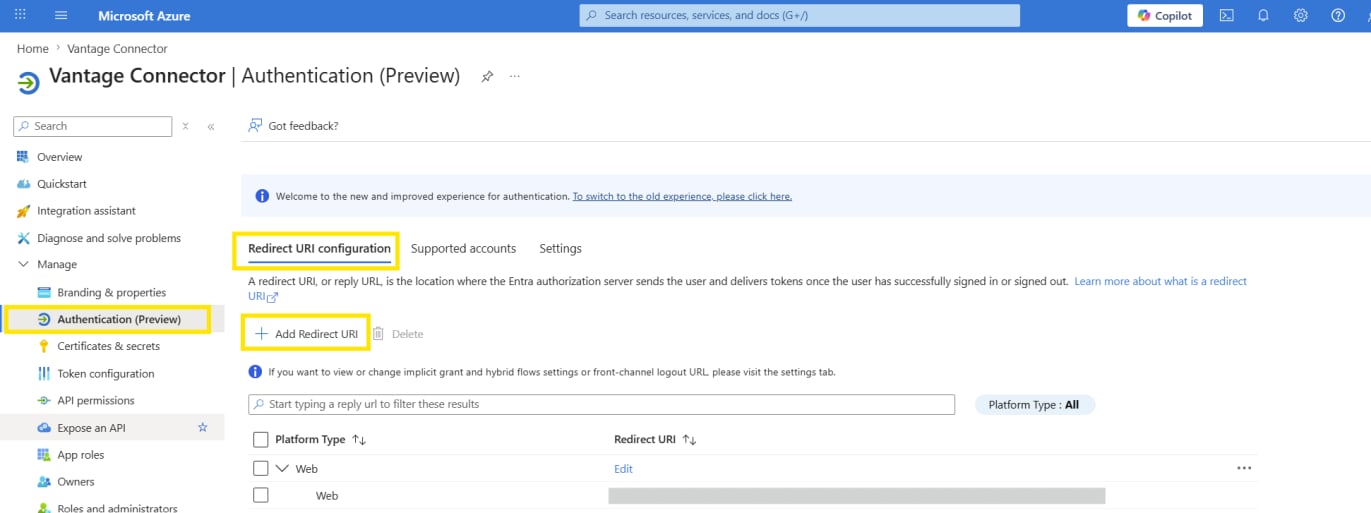 IBM watsonx Orchestrate で接続を保存し、検証します。
メール通知とワークフローの更新の送信に Microsoft Graph API 接続を使用するよう、KYC Agent を設定します。
これで、KYC Agent は IBM watsonx Orchestrate 上で実行できるように設定されました。
IBM watsonx Orchestrate で接続を保存し、検証します。
メール通知とワークフローの更新の送信に Microsoft Graph API 接続を使用するよう、KYC Agent を設定します。
これで、KYC Agent は IBM watsonx Orchestrate 上で実行できるように設定されました。
## 次のステップ
ABBYY Timelineプロジェクトで使用する列については、[Timelineイベントログスキーマ](/ja/vantage/connectors/ibm-watsonx-orchestrate/timeline-event-log-schema)を参照してください。