> ## Documentation Index
> Fetch the complete documentation index at: https://docs.abbyy.com/llms.txt
> Use this file to discover all available pages before exploring further.
# KYC Agent 用に IBM watsonx Orchestrate を設定する
> ABBYY Vantage と ABBYY Timeline の設定時に収集した値を使用して、IBM watsonx Orchestrate で ABBYY Vantage の OAuth 接続とキーと値の接続を設定します。
ABBYY Vantage と ABBYY Timeline の設定が完了したら、前の手順で収集した値を使用して IBM watsonx Orchestrate の接続を設定します。
## 接続を構成する
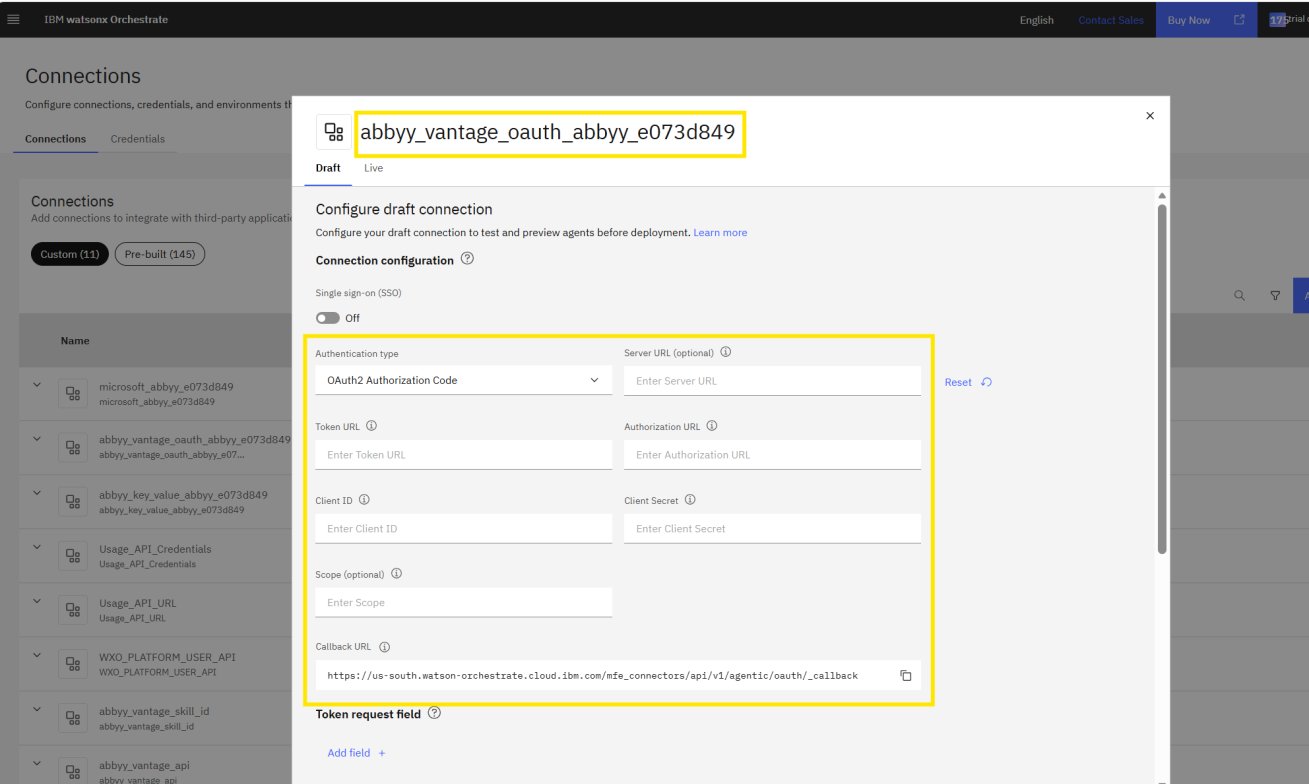
`abbyy_vantage_oauth_abbyy_e073d849` 接続に、ABBYY Vantage の詳細情報 (**Server URL**、**Client ID**、**クライアントシークレット**、**Token URL**) を入力します。
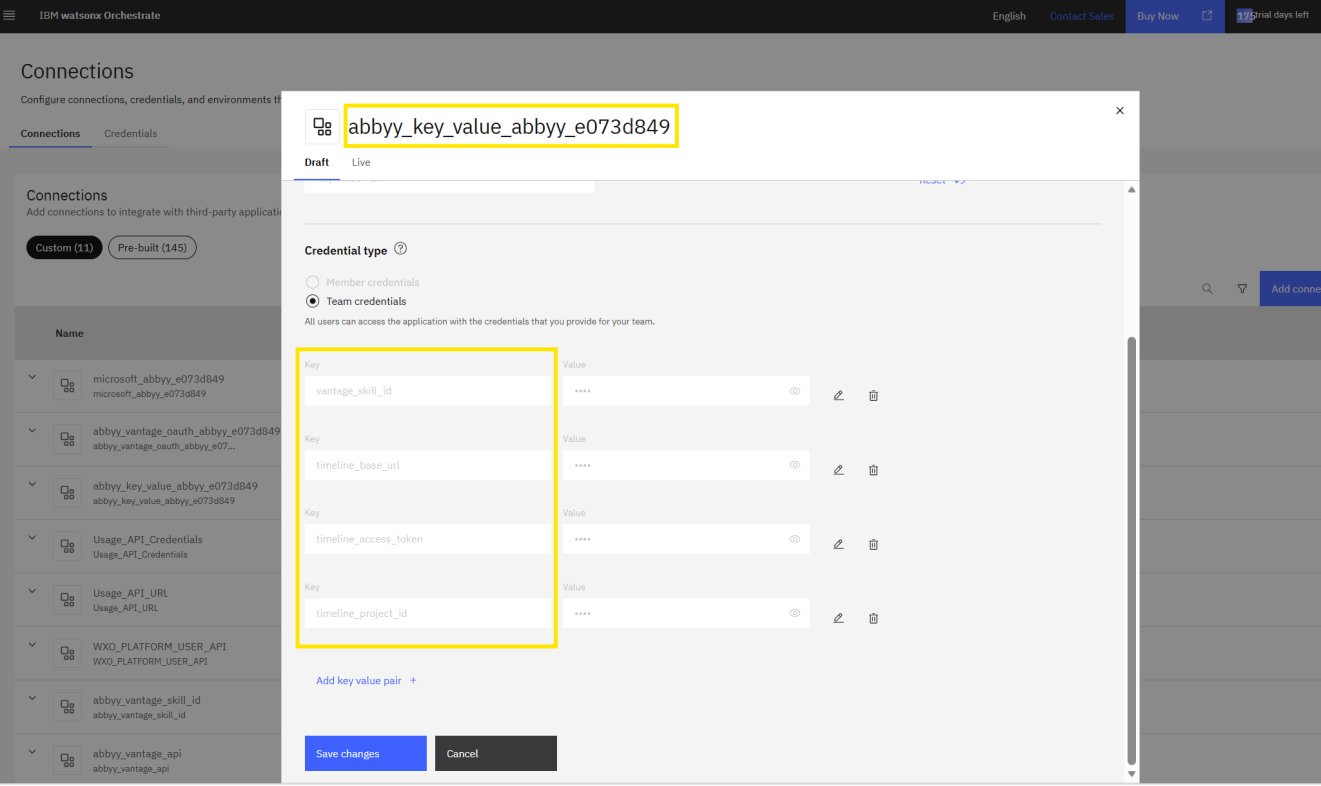
 `abbyy_key_value_abbyy_e073d849` 接続に、`vantage_skill_id`、`timeline_base_url`、`timeline_access_token`、`timeline_project_id` を入力します。
 IBM watsonx Orchestrate で、設定したすべての接続を保存して検証します。
KYC Agent をデプロイして実行する前に、すべての認証情報が安全に保存されていることを確認してください。
各接続のキーの一覧については、[システム要件](/ja/vantage/connectors/ibm-watsonx-orchestrate/system-requirements) を参照してください。
IBM watsonx Orchestrate で、設定したすべての接続を保存して検証します。
KYC Agent をデプロイして実行する前に、すべての認証情報が安全に保存されていることを確認してください。
各接続のキーの一覧については、[システム要件](/ja/vantage/connectors/ibm-watsonx-orchestrate/system-requirements) を参照してください。
## 次のステップ
続いて、[Microsoft Graph API を Configure する](/ja/vantage/connectors/ibm-watsonx-orchestrate/configure-microsoft-graph) に進みます。