> ## Documentation Index
> Fetch the complete documentation index at: https://docs.abbyy.com/llms.txt
> Use this file to discover all available pages before exploring further.

# オンラインラーニングを有効にする

> ABBYY Vantage の Document skill と分類スキルでオンラインラーニングを有効にすると、手動確認で行った修正を使用して精度を向上させることができます。

分類結果または field 抽出結果が不十分な Skill では、オンラインラーニングを有効にします。オンラインラーニングにより精度が大幅に向上する場合がありますが、文書処理が遅くなる可能性があります。

オンラインラーニングは、Process skill の設定時に有効にします。分類スキルと Document skill は、それぞれ個別に設定します。

<Note>
  オンラインラーニングは手動確認で行われた修正に依存するため、Process skill には手動確認の Step を含める必要があります。
</Note>

<div id="enable-online-learning">
  ## オンラインラーニングを有効にする
</div>

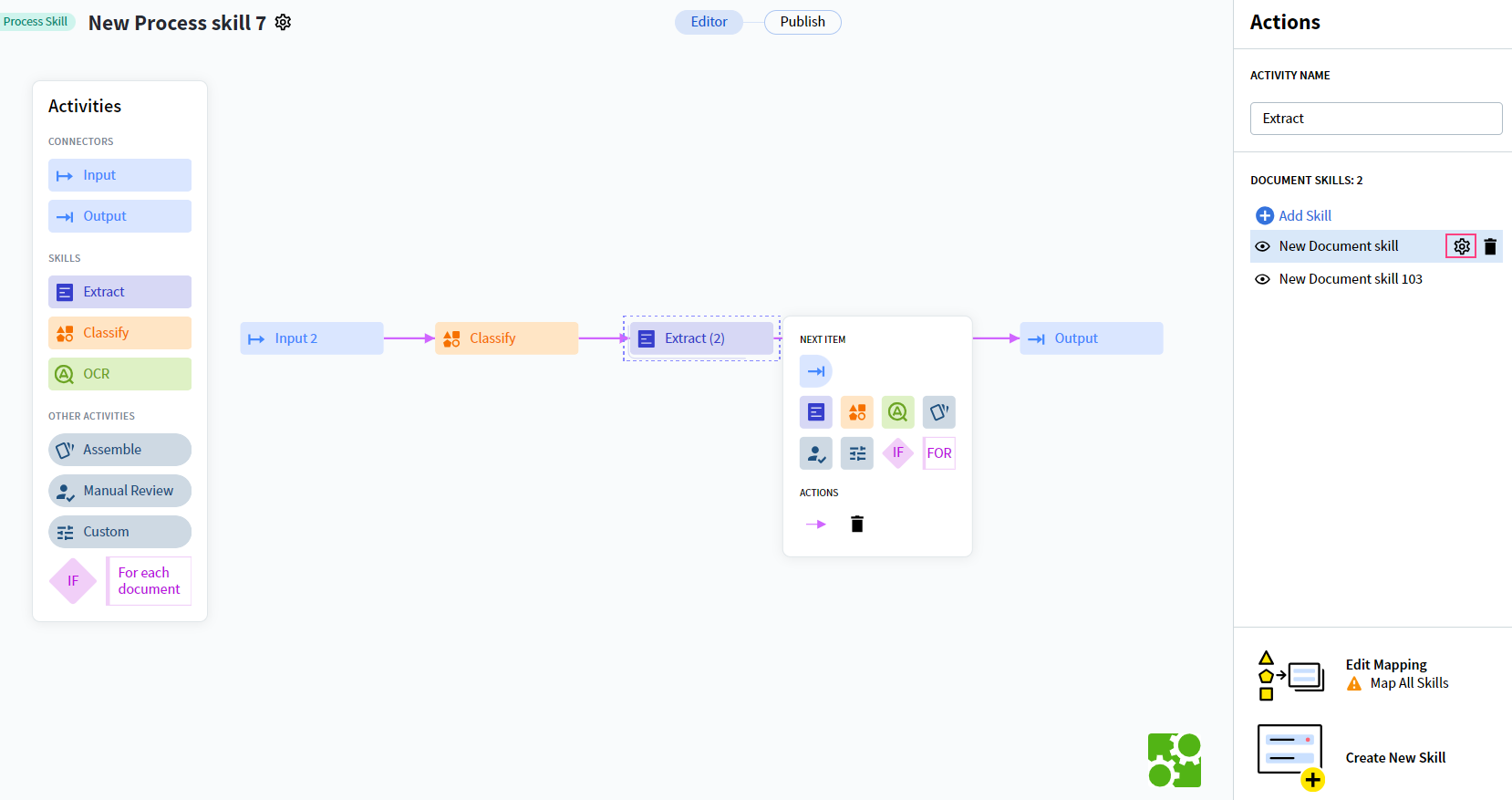
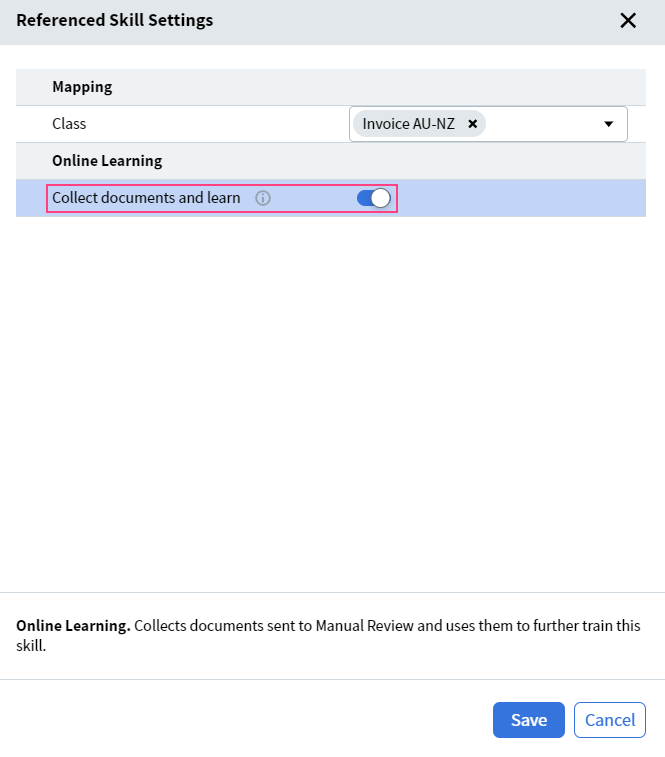
Skill を選択し、**操作ペイン** または Skill のプレビューペインで **ドキュメントを収集して学習** をオンにします。
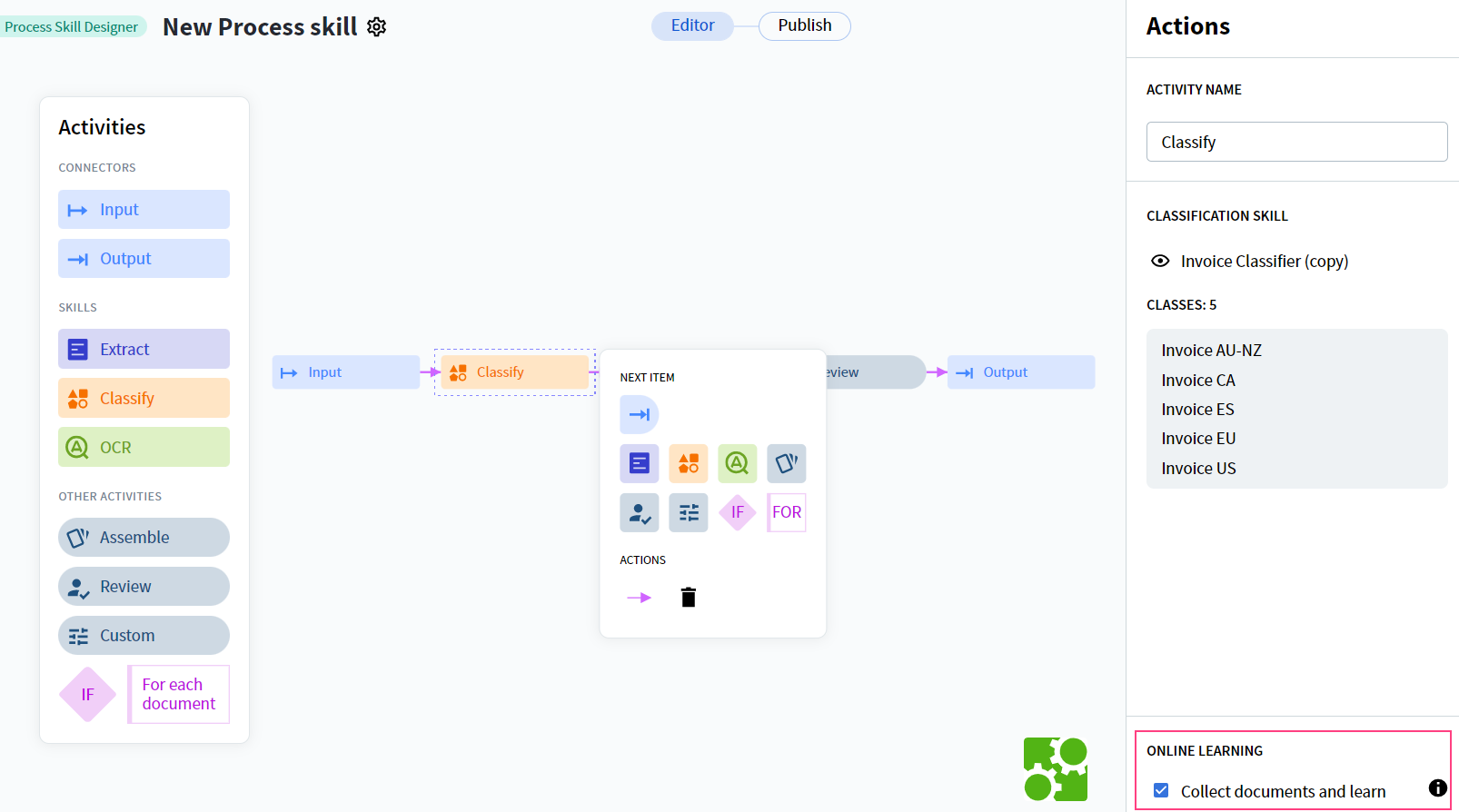
<Frame caption="分類スキルの ドキュメントを収集して学習 オプション">
  <img src="https://mintcdn.com/abbyy/AWionuoesDYr3bbS/images/vantage/runtime/screen_onlinelearning_enabling_learnfrommanualreviewclassification.png?fit=max&auto=format&n=AWionuoesDYr3bbS&q=85&s=fb9d64f2dc22637bc656892bba40f1c2" alt="分類スキル ページの ドキュメントを収集して学習 トグル" width="1606" height="894" data-path="images/vantage/runtime/screen_onlinelearning_enabling_learnfrommanualreviewclassification.png" />
</Frame>

<Frame caption="Document skill の ドキュメントを収集して学習 オプション">
  <img src="https://mintcdn.com/abbyy/AWionuoesDYr3bbS/images/vantage/runtime/screen_onlinelearning_enabling_learnfrommanualreviewdocument.png?fit=max&auto=format&n=AWionuoesDYr3bbS&q=85&s=343c8a723e87b9a1e9783b1aa413bce5" alt="Document skill ページの ドキュメントを収集して学習 トグル" width="1658" height="877" data-path="images/vantage/runtime/screen_onlinelearning_enabling_learnfrommanualreviewdocument.png" />
</Frame>

<Frame caption="Document skill の追加の ドキュメントを収集して学習 設定">
  <img src="https://mintcdn.com/abbyy/AWionuoesDYr3bbS/images/vantage/runtime/screen_onlinelearning_enabling_learnfrommanualreviewdocument1.png?fit=max&auto=format&n=AWionuoesDYr3bbS&q=85&s=0605ff3e73ef0754b49b91caa9dfaaae" alt="Document skill ページで展開された ドキュメントを収集して学習 設定" style={{ width:"54%" }} width="665" height="757" data-path="images/vantage/runtime/screen_onlinelearning_enabling_learnfrommanualreviewdocument1.png" />
</Frame>

<Note>
  構造化文書を処理するように設計された Skill では、オンラインラーニングは利用できません。これらの Skill では、**ドキュメントを収集して学習** オプションは無効になっています。システムは引き続き文書を収集しますが、学習には使用しません。
</Note>

<div id="if-manual-review-is-not-configured">
  ## 手動確認が設定されていない場合
</div>

Process skill に **手動確認** アクティビティが含まれていない場合、**ドキュメントを収集して学習** トグルはグレー表示され、**操作** ペインに次のメッセージが表示されます。
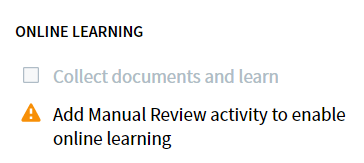
<Frame caption="手動確認アクティビティを追加するよう促す操作ペイン内のメッセージ">
  <img src="https://mintcdn.com/abbyy/AWionuoesDYr3bbS/images/vantage/runtime/screen_onlinelearning_enabling_addmanualreview.png?fit=max&auto=format&n=AWionuoesDYr3bbS&q=85&s=300b461573efb7abb122306c2d4896a6" alt="オンラインラーニングを有効にする前に手動確認アクティビティを追加する必要があることを示す操作ペインのメッセージ" style={{ width:"45%" }} width="364" height="163" data-path="images/vantage/runtime/screen_onlinelearning_enabling_addmanualreview.png" />
</Frame>

<Note>
  同じ Skill が複数の Process skill で使用されている場合は、各 Process skill で **ドキュメントを収集して学習** をオンにしてください。これにより、どの Process skill がアクティブな場合でも、その Skill はオンラインラーニングのメリットを受けられます。
</Note>

<div id="after-enabling-online-learning">
  ## オンラインラーニングを有効にした後
</div>

オンラインラーニングを有効にして、オペレーターが手動確認で修正を開始すると、システムは Skill のトレーニングセットにドキュメントを蓄積し始めます。オンラインラーニングの結果は、Classification Skill Editor または Document Skill Editor の **Results** タブに表示されます。収集されたドキュメントは、Skill Editor で直接確認することもできます。

<div id="related-topics">
  ## 関連トピック
</div>

* [オンラインラーニング](/ja/vantage/documentation/runtime/online-learning/online-learning)
* [手動確認による学習](/ja/vantage/documentation/runtime/manual-review/online-learning)
* [Skillを公開する](/ja/vantage/documentation/skill-catalog/publish-skill)