> ## Documentation Index
> Fetch the complete documentation index at: https://docs.abbyy.com/llms.txt
> Use this file to discover all available pages before exploring further.
# Automation Anywhere sample bot
> Run the bundled ABBYY Vantage Bot to see how the ABBYY Vantage Connector for Automation Anywhere connects, processes a document, and returns results.
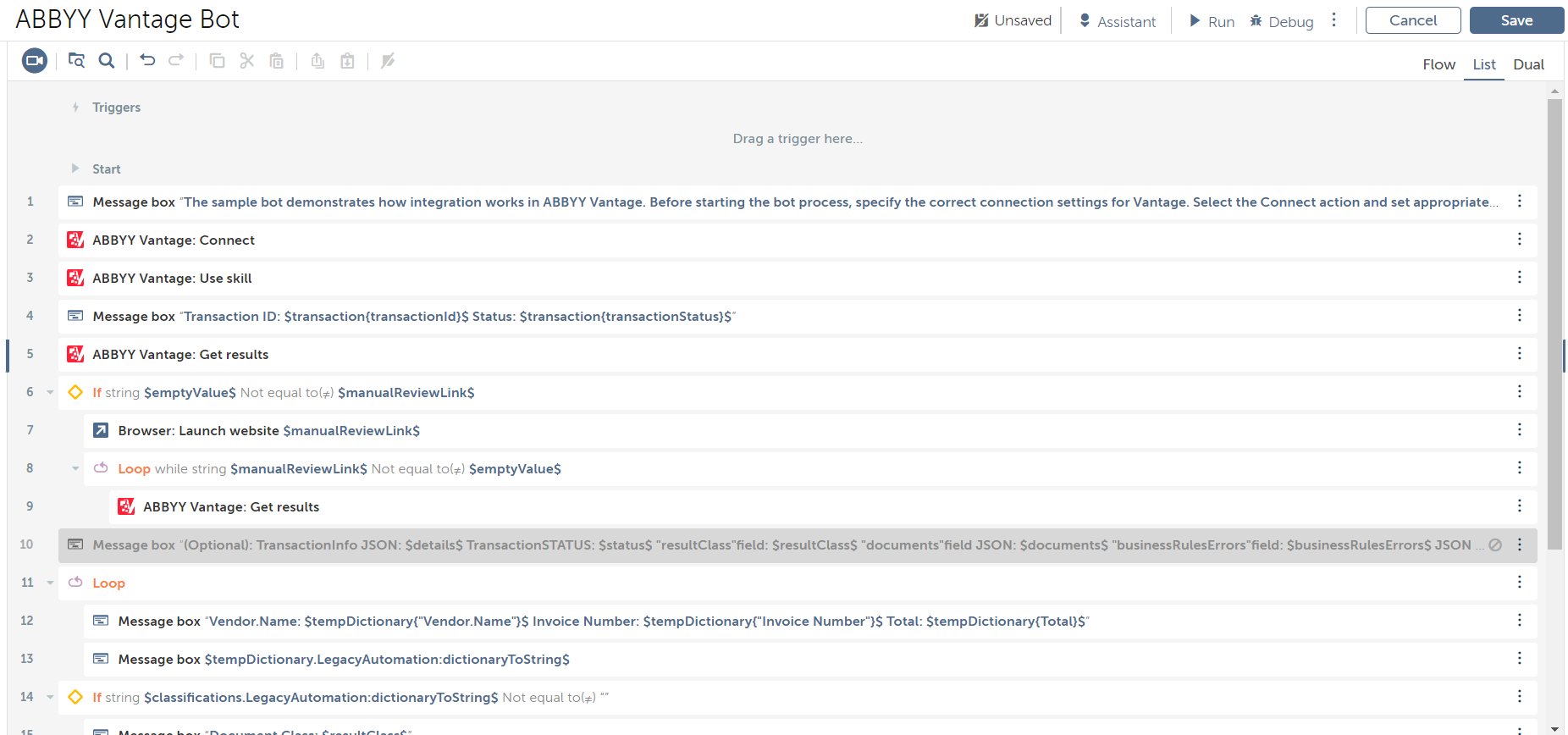
The ABBYY Vantage Connector for Automation Anywhere ships with a sample process that shows how to use the ABBYY Vantage actions in your bot logic. It is delivered as an Automation Anywhere bot called **ABBYY Vantage Bot**.
 ## Run the sample bot
On the left panel of the Automation Anywhere Control Room, open the **Automation** section. Click **Import bots**.
Navigate to the `VantageBot.zip` file in the Distribution Kit and confirm the import.
Open the imported ABBYY Vantage bot.
In the Bot editor, select the **Connect** action to open the **Action details** panel. Specify the **Server URL**, **Login**, and **Password** fields. If these fields are not editable, check out the Task Bot first.
On the **Variables** tab, open the `fileToProcess` variable and specify the full path to the files you want to process.
On the **Variables** tab, open the `outputDirFolder` variable and specify the path to the folder where you want the processing results to be downloaded.
Run the Task Bot by clicking **Run** in the upper-right corner.
## Related topics
* [Install the Automation Anywhere connector](/vantage/connectors/aa/install)
* [Connect action](/vantage/connectors/aa/actions/connect)
* [Use skill action](/vantage/connectors/aa/actions/use-skill)
* [Get results action](/vantage/connectors/aa/actions/get-results)
## Run the sample bot
On the left panel of the Automation Anywhere Control Room, open the **Automation** section. Click **Import bots**.
Navigate to the `VantageBot.zip` file in the Distribution Kit and confirm the import.
Open the imported ABBYY Vantage bot.
In the Bot editor, select the **Connect** action to open the **Action details** panel. Specify the **Server URL**, **Login**, and **Password** fields. If these fields are not editable, check out the Task Bot first.
On the **Variables** tab, open the `fileToProcess` variable and specify the full path to the files you want to process.
On the **Variables** tab, open the `outputDirFolder` variable and specify the path to the folder where you want the processing results to be downloaded.
Run the Task Bot by clicking **Run** in the upper-right corner.
## Related topics
* [Install the Automation Anywhere connector](/vantage/connectors/aa/install)
* [Connect action](/vantage/connectors/aa/actions/connect)
* [Use skill action](/vantage/connectors/aa/actions/use-skill)
* [Get results action](/vantage/connectors/aa/actions/get-results)