> ## Documentation Index
> Fetch the complete documentation index at: https://docs.abbyy.com/llms.txt
> Use this file to discover all available pages before exploring further.
# Extract data from documents in Advanced Designer
> Choose the right Advanced Designer scenario based on document structure — structured, semi-structured, unstructured, or mixed.
To extract data from documents in Advanced Designer, create a [Document skill](/vantage/documentation/advanced-designer/document-skills/document-skills). The activities you use depend on the structure of your documents — Vantage groups documents into four broad categories.
## Document types
### Structured documents
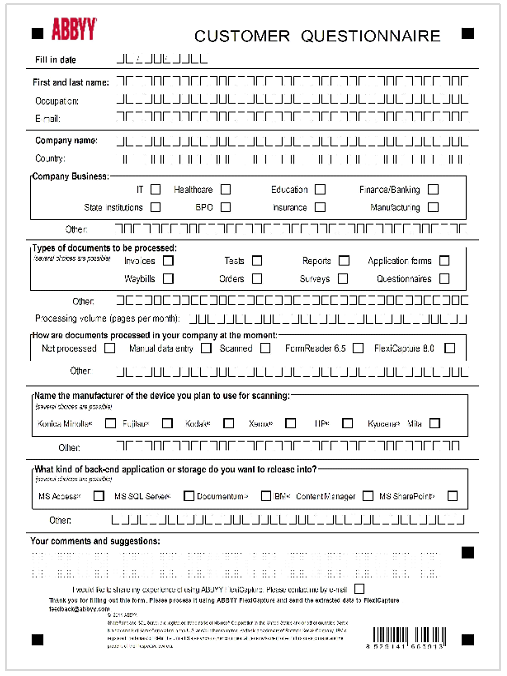
**Structured documents** (also known as fixed forms) always carry the same fields in the same layout, or in a very small number of layouts. Examples: forms, questionnaires, surveys.
 ### Semi-structured documents
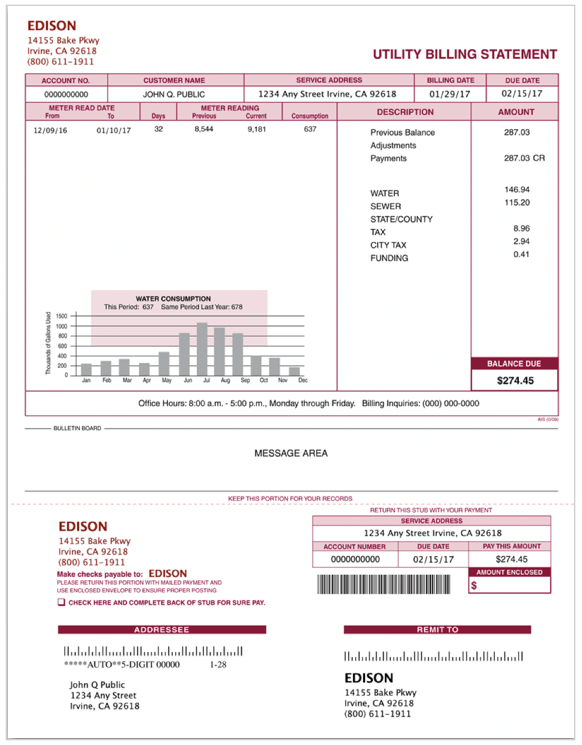
**Semi-structured documents** carry similar information across documents, but field locations, sizes, and counts vary. Vantage uses spatial and logical relationships between elements to locate the data. Examples: invoices, payment orders, bills of lading.
### Semi-structured documents
**Semi-structured documents** carry similar information across documents, but field locations, sizes, and counts vary. Vantage uses spatial and logical relationships between elements to locate the data. Examples: invoices, payment orders, bills of lading.
 ### Unstructured documents
**Unstructured documents** are freeform text in paragraphs and sentences, where the fields you need may span pages. Examples: contracts, emails, research articles.
### Unstructured documents
**Unstructured documents** are freeform text in paragraphs and sentences, where the fields you need may span pages. Examples: contracts, emails, research articles.
 ### Mixed document sets
A **mixed document set** contains documents of different types — for example, semi-structured and unstructured together, or single documents that mix the two (paragraphs of plain text alternating with tables).
## Pick a scenario
Once you've identified your document type, follow the matching scenario.
Build skills for forms with fixed or limited layouts.
Build skills for invoices, bills of lading, and similar varying-layout documents.
Build skills for contracts, emails, and other freeform text.
Handle document sets that combine multiple structure types.
### Mixed document sets
A **mixed document set** contains documents of different types — for example, semi-structured and unstructured together, or single documents that mix the two (paragraphs of plain text alternating with tables).
## Pick a scenario
Once you've identified your document type, follow the matching scenario.
Build skills for forms with fixed or limited layouts.
Build skills for invoices, bills of lading, and similar varying-layout documents.
Build skills for contracts, emails, and other freeform text.
Handle document sets that combine multiple structure types.