> ## Documentation Index
> Fetch the complete documentation index at: https://docs.abbyy.com/llms.txt
> Use this file to discover all available pages before exploring further.
# Create a skill
> Learn how to create a new skill in the ABBYY Vantage Skill Catalog and open it in the Skill Designer for configuration.
Create a new skill and open it in the Skill Designer for configuration. You can start from the Skill Catalog or directly from the Skill Designer.
Availability of this feature depends on your role. For more information, see [Role-based access control](/vantage/documentation/tenant-admin/tenant-management/role-based-access).
## Create a skill from the Skill Catalog
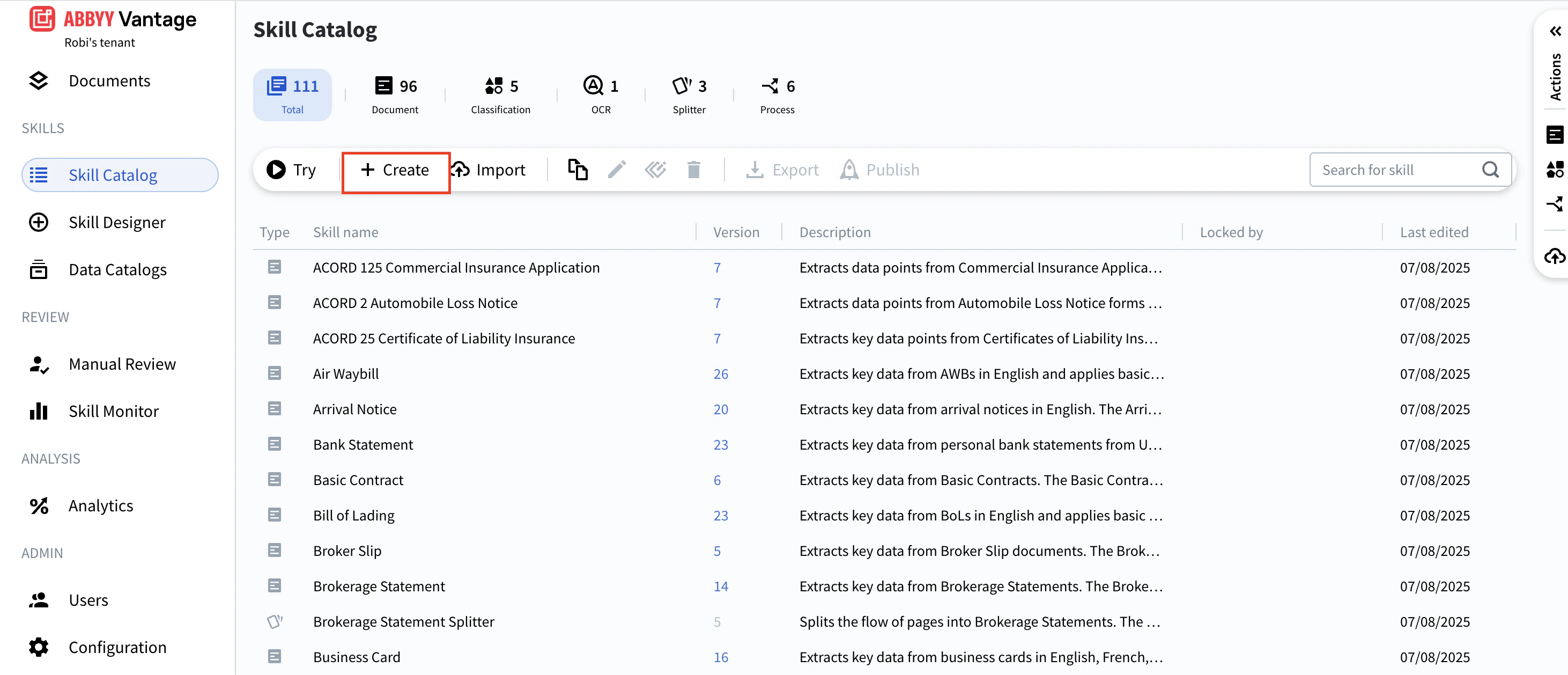
On the Skill Catalog toolbar, click **Create**.
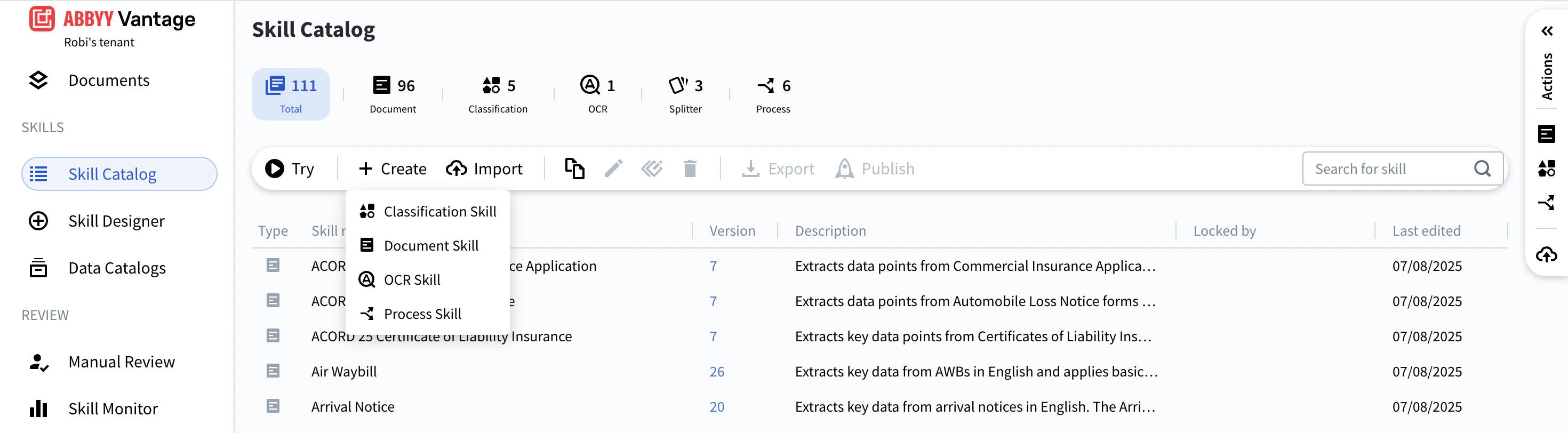
 Choose the skill type from the menu that appears.
 In the dialog box, enter a **Name** and **Description** for the skill.
If the skill will process structured documents, enable the **Fixed-form documents** toggle. See [Set up a Document skill](/vantage/documentation/skill-designer/document/set-up) for details.
Select a **Technology Core Version**.
Use the latest core version for all new skills. See [Technology Core versions](/vantage/documentation/technology-core-versions).
Click **Create**. The Skill Designer opens and the skill is ready to configure.
### Verify the skill was created
The new skill appears in the Skill Catalog and is visible to all users. Until it is published, it has no version number.
The **Locked by** field shows who is currently editing the skill.
## Alternative ways to create a skill
You can also create a skill using any of the following methods:
* Click **Skill Designer** and select a skill type.
* In the **Actions** pane, click one of these shortcuts:
* **Extract Data from Documents** — creates a Document skill
* **Classify Documents** — creates a Classification skill
* **Process** — creates a Process skill
For more information, see [Skill Designer](/vantage/documentation/skill-designer/skill-designer).
## Related topics
Discover, publish, and reuse skills across your tenant.
Run sample documents through a skill from the Skill Catalog.
Modify a published skill and publish a new version.
Assign a version number to a skill and make it available in the Skill Catalog.
Configure a Document skill to extract fields from a document type.
Choose the engine version that powers a new skill.
In the dialog box, enter a **Name** and **Description** for the skill.
If the skill will process structured documents, enable the **Fixed-form documents** toggle. See [Set up a Document skill](/vantage/documentation/skill-designer/document/set-up) for details.
Select a **Technology Core Version**.
Use the latest core version for all new skills. See [Technology Core versions](/vantage/documentation/technology-core-versions).
Click **Create**. The Skill Designer opens and the skill is ready to configure.
### Verify the skill was created
The new skill appears in the Skill Catalog and is visible to all users. Until it is published, it has no version number.
The **Locked by** field shows who is currently editing the skill.
## Alternative ways to create a skill
You can also create a skill using any of the following methods:
* Click **Skill Designer** and select a skill type.
* In the **Actions** pane, click one of these shortcuts:
* **Extract Data from Documents** — creates a Document skill
* **Classify Documents** — creates a Classification skill
* **Process** — creates a Process skill
For more information, see [Skill Designer](/vantage/documentation/skill-designer/skill-designer).
## Related topics
Discover, publish, and reuse skills across your tenant.
Run sample documents through a skill from the Skill Catalog.
Modify a published skill and publish a new version.
Assign a version number to a skill and make it available in the Skill Catalog.
Configure a Document skill to extract fields from a document type.
Choose the engine version that powers a new skill.