> ## Documentation Index
> Fetch the complete documentation index at: https://docs.abbyy.com/llms.txt
> Use this file to discover all available pages before exploring further.
# Manual Review activity
> Send documents for verification in your processing workflow.
The **Manual Review** activity lets operators verify documents in your processing workflow.
## Verification modes
Choose a verification mode in the **Actions** pane:
* **All** — All documents must be verified.
* **With rule errors, uncertain fields, or unknown type** — Only verify documents that have rule errors, fields with low-confidence characters, or unknown document types.
* **None** — No documents are sent to review.
## Manual Review client
ABBYY Vantage provides a Manual Review client for reviewing data extraction and document classification results. For instructions on using the client, see [Manual Review client](/vantage/documentation/runtime/manual-review/manual-review).
## Scenarios
The **Manual Review** activity supports three common scenarios:
* [Review data extraction results](#review-data-extraction-results)
* [Review document classification and data extraction results](#review-document-classification-and-data-extraction-results)
* [Review document classification results](#review-document-classification-results)
### Review data extraction results
Use this scenario when you have a single document type and want operators to verify the accuracy of extracted data. No classification is required.
 For more information, see the [Extract activity](/vantage/documentation/skill-designer/process/extract-activity).
### Review document classification and data extraction results
Use this scenario when you have multiple document types that need both classification and accurate data extraction. Operators verify both the class assigned by the **Classify** activity and the data extracted by the **Extract** activity.
For more information, see the [Extract activity](/vantage/documentation/skill-designer/process/extract-activity).
### Review document classification and data extraction results
Use this scenario when you have multiple document types that need both classification and accurate data extraction. Operators verify both the class assigned by the **Classify** activity and the data extracted by the **Extract** activity.
 For more information, see the [Classify activity](/vantage/documentation/skill-designer/process/classify-activity) and the [Extract activity](/vantage/documentation/skill-designer/process/extract-activity).
### Review document classification results
Use this scenario when you have multiple document types that need to be classified — for example, to route documents to specific company departments — but don't need data extraction. Operators verify only the classification results.
Each **Manual Review** activity must be preceded by an **Extract** activity — even if no data extraction is required — or the Process skill can't be published.
To set up a placeholder **Extract** activity:
In the **Extract** activity, create as many empty Document skills as you have document classes.
For more information, see the [Classify activity](/vantage/documentation/skill-designer/process/classify-activity) and the [Extract activity](/vantage/documentation/skill-designer/process/extract-activity).
### Review document classification results
Use this scenario when you have multiple document types that need to be classified — for example, to route documents to specific company departments — but don't need data extraction. Operators verify only the classification results.
Each **Manual Review** activity must be preceded by an **Extract** activity — even if no data extraction is required — or the Process skill can't be published.
To set up a placeholder **Extract** activity:
In the **Extract** activity, create as many empty Document skills as you have document classes.
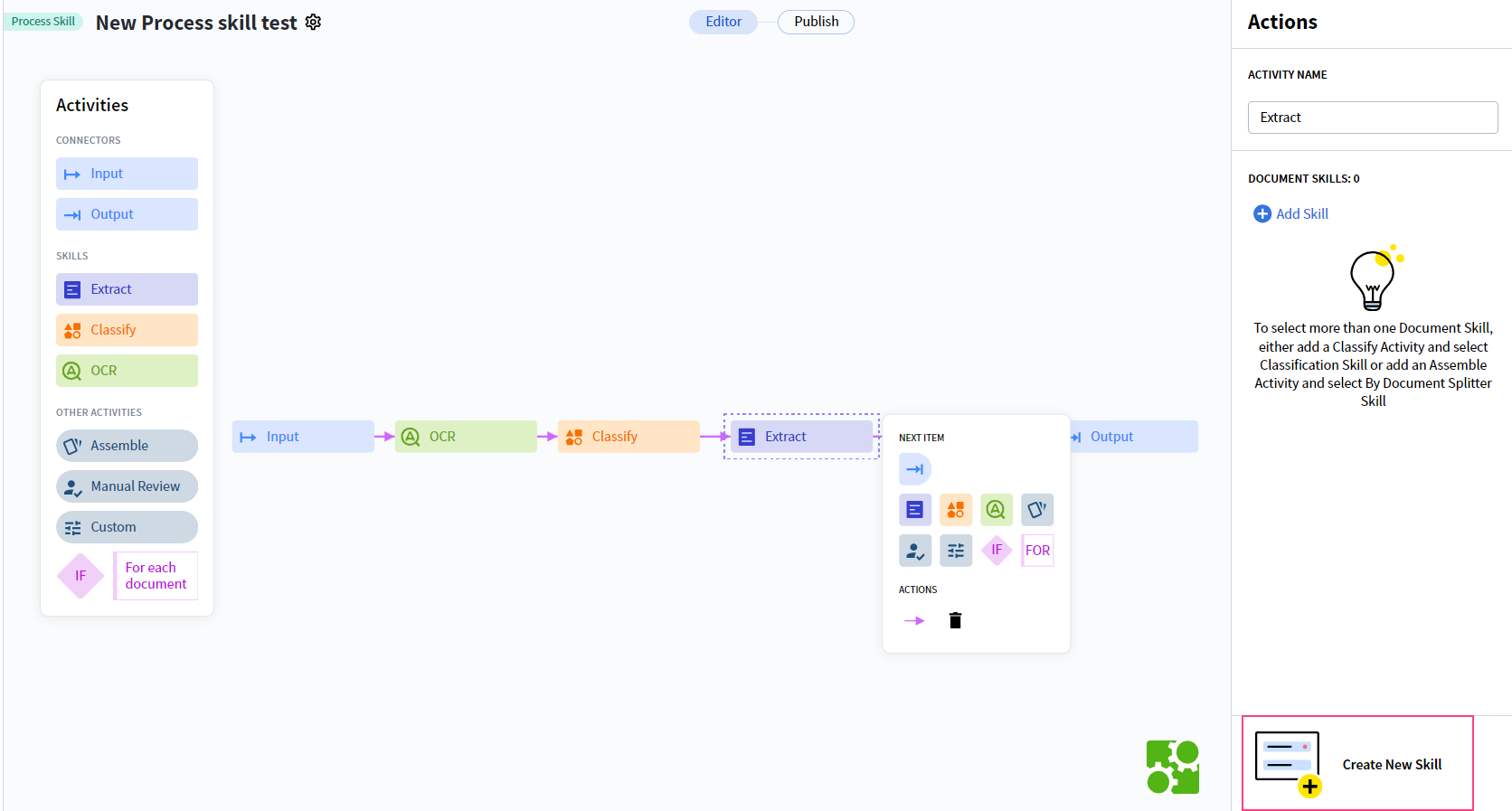 Map each Document skill to its corresponding class from the **Classify** activity. See the [Extract activity](/vantage/documentation/skill-designer/process/extract-activity) for details.
## Related topics
Build a Process skill from a preset workflow or from scratch and configure each activity.
Identify document types and route each document to the correct downstream process.
Extract field values from documents using a Document skill.
The operator interface for verifying extracted data and document classifications.
Continuously improve a published skill by retraining on new production documents.
Map each Document skill to its corresponding class from the **Classify** activity. See the [Extract activity](/vantage/documentation/skill-designer/process/extract-activity) for details.
## Related topics
Build a Process skill from a preset workflow or from scratch and configure each activity.
Identify document types and route each document to the correct downstream process.
Extract field values from documents using a Document skill.
The operator interface for verifying extracted data and document classifications.
Continuously improve a published skill by retraining on new production documents.