> ## Documentation Index
> Fetch the complete documentation index at: https://docs.abbyy.com/llms.txt
> Use this file to discover all available pages before exploring further.
# Output activity
> Export recognized document text and extracted data to external systems in various formats, and optionally redact sensitive fields before export.
The **Output** activity exports processing results to external systems — recognized document text and extracted data — in various formats. See [Data export formats](/vantage/documentation/skill-designer/process/output-activity/export-formats) for the supported formats.
To set up an **Output** activity, add it to your document processing workflow and choose the required data export formats by clicking **Settings** in the **Exported Data** section of the **Actions** pane.
At least one export format must be enabled in the **Exported Data** section.
You cannot place an **Output** activity inside a **For Each Document** activity.
By default, processing results are available via the [Vantage API](/vantage/developer/api-introduction). To also save results elsewhere, use the **Select additional destination** option in the **Actions** pane:
* **Shared folder** — see [Export results to a shared folder](/vantage/documentation/skill-designer/process/output-activity/export-shared-folder).
* **External system** — see [Export results to an external system](/vantage/documentation/skill-designer/process/output-activity/export-external-system).
## Redact fields before export
You can select fields to redact before exporting processed images, so sensitive and confidential data is permanently removed. Redacted fields appear as blacked-out areas on exported images, letting you store or archive the images while protecting the underlying data.
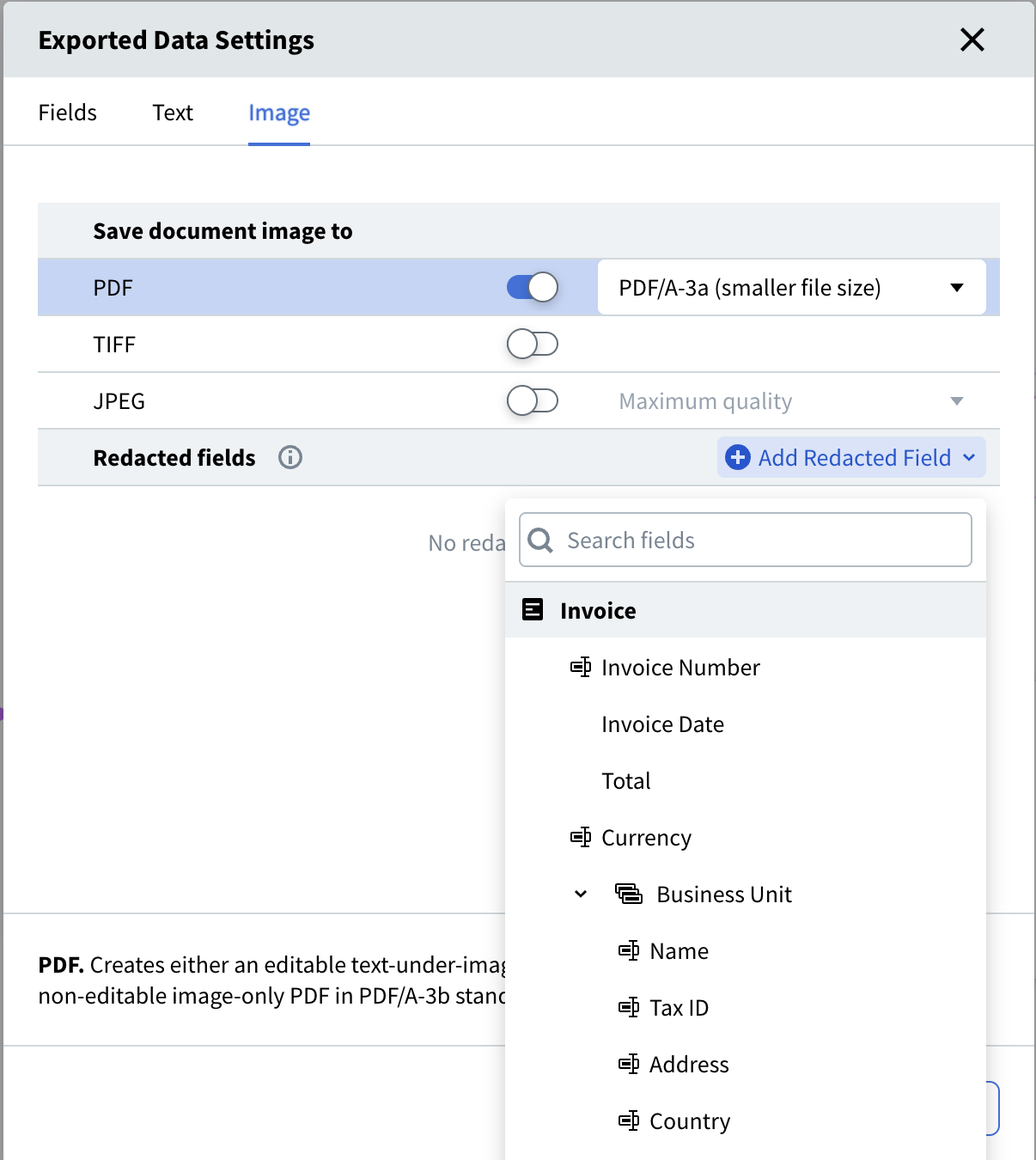 Redacted data cannot be recovered or copied from the text layer of a PDF. Once a file is exported with redactions applied, the original values are gone from the exported copy.
## Related topics
* [Data export formats](/vantage/documentation/skill-designer/process/output-activity/export-formats)
* [Export results to a shared folder](/vantage/documentation/skill-designer/process/output-activity/export-shared-folder)
* [Export results to an external system](/vantage/documentation/skill-designer/process/output-activity/export-external-system)
* [Set up a Process skill](/vantage/documentation/skill-designer/process/set-up)
* [API Introduction](/vantage/developer/api-introduction)
Redacted data cannot be recovered or copied from the text layer of a PDF. Once a file is exported with redactions applied, the original values are gone from the exported copy.
## Related topics
* [Data export formats](/vantage/documentation/skill-designer/process/output-activity/export-formats)
* [Export results to a shared folder](/vantage/documentation/skill-designer/process/output-activity/export-shared-folder)
* [Export results to an external system](/vantage/documentation/skill-designer/process/output-activity/export-external-system)
* [Set up a Process skill](/vantage/documentation/skill-designer/process/set-up)
* [API Introduction](/vantage/developer/api-introduction)