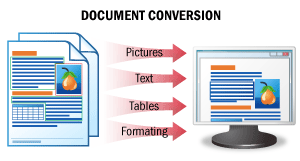
The result of this scenario is an editable version of a document.
In this scenario, document images are recognized, retaining all the original formatting intact, and the data are saved to an editable file format. As a result, you get editable versions of your documents, which can be easily checked for errors and modified.
See Document Conversion for details.
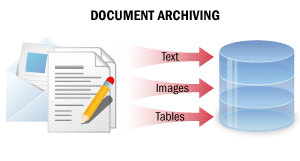
In this processing scenario, paper documents are converted into non-editable digital copies containing all document information in a searchable format. As a result of such processing, digital copies of documents may be easily found in an electronic archive using full-text search, document text segments may be copied, and documents may be sent by e-mail or printed out.
See Document Archiving for details.
## Data Capture
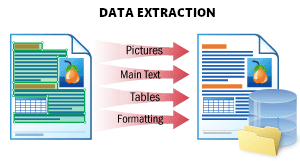
This scenario is used to extract all possible data from a document and store it in a structured way.
The result is a JSON file which represents the document structure. It stores all document objects: printed and handwritten text, tables, barcodes, checkmarks, and images with their location and attributes. This format is optimal for further processing, storing data in a database, or integrating with another application.
See Data Extraction for details.
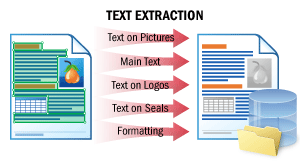
This scenario enables the extraction of the body text of a document and texts on logos, seals, and on any elements other than the body text.
The natural order of the text "how a human would read it" is preserved. You can then feed the documents to natural language processing (NLP) engines on your side, for example, to be quickly summarized, searched for sensitive information, or go through a sentiment review.
See Text Extraction for details.
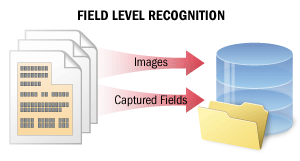
In the case of field-level recognition, short text fragments are recognized in order to capture data from certain fields. Recognition quality is crucial in this scenario.
This scenario may also be used as part of more complex scenarios where meaningful data are to be extracted from documents (for example, to capture data from paper documents into information systems and databases or to automatically classify and index documents in Document Management Systems).
In this scenario, the system recognizes either several lines of text in only some of the fields or the entire text on a small image. The system computes a certainty rating for each recognized character. The certainty ratings can then be used when checking the recognition results. Additionally, the system may store multiple recognition variants for words and characters in the text, which may then be used in voting algorithms to improve the quality of recognition.
See Field-Level Recognition for details.
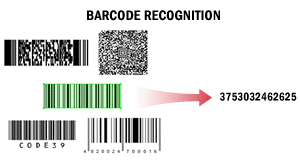
In this scenario, ABBYY FineReader Engine is used to read barcodes. Barcodes may need to be read, for example, for purposes of automatic document separation, for processing documents by a Document Management System, or for indexing and classifying documents.
This scenario may be used as part of other scenarios. For example, documents scanned with high-speed production scanners may be separated by means of barcodes, or documents prepared for long-term storage may be placed into archiving Document Management Systems based on the values of their barcodes.
When extracting barcodes from texts, the system may detect all barcodes or only barcodes of a certain type with a certain value. The system may get the value of a barcode and calculate its checksum.
Recognized barcode values can be saved into formats most convenient for further processing, for example, into TXT.
See Barcode Recognition for details.
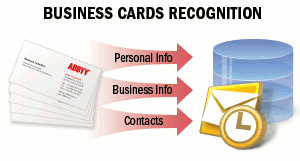
Business cards contain business information about a company or a person. Business cards can include person name, company, telephone numbers, fax, e-mail, website addresses and similar information. You may need to capture this information from paper business cards and save it in electronic format. It can be an electronic address book of a mobile phone, e-mail client, or any other data storage system. For example, business cards are often passed by e-mail or network in vCard format.
See Business Cards Recognition for details.
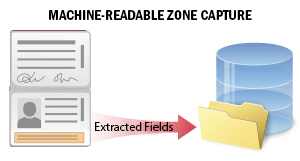
The official travel or identity documents of many countries contain a machine-readable zone (MRZ) that ensures more accurate processing of the document data.
This scenario is used for extracting data from a machine-readable zone on ID documents during customer onboarding or verification processes. The system recognizes MRZ on the document image and extracts the data from it. The extracted data contains several fields with the personal information about the document and its holder (document's type and expiry date, the first and the last names of the document holder, etc.). You may search through the fields, verify the data and save it to an external file for the further processing.
See Machine-Readable Zone Capture for details.
## Other
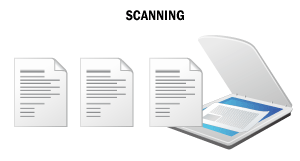
In this scenario, ABBYY FineReader Engine is used on a "scanning computer," which scans images and saves them as files.
This scenario may be used as part of other scenarios in the preliminary stage of document processing, i.e., for obtaining electronic versions of documents for further processing. Usage examples include scanning documents for archiving purposes, getting editable versions of documents, and extracting meaningful data from documents.
Paper documents are scanned and the images are saved in an electronic format, producing high-quality electronic versions of your printed documents.
See Scanning for details.
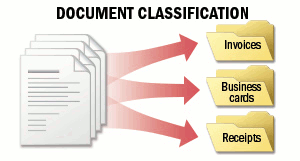
The task of document classification is to assign a document to one of the user-defined categories. You may have to deal with a document flow which consists of documents of several types, for example, contracts, invoices, receipts. You need to identify the type of each document. For example, you want to sort the documents into different folders, or rename them according to their types. This can be done automatically with a pretrained system.
The main aspect of this scenario is that you know which types of documents you are going to process. ABBYY FineReader Engine can classify documents by their appearance or by their content.
See Document Classification for details.
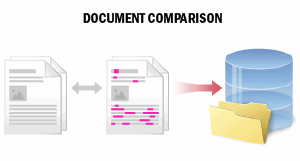
When working with the paper documents, you need to find and correct the mistakes or intentionally made changes.
This scenario is used to compare the documents of special importance, such as contracts and bank documentation, with their copies. The comparison result contains the information about differences in the type of content (text only), kind of modification (deleted, inserted, or modified) and their locations in the original and the copy. You may get the list of the detected differences or the region of any change and save the comparison result to an external file for further processing or long-term storage.
See Document Comparison for details.
## See also [Basic Usage Scenarios Implementation](/fine-reader/engine/guided-tour/basic-usage-scenarios-implementation)