
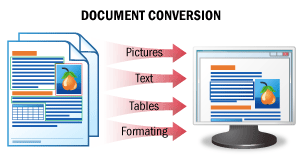
| The result of this scenario is an editable version of a document. In this scenario, document images are recognized, retaining all the original formatting intact, and the data are saved to an editable file format. As a result, you get editable versions of your documents, which can be easily checked for errors and modified. SeeDocument Conversionfor details. |
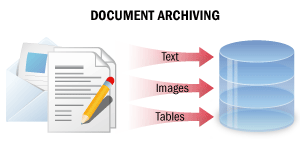
| In this processing scenario, paper documents are converted into non-editable digital copies containing all document information in a searchable format. As a result of such processing, digital copies of documents may be easily found in an electronic archive using full-text search, document text segments may be copied, and documents may be sent by e-mail or printed out. SeeDocument Archivingfor details. |
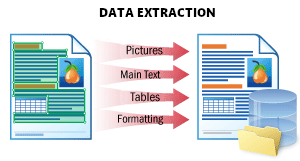
| This scenario is used to extract all possible data from a document and store it in a structured way. The result is a JSON file which represents the document structure. It stores all document objects: printed and handwritten text, tables, barcodes, checkmarks, and images with their location and attributes. This format is optimal for further processing, storing data in a database, or integrating with another application. SeeData Extractionfor details. |
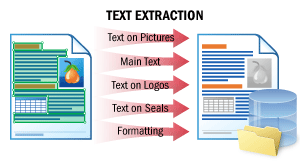
| This scenario enables the extraction of the body text of a document and texts on logos, seals, and on any elements other than the body text. The natural order of the text “how a human would read it” is preserved. You can then feed the documents to natural language processing (NLP) engines on your side, for example, to be quickly summarized, searched for sensitive information, or go through a sentiment review. SeeText Extractionfor details. |
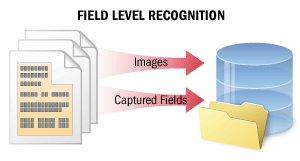
| In the case of field-level recognition, short text fragments are recognized in order to capture data from certain fields. Recognition quality is crucial in this scenario. This scenario may also be used as part of more complex scenarios where meaningful data are to be extracted from documents (for example, to capture data from paper documents into information systems and databases or to automatically classify and index documents in Document Management Systems). In this scenario, the system recognizes either several lines of text in only some of the fields or the entire text on a small image. The system computes a certainty rating for each recognized character. The certainty ratings can then be used when checking the recognition results. Additionally, the system may store multiple recognition variants for words and characters in the text, which may then be used in voting algorithms to improve the quality of recognition. SeeField-Level Recognitionfor details. |
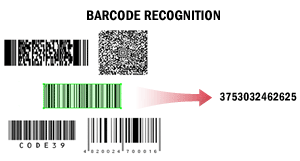
| In this scenario, ABBYY FineReader Engine is used to read barcodes. Barcodes may need to be read, for example, for purposes of automatic document separation, for processing documents by a Document Management System, or for indexing and classifying documents. This scenario may be used as part of other scenarios. For example, documents scanned with high-speed production scanners may be separated by means of barcodes, or documents prepared for long-term storage may be placed into archiving Document Management Systems based on the values of their barcodes. When extracting barcodes from texts, the system may detect all barcodes or only barcodes of a certain type with a certain value. The system may get the value of a barcode and calculate its checksum. Recognized barcode values can be saved into formats most convenient for further processing, for example, into TXT. SeeBarcode Recognitionfor details. |
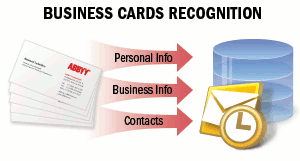
| 명함에는 회사 또는 개인에 관한 비즈니스 정보가 담겨 있습니다. 명함에는 이름, 회사명, 전화번호, 팩스, 이메일, 웹사이트 주소 등의 정보가 포함될 수 있습니다. 종이 명함에서 이러한 정보를 추출하여 전자 형식으로 저장해야 하는 경우가 있습니다. 저장 대상은 휴대폰의 전자 주소록, 이메일 클라이언트 또는 기타 데이터 저장 시스템이 될 수 있습니다. 예를 들어, 명함은 이메일이나 네트워크를 통해 vCard 형식으로 공유되는 경우가 많습니다. SeeBusiness Cards Recognition자세한 내용을 확인하십시오. |
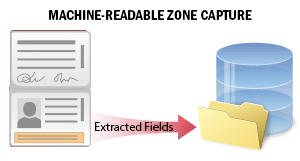
| 많은 국가의 공식 여행 문서 또는 신분증에는 문서 데이터를 보다 정확하게 처리할 수 있는 기계 판독 영역(MRZ)이 포함되어 있습니다. 이 시나리오는 고객 온보딩 또는 본인 확인 프로세스 중에 신분증의 기계 판독 영역에서 데이터를 추출하는 데 사용됩니다. 시스템은 문서 이미지에서 MRZ를 인식하고 해당 데이터를 추출합니다. 추출된 데이터에는 문서 및 소지자에 관한 개인 정보(문서 유형 및 만료일, 소지자의 성명 등)가 포함된 여러 field가 있습니다. field를 검색하고 데이터를 확인한 후 추가 처리를 위해 외부 파일로 저장할 수 있습니다. 자세한 내용은Machine-Readable Zone Capture를 참조하십시오. |
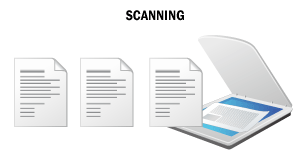
| Windows 전용. 이 시나리오에서 ABBYY FineReader Engine은 이미지를 스캔하여 파일로 저장하는 “스캐닝 컴퓨터”에서 사용됩니다. 이 시나리오는 문서 처리의 사전 단계, 즉 추가 처리를 위한 문서의 전자 버전을 확보하는 용도로 다른 시나리오의 일부로 활용될 수 있습니다. 사용 예로는 보관 목적의 문서 스캔, 편집 가능한 문서 버전 확보, 문서에서 유의미한 데이터 추출 등이 있습니다. 종이 문서를 스캔하고 이미지를 전자 형식으로 저장하여 인쇄된 문서의 고품질 전자 버전을 생성합니다. 자세한 내용은Scanning을 참조하십시오. |
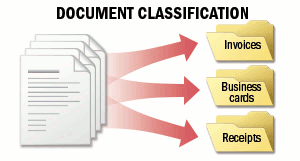
| 문서 분류의 목적은 문서를 사용자 정의 카테고리 중 하나에 할당하는 것입니다. 계약서, 청구서, 영수증 등 여러 유형의 문서로 구성된 문서 흐름을 처리해야 하는 경우, 각 문서의 유형을 식별해야 합니다. 예를 들어 문서를 서로 다른 폴더로 분류하거나 유형에 따라 이름을 변경할 수 있으며, 이는 사전 학습된 시스템을 통해 자동으로 수행할 수 있습니다. 이 시나리오의 핵심은 처리할 문서의 유형을 미리 알고 있다는 점입니다. ABBYY FineReader Engine은 문서의 외관 또는 내용을 기준으로 문서를 분류할 수 있습니다. 자세한 내용은Document Classification을 참조하십시오. |
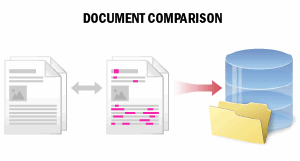
| 종이 문서를 다룰 때는 오류나 의도적으로 변경된 내용을 찾아 수정해야 합니다. 이 시나리오는 계약서 및 은행 서류와 같이 특별히 중요한 문서를 사본과 비교하는 데 사용됩니다. 비교 결과에는 콘텐츠 유형(텍스트만 해당)의 차이, 수정 종류(삭제, 삽입 또는 수정) 및 원본과 사본에서의 위치 정보가 포함됩니다. 감지된 차이 목록이나 변경 영역을 확인하고, 추가 처리 또는 장기 보관을 위해 비교 결과를 외부 파일로 저장할 수 있습니다. 자세한 내용은Document Comparison을 참조하십시오. |
개요
기본 사용 시나리오 개요
이 섹션에서는 ABBYY FineReader Engine의 가장 일반적인 사용 시나리오를 설명합니다. 먼저 작업에 가장 적합한 시나리오를 선택하여 ABBYY FineReader Engine 사용을 시작하는 것이 좋습니다. 적절한 시나리오를 찾았다면 기본 사용 시나리오 구현 섹션에서 해당 시나리오에 대한 자세한 설명, 구현 지침, 그리고 특정 작업에 맞게 코드를 최적화하기 위한 권장 사항을 확인할 수 있습니다.
기본 사용 시나리오 구현