
Disable detailed error responses for remote requests
1
Open the Error Pages feature
Launch IIS Manager, select your website in the tree view, and double-click the Error Pages icon on the site home page.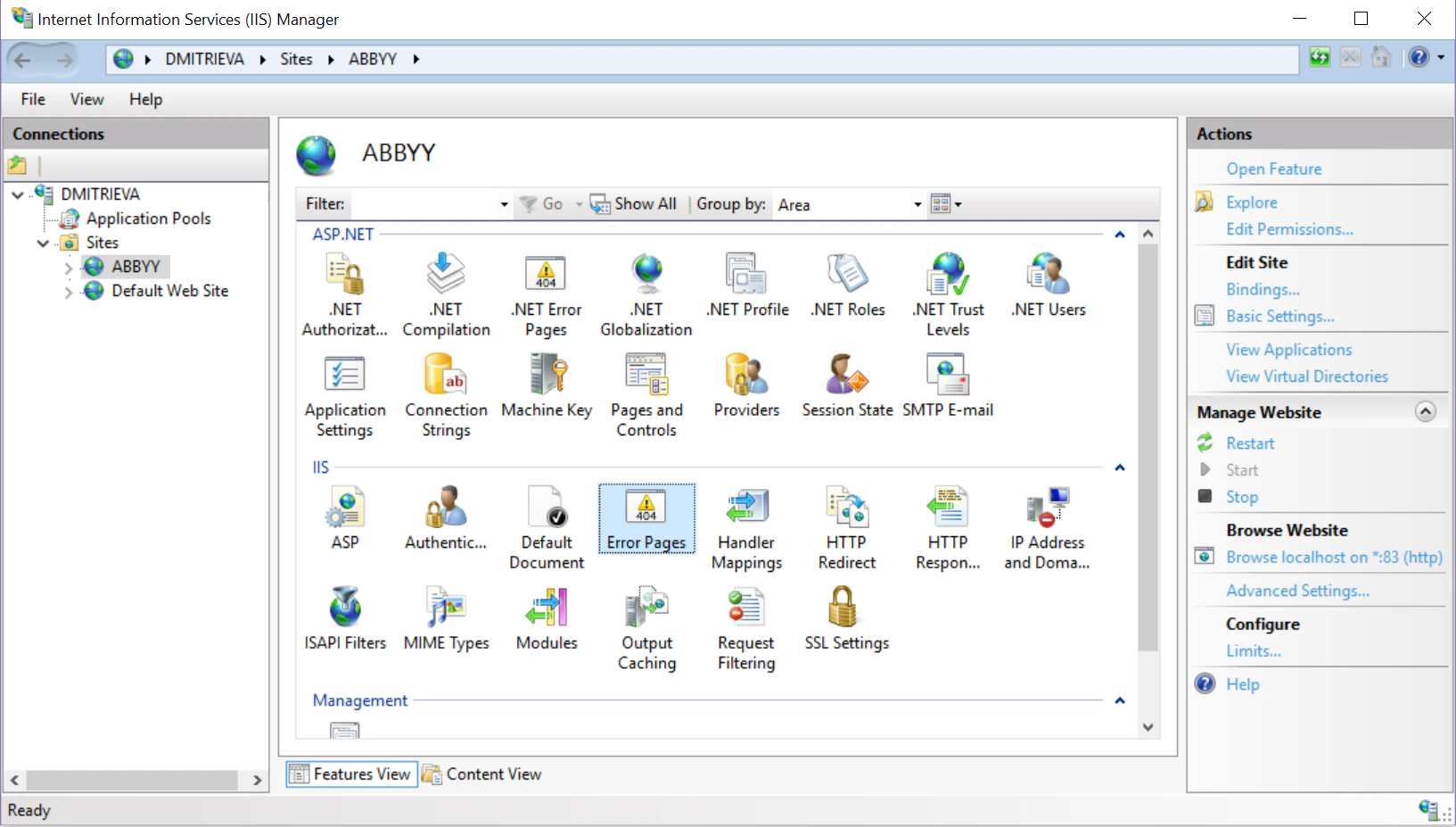
2
Edit the feature settings
In the Actions pane, click Edit Feature Settings….
3
Select the error-response option
In the Edit Error Pages Settings dialog box, select Detailed errors for local requests and custom error pages for remote requests.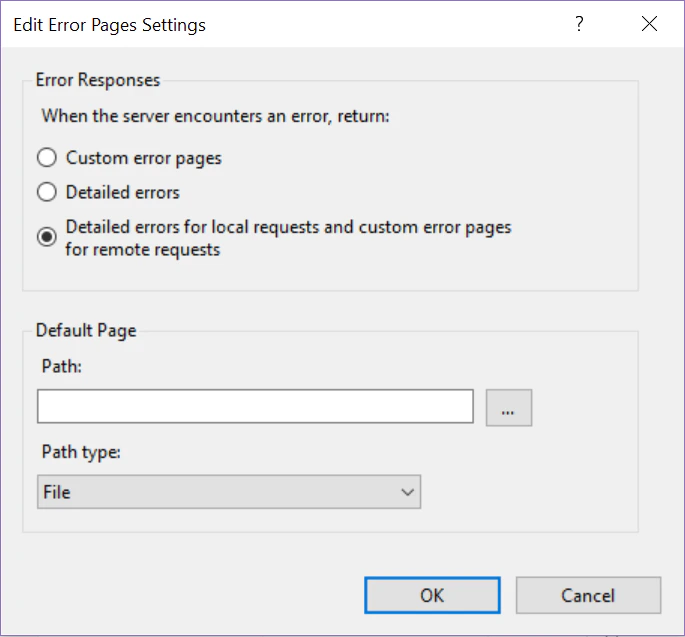
4
Save the settings
Click OK.