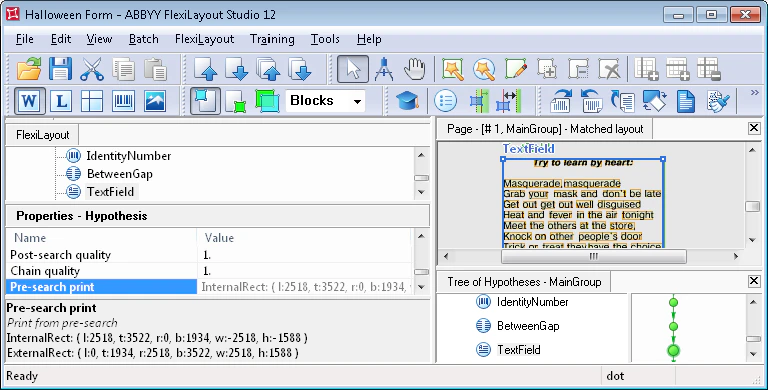
Example: print the search area of an element
In the Advanced pre-search relations section, type the following code for the selected element:Str function converts the results into the string format required for printing. The results (information about the coordinates and the size of the fuzzy rectangle of the selected element, InternalRect and ExternalRect) appear in the Properties window.
To view the results, select the corresponding element in the tree of hypotheses and then hover over the Pre-search print line in the Properties window. The value may not fit within the Pre-search print line, but the Pre-search print pane below the Properties window shows the complete print results.
When printing the results of the
ExcludedRects function (Print: Str(ExcludedRects());), select the Pre-search print line in the Properties window to see the results.