
先決條件
- 必須安裝 Active Directory Federation Service (ADFS)。
- 必須在 Active Directory 中建立一個使用者群組。此群組用於管理被允許存取 Vantage 的使用者清單。
- 建立一個重新導向 URI (Redirect URI) ,用於接收驗證回應。URI 為:
https://<your-vantage-url>/auth2/signin-oidc
設定
- 開啟管理主控台。
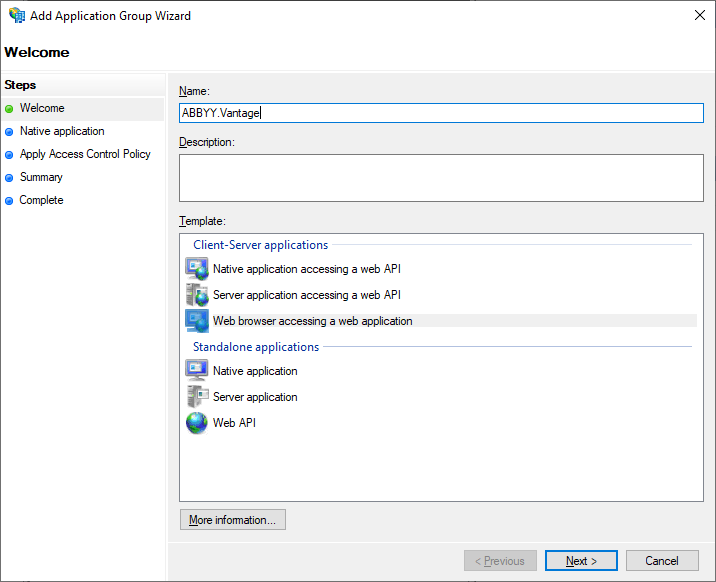
- 新增一個新的應用程式群組,並選取 Web browser accessing a web application 範本。
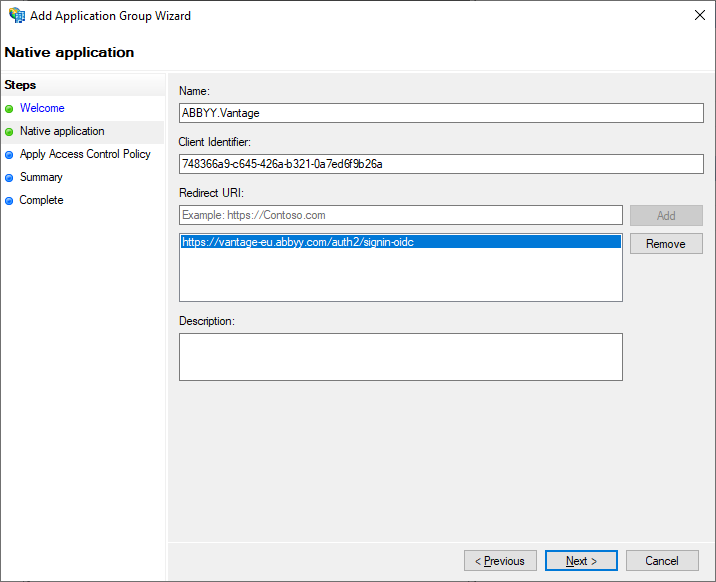
- 在 Native Application 索引標籤中,輸入您的 Redirect URI,並儲存產生的 Client Identifier,稍後將會用到。您也可以稍後在應用程式群組內容中再次檢視它。
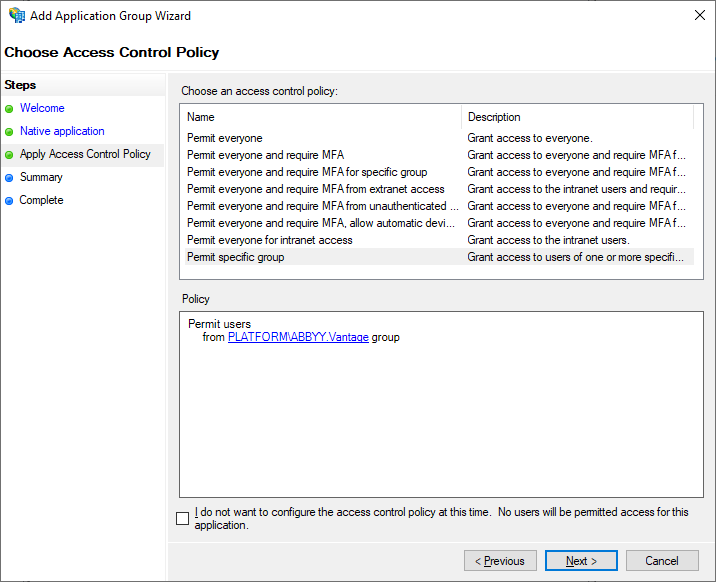
- 在 Apply Access Control Policy 索引標籤中,選取要授與存取 Vantage 權限的使用者群組。若您目前不想限制使用者存取,可保留預設值 Allow everyone。
- Summary 和 Complete 索引標籤並非設定 Active Directory 所必需。依序檢視這些索引標籤後,按一下 Close。
- 檢查您所建立的應用程式群組內容。您也可以透過 Server application Properties 管理 Redirect URI 和 Client ID。若需進階的應用程式群組設定,請使用 Web application Properties。在那裡,您也可以找到 Application ID 並將其儲存,因為稍後在設定中將會需要它。
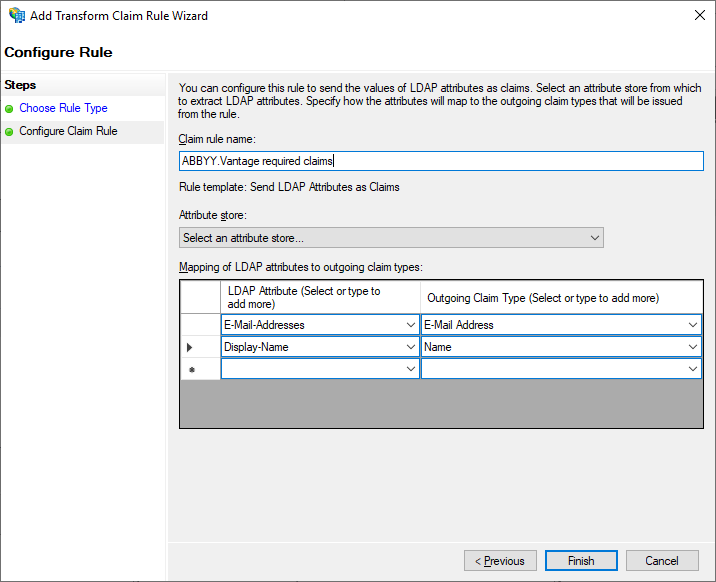
- 在 Add Transform Claim Rule 對話方塊中,新增宣告轉換規則,以確保電子郵件地址和名稱會包含在權杖中。
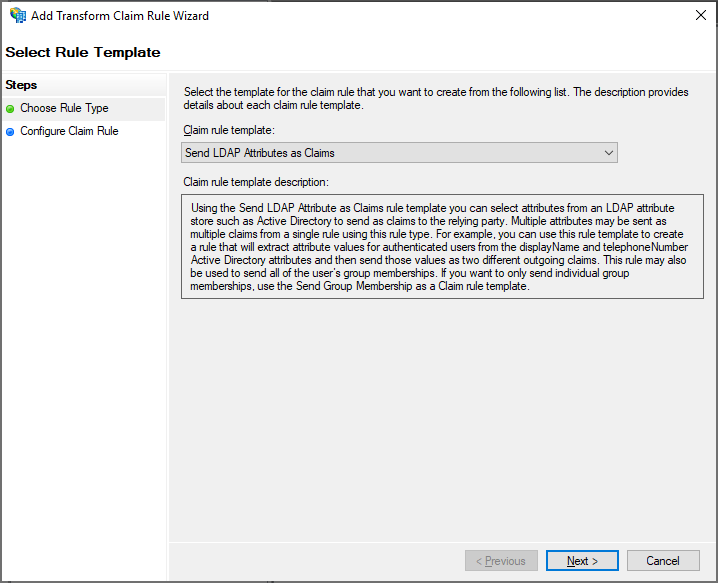
- 在 Configure Claim Rule 索引標籤中,在 Attribute Store 中選取 Active Directory。
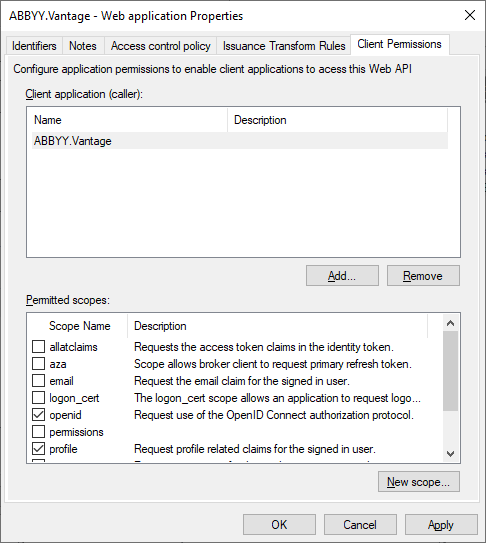
- 在 Web application Properties 對話方塊中,前往 Client Permissions 索引標籤,選取 openid 和 profile 範圍,然後按一下 Apply。
後續步驟
- 在步驟 6 中取得的 Application (Client) ID。
- 依下列格式填寫的 ADFS URL:
https://<Full computer name>/adfs(電腦的 Full computer name 可在系統設定中找到) 。例如:https://adfs.platform.local/adfs。