
- Fault tolerance – If one server fails, another server executes the request.
- Distributed workloads – Query processing is spread across cluster nodes, which improves performance.
How ABBYY FlexiCapture runs without a cluster
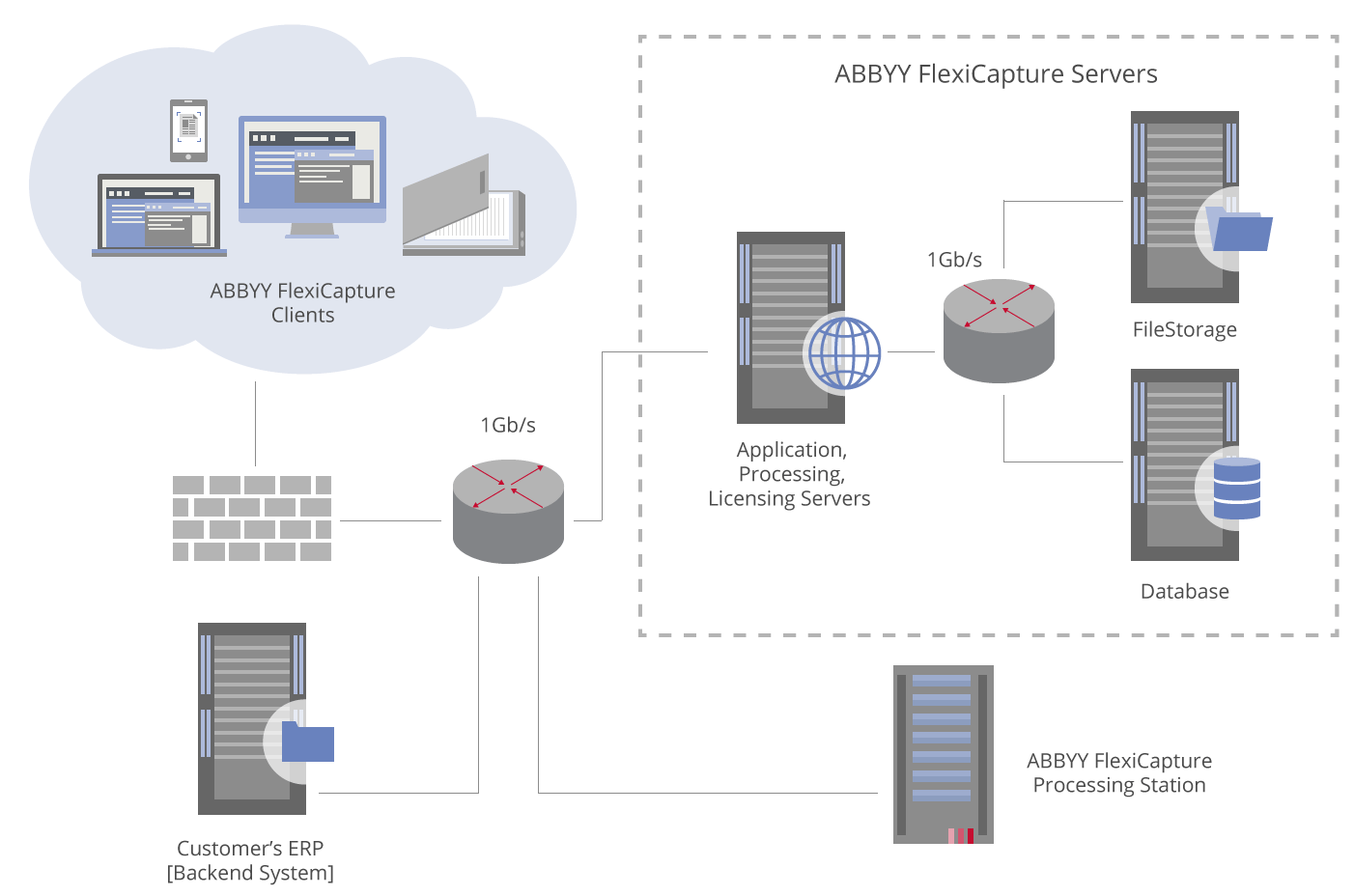
Which components can run on cluster computers
Three components can be installed on cluster computers, and each one gains a different benefit from the cluster type it runs in.
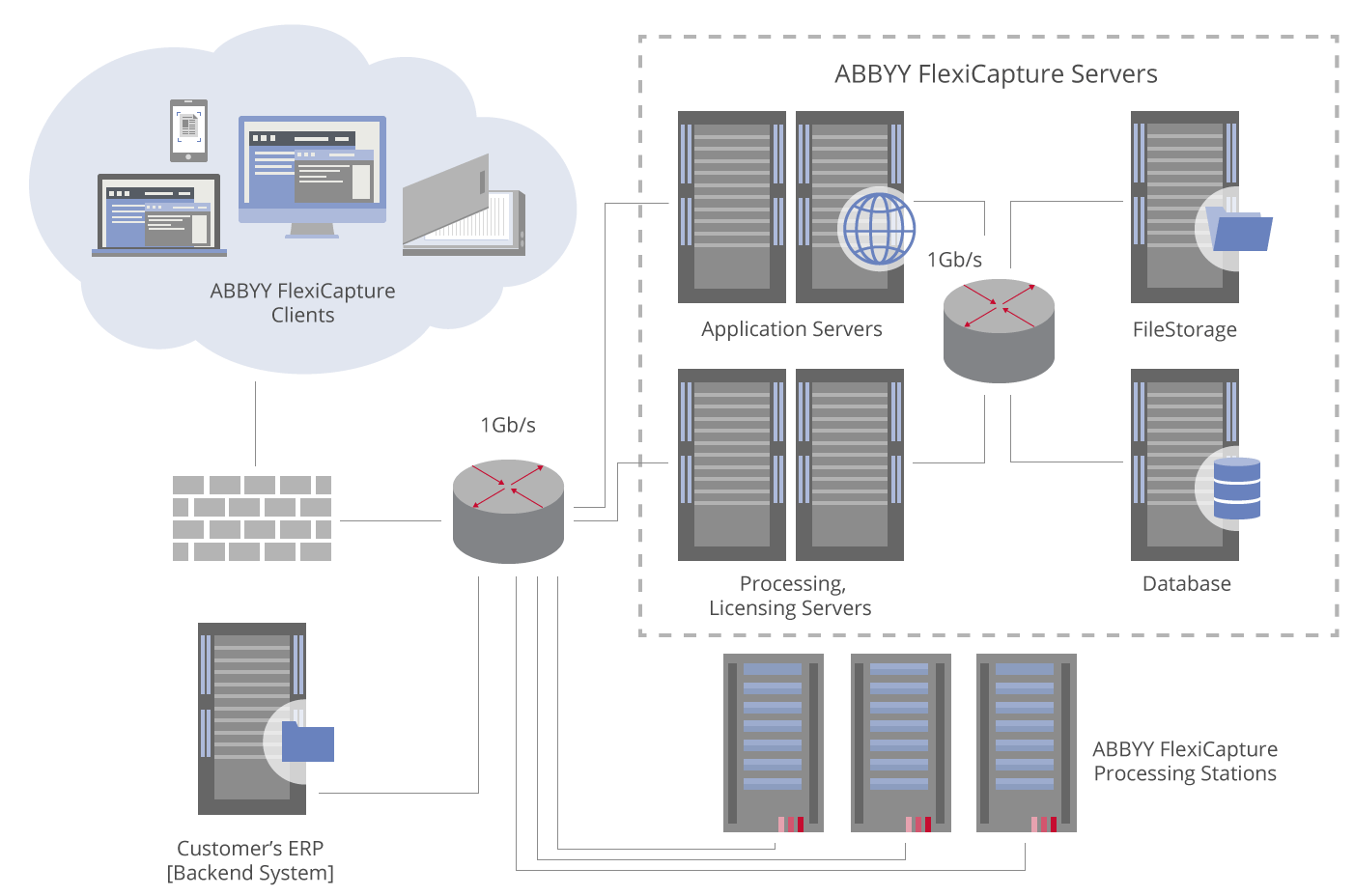
A full failover configuration also needs more than one Processing Station. The Database Server and the File Storage must both run in failover mode. For an example of the database side, see Create a new SQL Server failover cluster in the Microsoft documentation.
The following diagram shows an example of a failover configuration.
Create a failover configuration for ABBYY FlexiCapture Distributed
A full failover configuration comes together in four stages, each documented on its own page. Work through them in order.- Set up the Processing Server in a failover cluster
- Set up a distributed file system
- Set up the Licensing Server
- Set up the Application Server, which covers both Set up the NLB cluster and Configure the Application Server
These instructions assume Windows Server 2016. On a different operating system, some steps vary.