
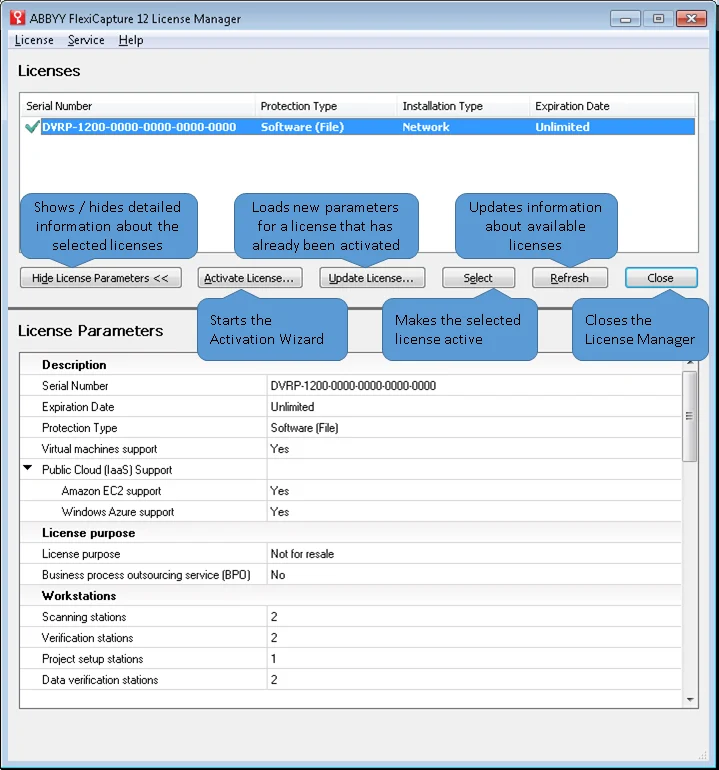
Parts of the License Manager window
The License Manager window is split into two parts:- Licenses contains a list of installed licenses.
- License Parameters displays the parameters of the selected license.
Check license details in the Monitoring Console
The Summary page of the Administration and Monitoring Console shows important license details, such as the expiration date and the number of remaining pages. This needs the Processing Server to be running; otherwise the page showsData could not be accessed.
Only the Administrator can view license parameters.