
Action parameters
The transactionRegistrationParameters collection contains the following fields:
The inputFiles collection contains the following fields:
The FileRegistrationParameters collection contains the following fields:
Prepare a collection for input files and registration parameters
Before you pass data to the inputFiles and transactionRegistrationParameters parameters, set up each collection so that its structure is valid.1
Open the process
Open the process in Blue Prism Process Studio.
2
Add a collection
Add a collection to the layout.
3
Open Collection Properties
Open Collection Properties.
4
Import the collection fields
Import the collection fields for the inputFiles parameter of the StartTransaction action: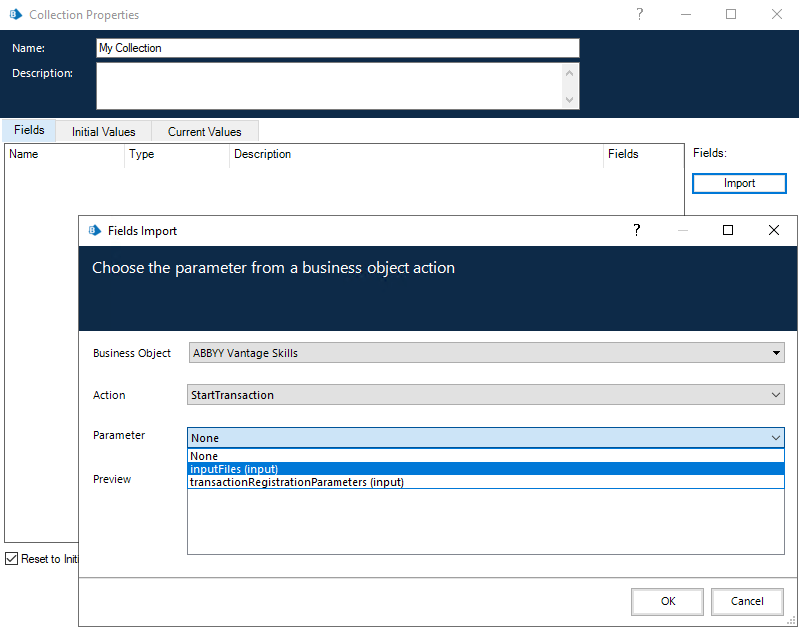
- Click Import.
- Select Business Object: ABBYY Vantage Skills.
- Select Action: StartTransaction.
- Select Parameter: inputFiles (input).
- Click OK. You can now specify this collection in the inputFiles input parameter of the StartTransaction action.
Populate the collection before you call the StartTransaction action.