
先决条件
- 需要安装 Active Directory Federation Service (ADFS)。
- 必须在 Active Directory 中创建一个用户组。该用户组用于管理可访问 Vantage 的用户列表。
- 创建一个重定向 URI,用于接收身份验证响应。该 URI 为:
https://<your-vantage-url>/auth2/signin-oidc
设置
- 打开管理控制台。
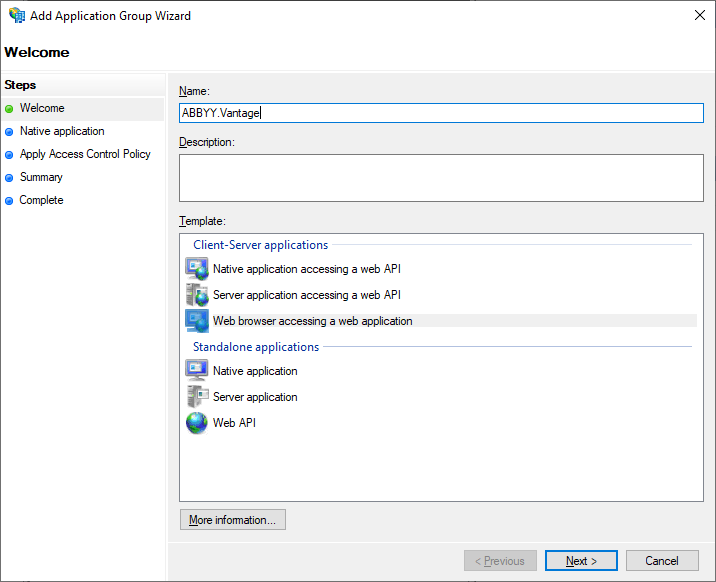
- 新增一个应用程序组,并选择 Web browser accessing a web application 模板。
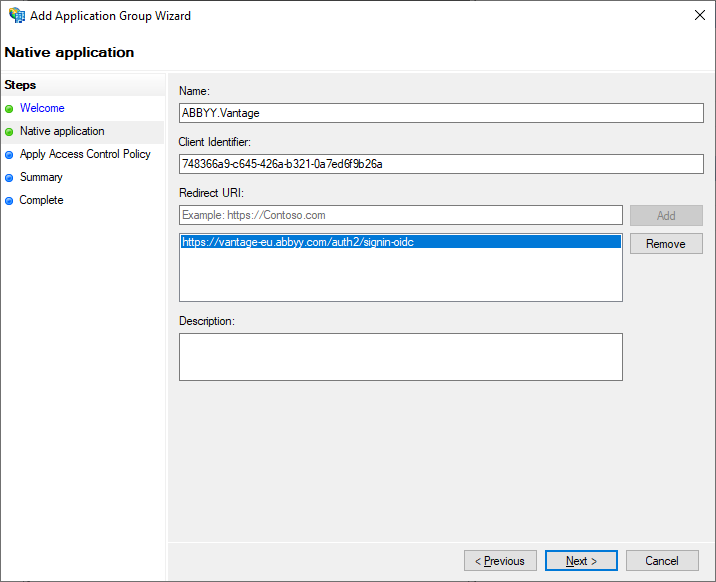
- 在 Native Application 选项卡中,输入您的 Redirect URI,并保存生成的 Client Identifier,后续步骤中将会用到它。您也可以稍后在应用程序组属性中再次查看。
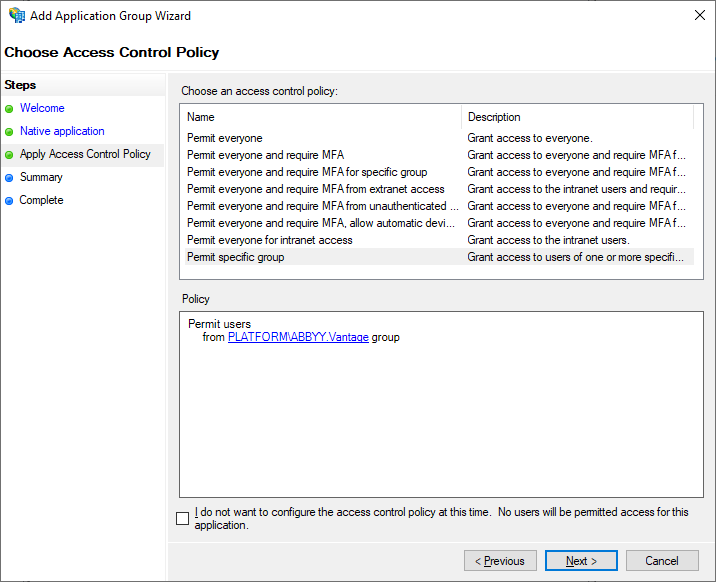
- 在 Apply Access Control Policy 选项卡中,选择要授予访问 Vantage 权限的用户组。如果此时不打算限制用户访问,可以保留默认值 Allow everyone。
- Summary 和 Complete 选项卡不是设置 Active Directory 所必需的。依次浏览它们并单击 Close。
- 检查您创建的应用程序组的属性。您也可以通过 Server application Properties 管理 Redirect URI 和 Client ID。对于高级应用程序组设置,请使用 Web application Properties。在此处您还可以找到 Application ID 并将其保存下来,因为后续的设置会用到它。
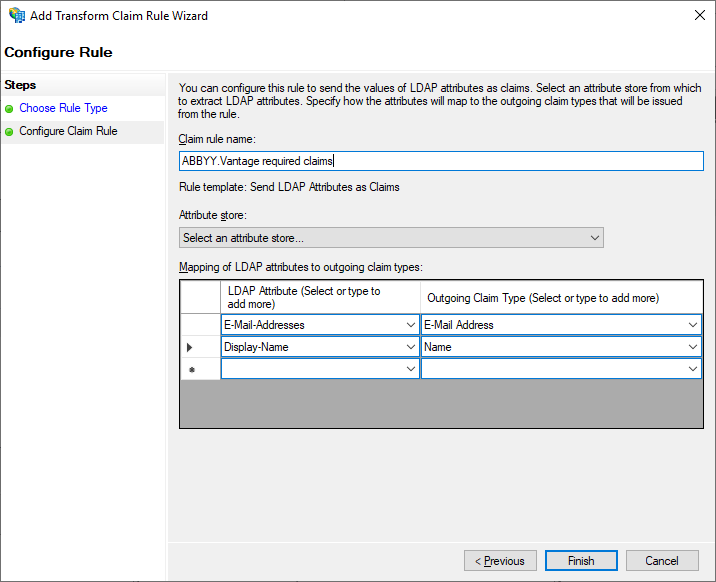
- 在 Add Transform Claim Rule 对话框中,添加一个声明规则,确保令牌中包含电子邮件地址和姓名。
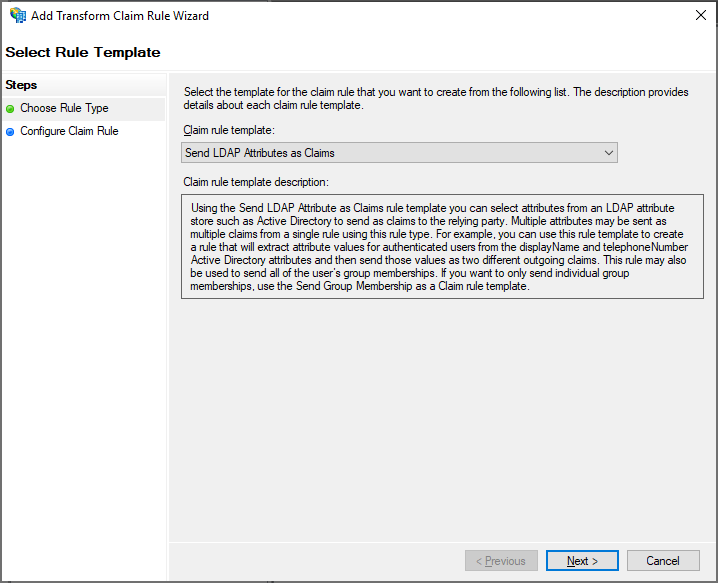
- 在 Configure Claim Rule 选项卡中,在 Attribute Store 中选择 Active Directory。
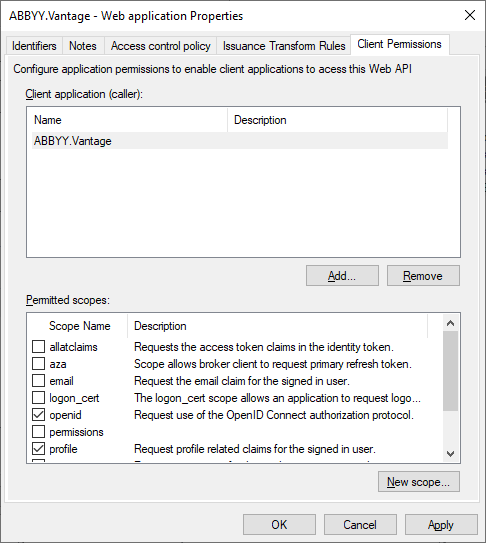
- 在 Web application Properties 对话框中,转到 Client Permissions 选项卡,选择 openid 和 profile 范围,然后单击 Apply。
后续步骤
- 第 6 步中获取的 Application (Client) ID。
- 按以下格式的 ADFS URL:
https://<Full computer name>/adfs(计算机的 Full computer name 可在其系统设置中找到) 。例如:https://adfs.platform.local/adfs。