先決條件
- 在設定身分識別之前,請確認您已擁有 Vantage 租戶識別碼。若要取得租戶識別碼,請在 ABBYY Vantage 中按一下 Configuration。該識別碼位於 General 分頁。
- 建立一個 Redirect URI 以接收驗證回應。URI 為:
https://<your-vantage-url>/auth2/Saml2/Acs - 建立一個應用程式註冊項目 (請參閱下方的指示) 。將您的應用程式註冊後,即可在您的應用程式與外部身分識別提供者之間建立信任關係。
建立應用程式
- 開啟 Azure Portal 並完成身分驗證登入。在左側窗格中選取 Azure Active Directory。
- 在右側窗格中選取 App registrations,然後按一下 New registration。

- 填寫必要欄位:
- a. 指定應用程式名稱。
- b. 選取 Accounts in this organizational directory only。
- c. 為每個可以使用此帳戶進行驗證的 Vantage URL 指定 URI:
https://<your-vantage-url>/auth2/Saml2/Acs

- 按一下 Register。
設定 Azure Active Directory
- 在 Expose an API 索引標籤中設定 Application ID URI。由於 Microsoft Entra identifier URI restrictions,請使用
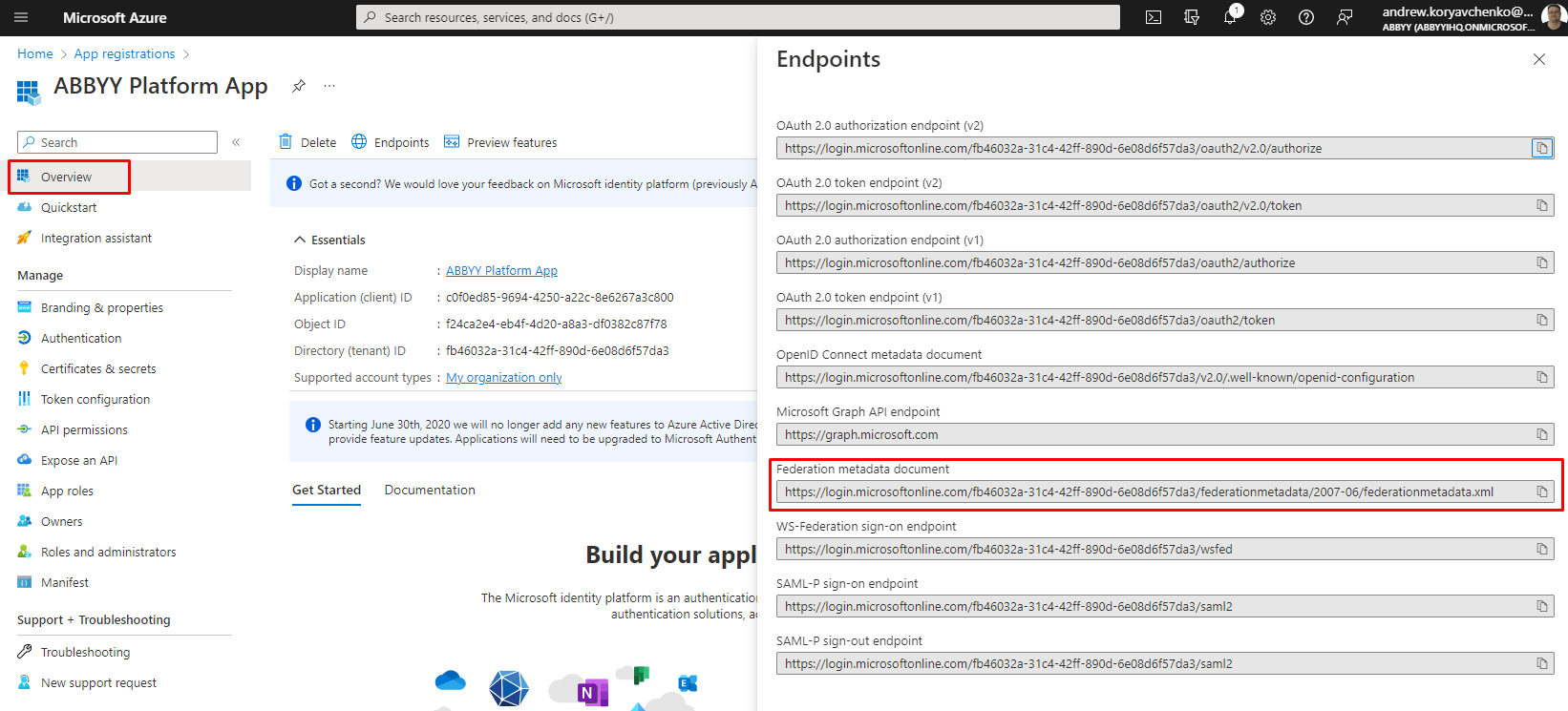
api://<appId>這種格式,其中 appId 是應用程式註冊中的 Application ID (例如:api://a37892f6-c2e9-4092-b804-d054741da4da) 。請將此值複製下來,因為稍後在 Vantage 中設定 External Identity Provider 時會需要用到。 - 選取 Overview 索引標籤並按一下 Endpoints。複製 Federation metadata document 欄位中的值。