
- Two or more licenses are required to implement a failover switch.
- If a virtual machine stops working, the administrator has to manually restore all relevant licenses.
- If a virtual machine’s software is upgraded, or the machine moves to a different host, the license has to be reactivated.
You can also view an online license’s parameters in the License Manager, but only for the license currently in use on that computer.
How an online license works
An online license lets you process a set number of pages over a set period (for example, a month or a year). Online licenses can be accessed from different computers. Periodically, the Licensing Server and the ABBYY Licensing Service connect to the Internet to synchronize the number of processed pages. The licensing service therefore keeps track of all pages processed under a single serial number across every computer tied to it.Licensing service synchronization
For online licensing to work, two licensing services must synchronize:- Licensing Server on the computer or local network where ABBYY FlexiCapture is installed
- ABBYY FlexiCapture Licensing Service
For automatic synchronization, make sure you have an uninterrupted Internet connection and that connections to
*.abbyy.com are allowed on port 443.Synchronization parameters
Transfer of data between the licensing services
The Licensing Server sends only license identification and page counter data to the ABBYY Licensing Service. This data is encrypted independently of your hardware and cannot be decrypted. Information ABBYY receives about the environment in which the online license is used is fully anonymized.Activate an online license
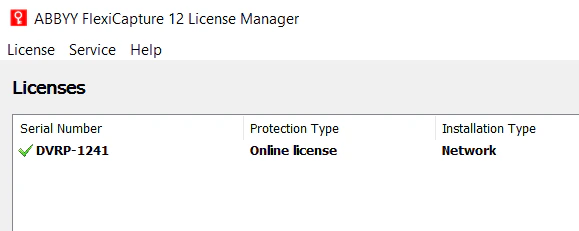
Activate online licenses with the Activation Wizard (ABBYY FlexiCapture 12 License Manager → Activate License…). For more information, see Activate a license.The Licensing Server needs an Internet connection both to activate an online license and to run the program.
Use a single online license on several computers
You can access an online license from different computers, for example to deploy a cluster, migrate to a new environment, or restore your system after a failure. To do so, use the token generated for that license when it was activated. Tokens are encrypted for storage, and the number of computers that can access the license is not limited. To access a license on a different computer:- Save the license token on the computer where the license was activated: select Service → Save Online Token… in ABBYY FlexiCapture 12 License Manager.
- Upload the token to the computer where you need access: select Service → Load Online Token… in ABBYY FlexiCapture 12 License Manager.
Manage an online license using the command line
Manage an online license from the command line with theLicenseManager.Console.exe utility, provided with both ABBYY FlexiCapture Distributed and Standalone. Use it to activate an online license, upload license tokens, and save license tokens as files. For more information, see Manage your licenses using the command-line console.