Applications in the FlexiCapture Cloud REST API interface are connected to existing projects in the FlexiCapture Cloud tenant. They make it possible for the user to create document processing tasks. The processing can then be carried out in the FlexiCapture project connected to the appropriate application.
To create applications, a user needs a FlexiCapture Cloud account with permissions for the following roles in the FlexiCapture Cloud user tenant:
- Senior Verification Operator
- External User
For more information about modifying a user’s roles, see Set up FlexiCapture Cloud account permissions.
For a user to be able to create and use applications, the user’s FlexiCapture Cloud account should not be deleted or disabled.
Log in to the web portal
Use your account details to log in on the FlexiCapture Cloud REST API web portal.
Add an application
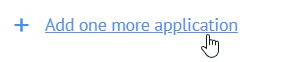
Go to the Applications tab and click Add one more application. Specify the tenant and account details
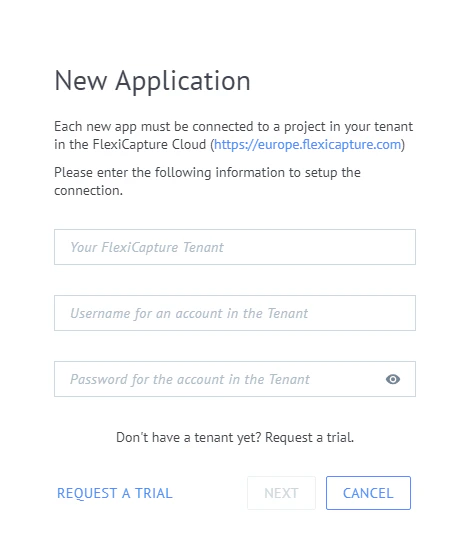
Specify the FlexiCapture Cloud tenant name and your account details for that tenant. Choose the project and name the application
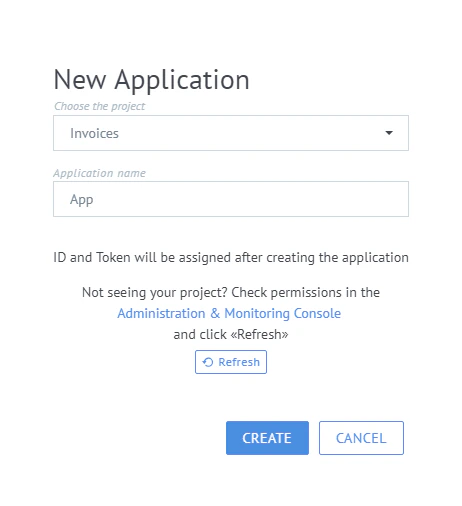
Choose the appropriate project and enter a name for the application. Create the application
Click Create.