
Only users with administrator privileges can create the logging environment variable.
Enable logging
1
Open Environment Variables
On your machine, open Control Panel > System > Advanced System Settings > Environment Variables.
2
Create a new variable
In the User variables section, click New.
3
Set the log file path
Set the VANTAGE_CONNECTOR_LOG_FILEPATH key. The value of this key is the absolute path to the file where logs will be stored. This file must be located in the Alteryx installation folder.For example: 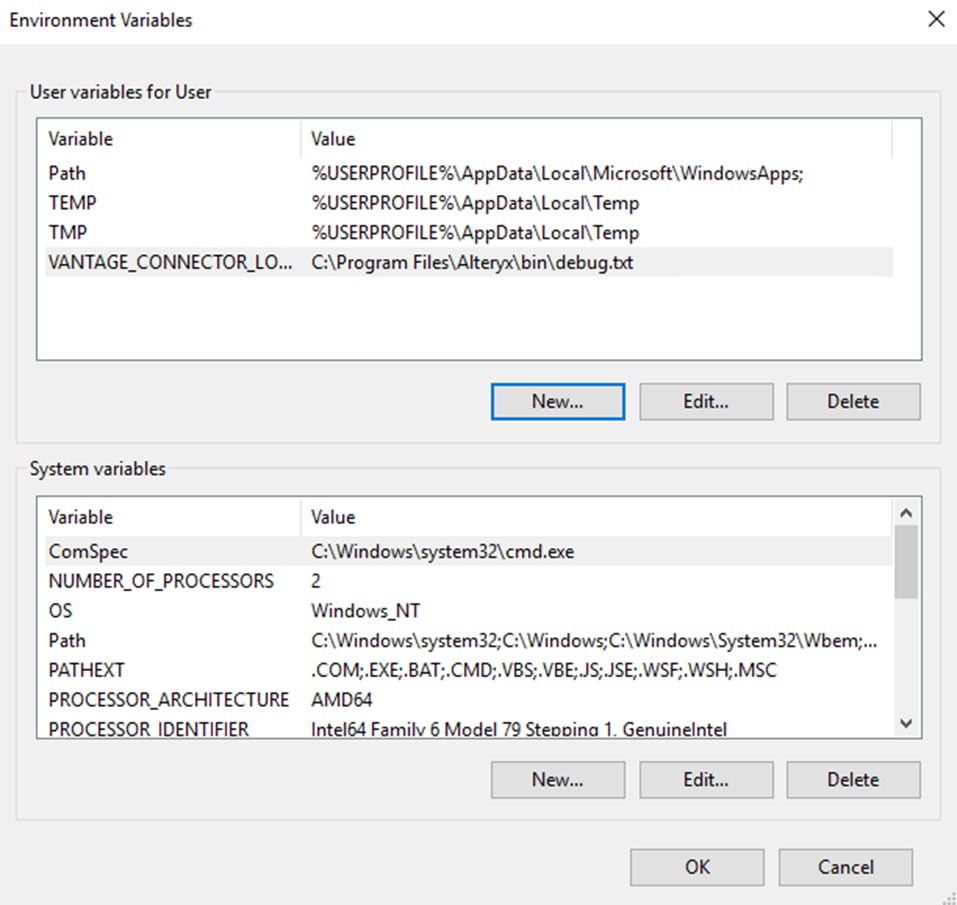
C:\Program Files\Alteryx\bin\debug.txt4
Apply the changes
After the key is created, click Apply and then click OK.
5
Restart Alteryx
Restart Alteryx Designer.
6
Reproduce the issue
Reproduce the issue and collect the log file at the path you specified.
7
Disable logging
After collecting the log file, disable logging by deleting the VANTAGE_CONNECTOR_LOG_FILEPATH environment variable.