
Add tools to your workflow
To add tools to your workflow, navigate to the ABBYY Vantage tab of the Tool Palette in Alteryx Designer and drag the tools onto the workflow canvas, or right-click the canvas to access an insert menu.
By default, the maximum time limit for processing a single input data table row in each tool is 30 minutes.
Configure the connection
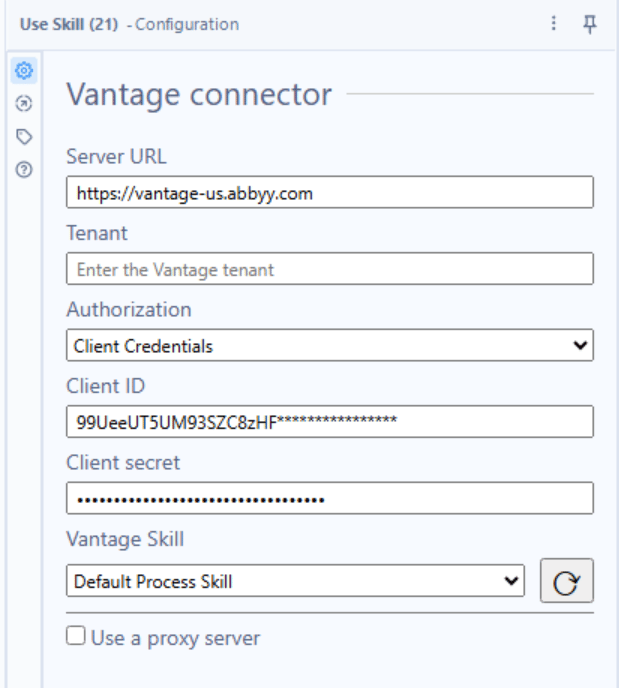
The connection settings in this section apply to the Use Skill, Get Status, and Get Result tools. Configure the connection properties for each tool individually. In the workflow, select the ABBYY Vantage tool you want to configure and navigate to the Configuration window on the left. Fill in the following fields:- Server URL – The address of the server where ABBYY Vantage is deployed
- Client Id – Public identifier
- Client Secret – Application secret
- Tenant – (Optional) The ABBYY Vantage tenant name or tenant identifier. Specify a tenant identifier if your user is registered in several tenants simultaneously.
Proxy settings
You can configure connector requests to route through a proxy server at runtime. The supported proxy authentication types are Basic, NTLM, IP authentication, and transparent proxy. To use a proxy server, select the Use a proxy server checkbox in the Configuration window. Fill in the proxy connection settings in the following fields, or select Use a system default proxy to use the proxy configured in the Internet Options of your computer.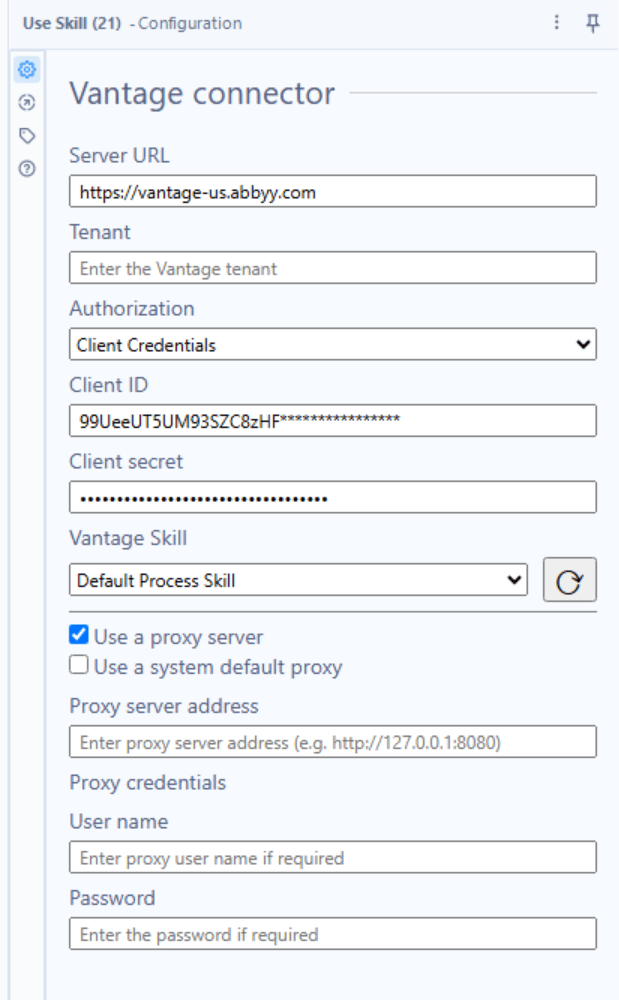
Typical workflow
A common usage pattern for the connector tools:- Run the Use Skill tool, passing file paths in the Input anchor. For each data table row, the tool creates a separate transaction in Vantage and outputs a list of transaction identifiers.
- Run the Get Status tool to check whether each transaction has been processed. If a transaction is still processing, run Get Status again after a delay using a macro. Once the status is
Processed, pass the transaction identifier to Get Result. - Run the Get Result tool to download processing results to an output folder.
- Optionally, run the Parse Fields tool to convert the JSON result files into an Alteryx data table of extracted field values.