When a classifier fails to classify a document correctly, the error falls into one of two categories:
  • The classifier assigns the wrong class (for example, a type A page is classified as type B).
  • The classifier fails to assign any class.
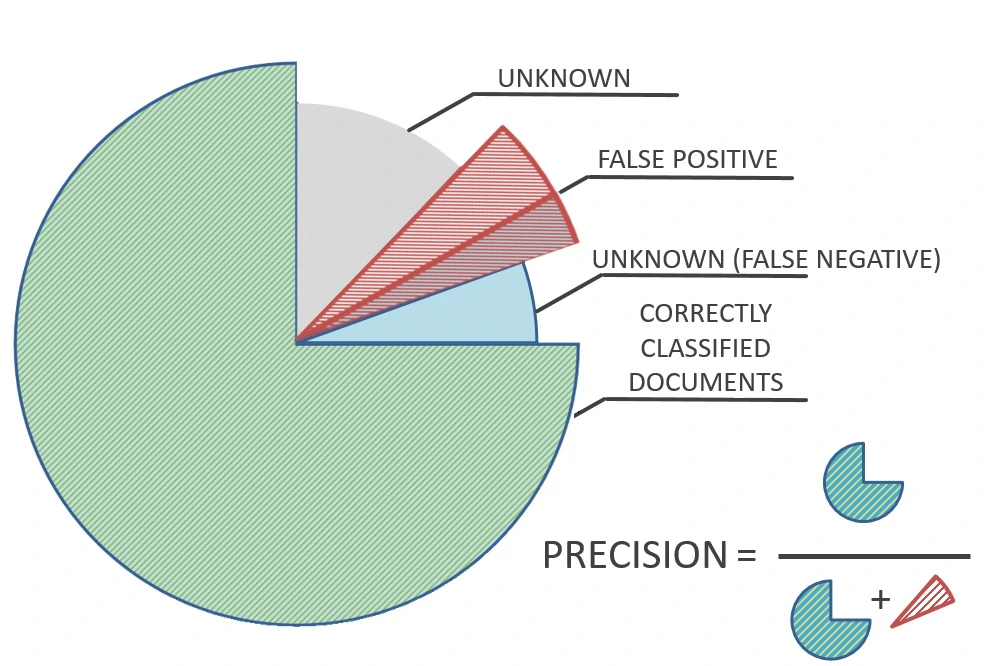
Two parameters derived from these categories describe classification quality: precision and recall. Precision is the ratio of documents assigned a specific class correctly to all documents assigned that class (both correctly and mistakenly assigned).
Diagram defining precision as the ratio of correctly classified documents to the sum of correctly classified documents and false positives, illustrated with a pie chart of correctly classified, false positive, false negative, and unknown documents.
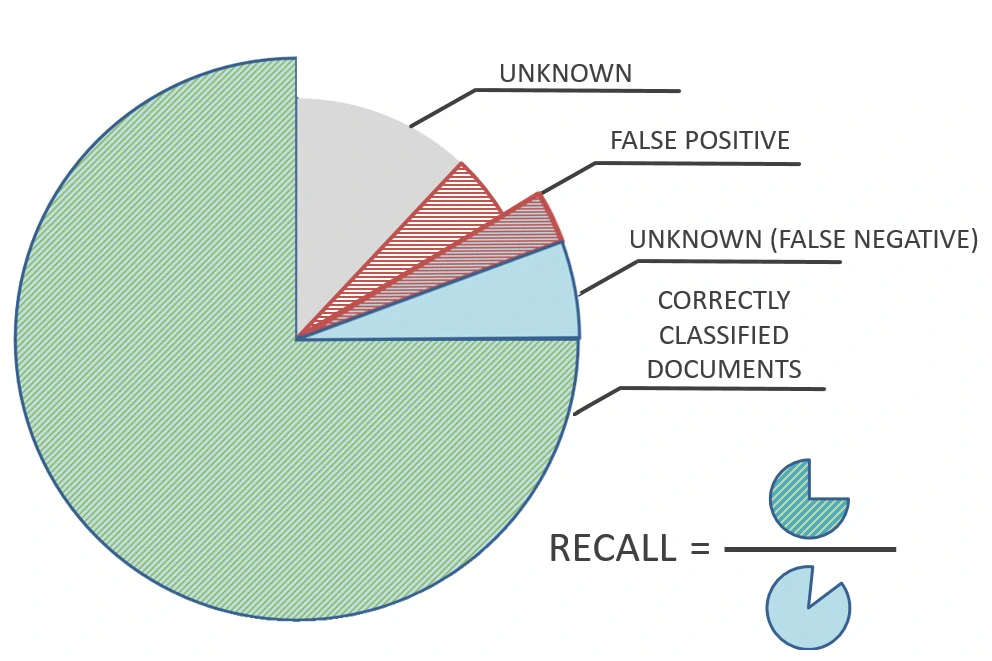
Recall is the ratio of documents correctly assigned a class to all documents of that class.
Diagram defining recall as the ratio of correctly classified documents to all documents of that class, illustrated with a pie chart of correctly classified, false positive, false negative, and unknown documents.
You can adjust the classification settings to prioritize precision or recall. By default, Classification priority is set to balanced.

When to prioritize precision

To keep the number of documents that receive the wrong class as low as possible, at the expense of some documents receiving no class, use the High precision setting. For example, a company classifies invoices and contracts to route them to the right departments. If FlexiCapture classifies an invoice incorrectly, it goes to the wrong department and is not paid. If FlexiCapture assigns no class, the invoice can be classified manually and routed correctly. Here, avoiding incorrect classification matters more than classifying as many documents as possible.

When to prioritize recall

To keep the number of documents that receive no class as low as possible, at the expense of some documents receiving the wrong class, use the High recall setting. For example, a company needs to identify relevant loan documents among many others. If FlexiCapture assigns no class to a relevant document, it is not processed. Documents assigned the wrong class can be filtered out later with a FlexiLayout, validation rules, or manual processing. Here, assigning a class to as many relevant documents as possible matters more than always assigning the correct class.