
%public%\ABBYY\FlexiCapture\12.0\Samples\FLS\English\Recipe.
The FlexiLayout must reliably detect these fields on all the test pages:
- Recipe Name
- Recipe #
- Ingredients
- Cooking Time
- Cooking Description
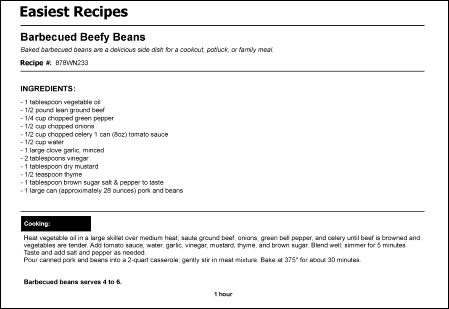
The sample recipe document
Overview of the Easiest Recipes sample: build a FlexiLayout that detects recipe name, number, ingredients, cooking time, and description fields.
%public%\ABBYY\FlexiCapture\12.0\Samples\FLS\English\Recipe.
The FlexiLayout must reliably detect these fields on all the test pages:
The sample recipe document