
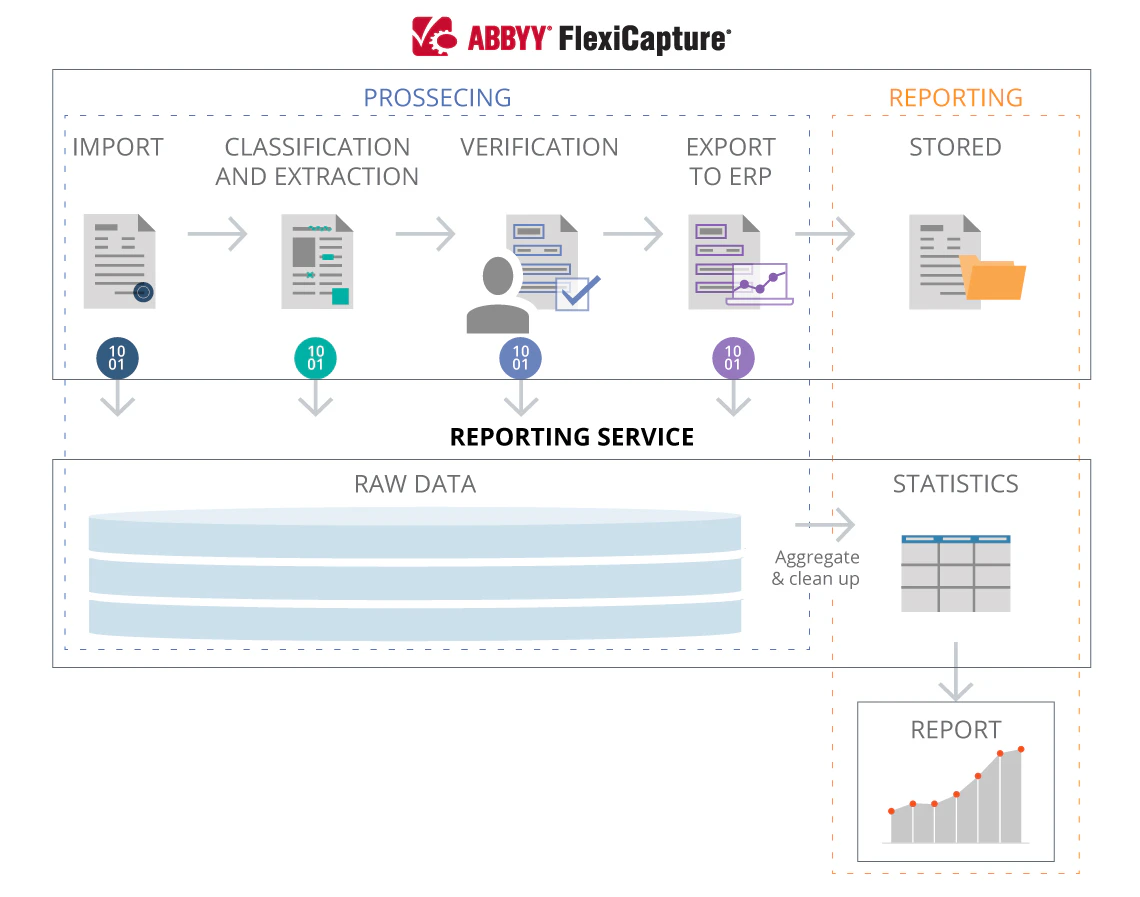
How the service gathers and computes data
1
Collect processing logs and editing events
While documents are being processed, ABBYY FlexiCapture sends processing logs and editing events to the service. The Writing service saves this data into the
dbo.EventLog and dbo.DocumentEditingStatistic tables of the Reporting Database.2
Compute the processing statistics
When the processing of a document is complete and its state changes to Processed, the service computes the processing statistics from the information gathered. The Reading service performs this step.
3
Clear the source records
After the statistics are computed and provided to the appropriate databases, the Reading service deletes the processing logs and the editing events from the Reporting Database.
Because the Reading service computes the statistics, the Reporting Service works as an online monitoring tool only when both the Writing service and the Reading service are installed.
Retrieve the gathered data
To retrieve the data that the Reporting Service gathered, use one of the following ways:- Send direct SQL requests to the Reporting Database. For more information, see The data model used by the Reporting Database.
- Download the exported CSV tables, which are separate for each tenant. For more information, see Reporting service data access.