
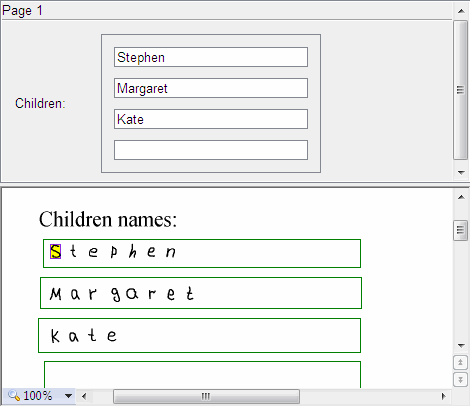
Forms may contain recurring objects: fields or field groups that occur several times and contain similar information, such as the names of children or account numbers. Fields with several instances are created for these recurring objects. Any field can have several instances. Their regions can be located far apart or even on different pages. Instances of the same field have identical properties, and they are exported to separate files or database tables. You can create several instances for a field group if the form has recurring groups.
Example of a field with several instances on a form

Create a field with several instances

1

Create a field

Create the field.
2

Add an instance

Select the field, right-click in its region, and select New Instance from the shortcut menu.
3

Position the instance

Move the region image to the required location on the page.