
Configure the Vantage server address
1
Open the base URL setting
Open Records > SysAdmin > Application Settings and select AbbyyVantage – BaseURL. Click Save As, save the rule in your application context, and then click Create and open.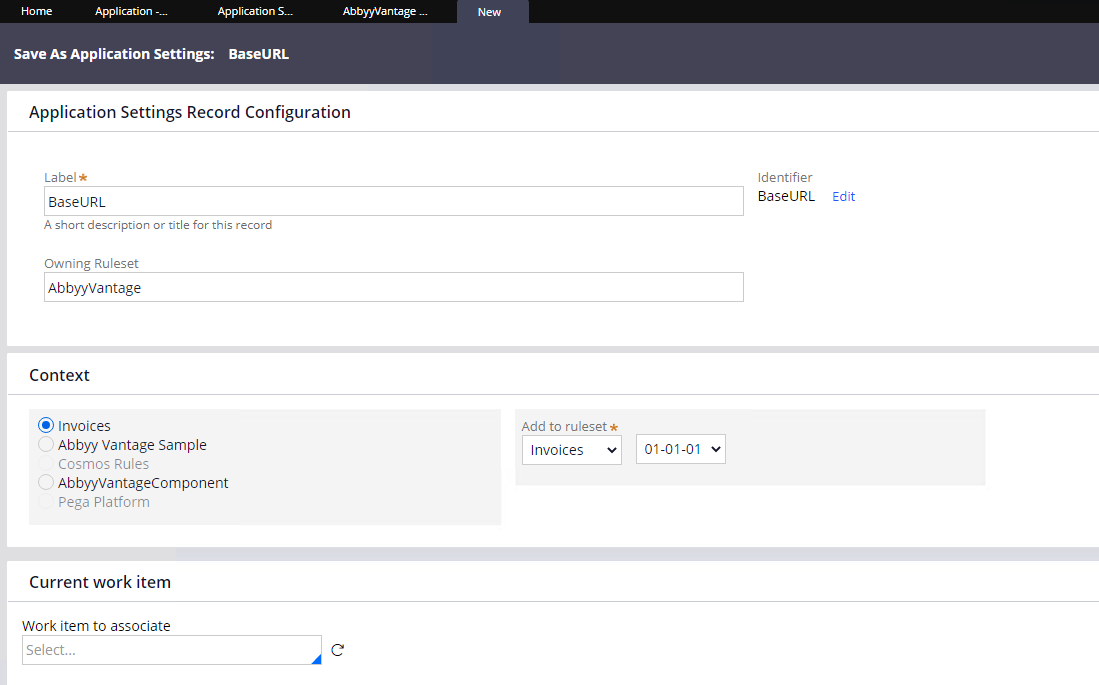
2
Specify the server address
Specify the address of the ABBYY Vantage server for each production level you intend to use. Do not add a slash (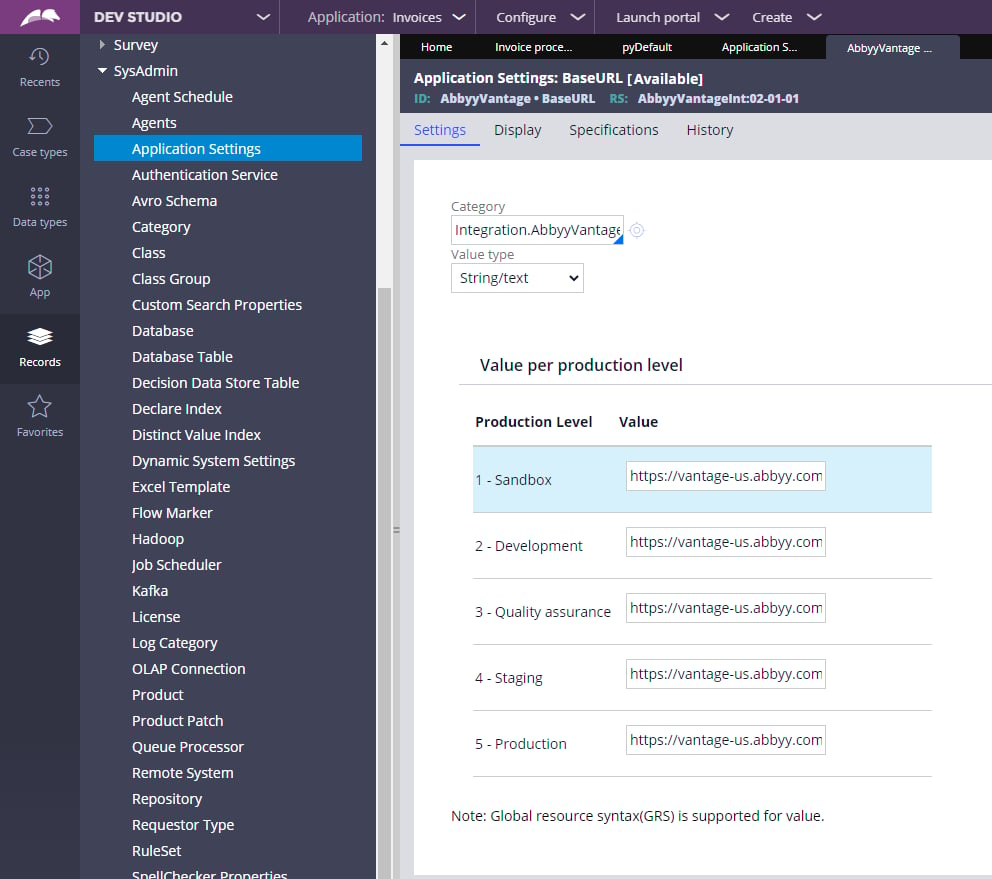
/) at the end of the server address.Check the production level
If you need to confirm the current production level of your system, complete these steps.1
Switch to PRPC Admin
Switch to the PRPC Admin access group.
2
Open your system
Open Dev Studio > SysAdmin > System and select your system.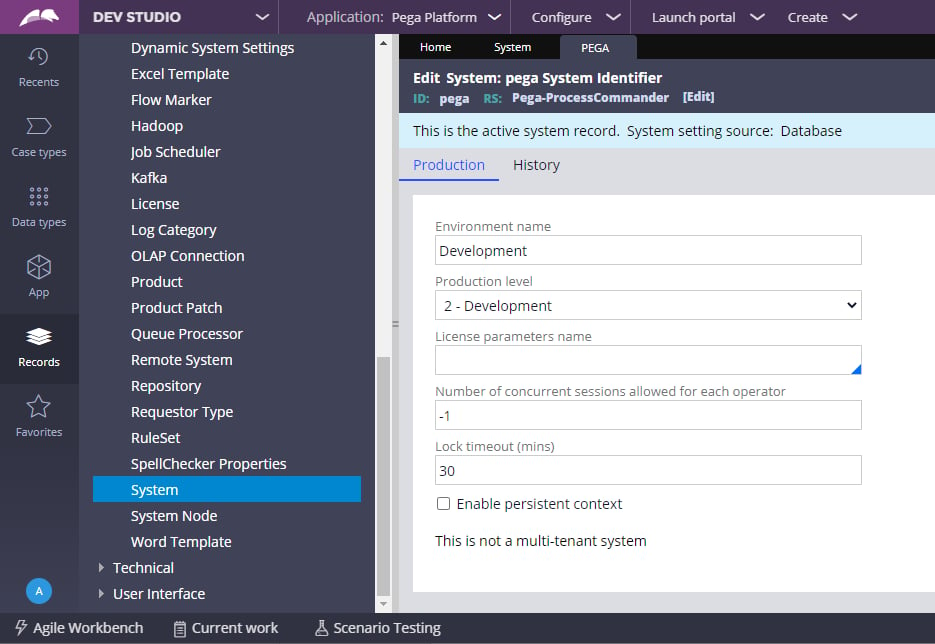
Configure the Authentication Profile
The connector authenticates to ABBYY Vantage with an OAuth 2.0 client. Create a Public API Client in ABBYY Vantage, and then enter its credentials in the Pega authentication profile.1
Create a Public API Client in ABBYY Vantage
In ABBYY Vantage, create a Public API Client and save its client ID and client secret. In the OAuth 2.0 Flows Settings, enable Allow client credentials flow, and assign the roles the connector needs with Manage Roles, such as Skill User. For more information, see Configure a Public API client.
2
Enter the client credentials in Pega
Open Records > Security > Authentication Profile and select the AbbyyVantage profile. Enter the client ID and client secret in the Client identifier and Client secret fields.
3
Save the authentication profile
Save the changes to the authentication profile.