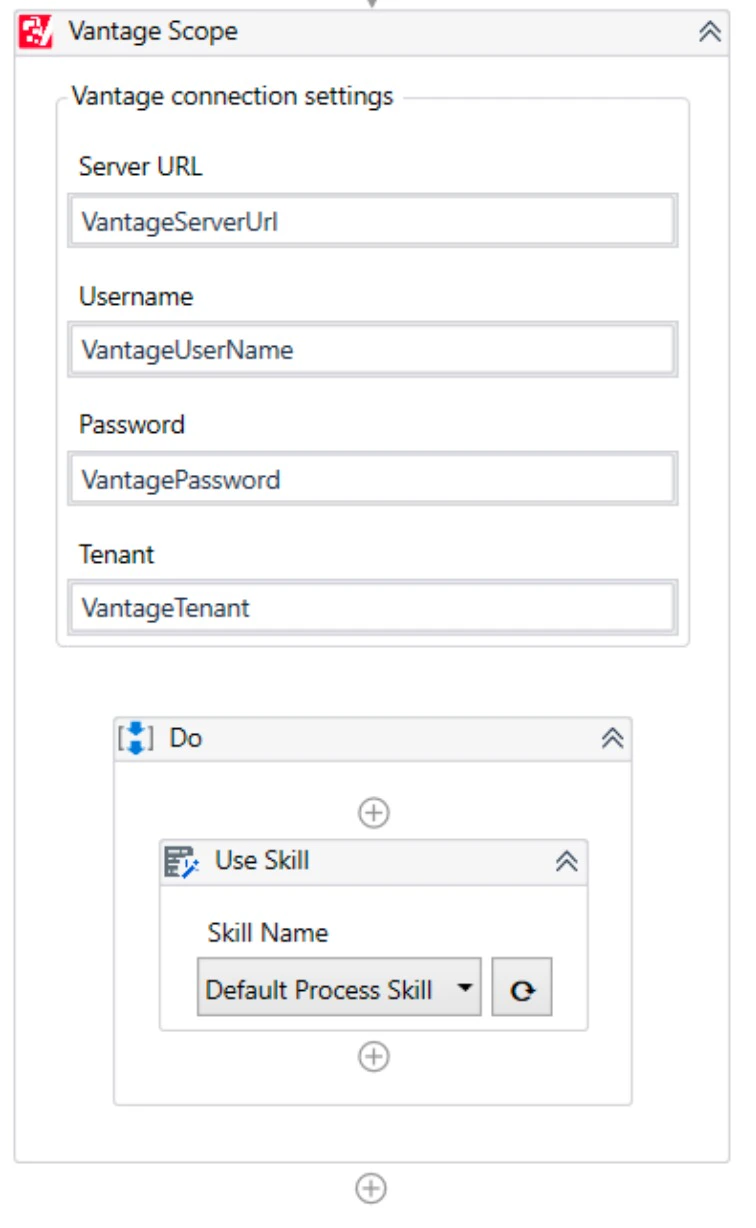
Use Skill is typically the first Vantage activity in a UiPath workflow: it submits a document to a Vantage skill and hands back a Transaction Id. Processing happens asynchronously inside Vantage — you pass the Transaction Id to the Get Results activity to fetch the results once processing finishes.Documentation Index
Fetch the complete documentation index at: https://docs.abbyy.com/llms.txt
Use this file to discover all available pages before exploring further.
Activity properties
| Group | Property | Type | Description |
|---|---|---|---|
| Connection Settings | Skill Name | String | The name of the Vantage skill. |
| Input | Input Files | IReadOnlyDictionary<String,InputFile> | A Dictionary collection, where String is the name of the file and InputFile is the class describing the input file. Before adding files to the dictionary, it is necessary to ensure that non-repeating values are passed to the String parameter. You cannot add more than one file to the Input Files dictionary for which the same name will be passed in the String parameter. |
| Input | Transaction Registration Parameters | IReadOnlyDictionary<String,String> | A Dictionary collection of transaction registration parameters to pass the key and value of each parameter. |
| Output | Transaction Id | Guid | The identifier of the created transaction. This ID is then used as the Transaction Id input property of the Get Results activity to get the status of the transaction and the processing results. |
InputFile
| Name | Type | Description |
|---|---|---|
| fileStream | Stream | The contents of the file that will be passed to ABBYY Vantage. You can pass the stream of the file on a local disk as a value of this property (e.g. System.IO.File.OpenRead("D:\images\Invoice1.pdf")). |
| index (optional) | Integer | The index number of the file in the transaction. |
| fileRegistrationParameters (optional) | IReadOnlyDictionary<String,String> | A Dictionary collection of file registration parameters to pass the key and value of each parameter. |

The Skill Name parameter accepts a UiPath
String variable. Selecting a skill from the drop-down writes the new value to the variable. Expressions and references to other variables are not supported.Related topics
Vantage Scope activity
Pass ABBYY Vantage connection settings to nested Vantage activities.
Get Results activity
Retrieve the processing results from ABBYY Vantage.
Map Fields activity
Save extracted field values to UiPath variables.