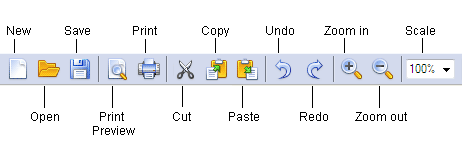
On the Standard toolbar you will find buttons for launching standard tools and performing standard actions, such as creating a new form or opening an existing form, undoing or redoing previous actions, etc. Click a button to perform the corresponding command.
Buttons on the Standard toolbar:
ButtonDescription
NewCreates a new form with basic elements.
Open…Opens a form.
SaveSaves a form.
Print PreviewShows how a form will look when you print it.
PrintPrints a form.
CutCuts a selection and places it into the Clipboard.
CopyCopies a selection to the Clipboard.
PastePastes the contents of the Clipboard into the form.
UndoCancels the results of the last action.
RedoCancels the results of the last Undo action.
Zoom OutHalves the image size.
Zoom InDoubles the image size.
ScaleChanges the scale of the image.
Distribute the FormOpens the Form Distribution Wizard (only for published forms).