
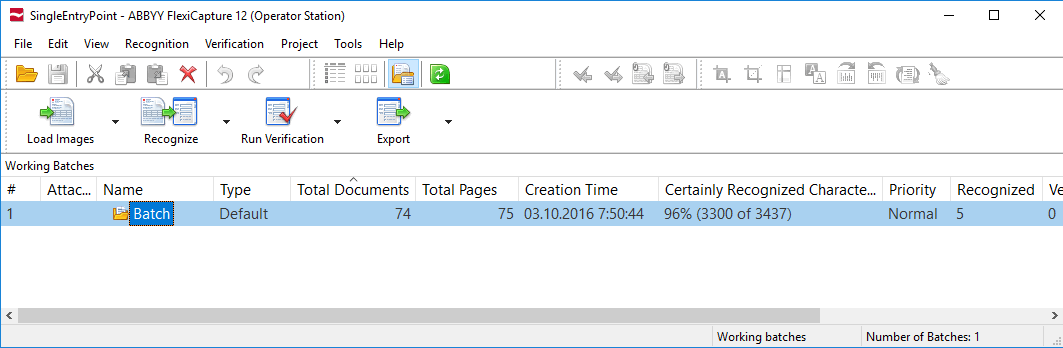
The main window displaying the list of batches
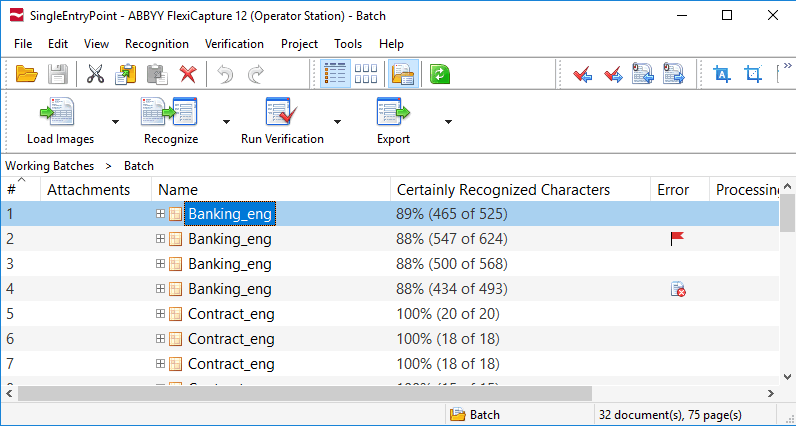
The main window displaying an opened batch
- The image of the document page
- The recognized data
- The rule errors (displayed only if there are rule errors)
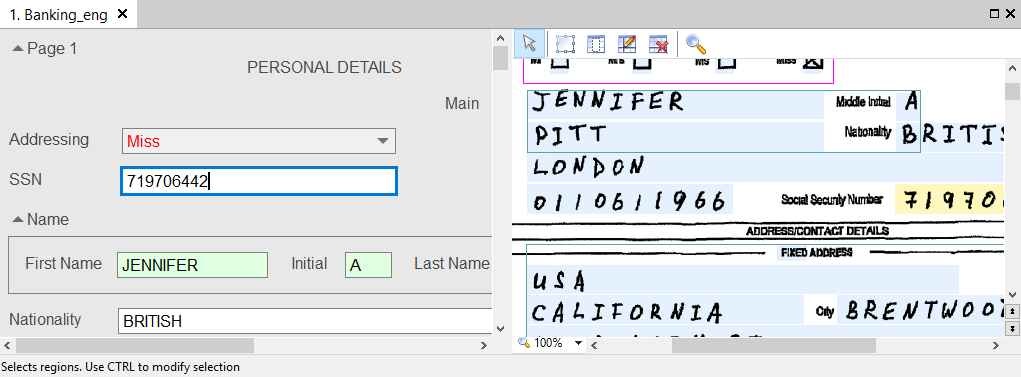
The Document window
Copy and move documents
You can copy or move documents from one batch to another, for example from a regular batch to a test batch for training. All information about a copied or moved document, including the applied Document Definition and any recognized data, is retained.1
Select the documents
In the list of documents, select the documents you want to copy or move.
2
Copy or cut the documents
Press Ctrl+C to copy or Ctrl+X to cut. You can also use the  and
and  toolbar buttons, or the Copy and Cut commands on the Edit menu.
and toolbar buttons, or the Copy and Cut commands on the Edit menu.3
Open the target batch
Open the batch you want to copy or move the documents to.
4
Paste the documents
Press Ctrl+V, click the  button, or click Edit → Paste.
button, or click Edit → Paste.